

Dokie AI
Dokie AI revolutionizes presentation creation, enabling users to design stunning PPT slides in minutes with advanced AI technology.
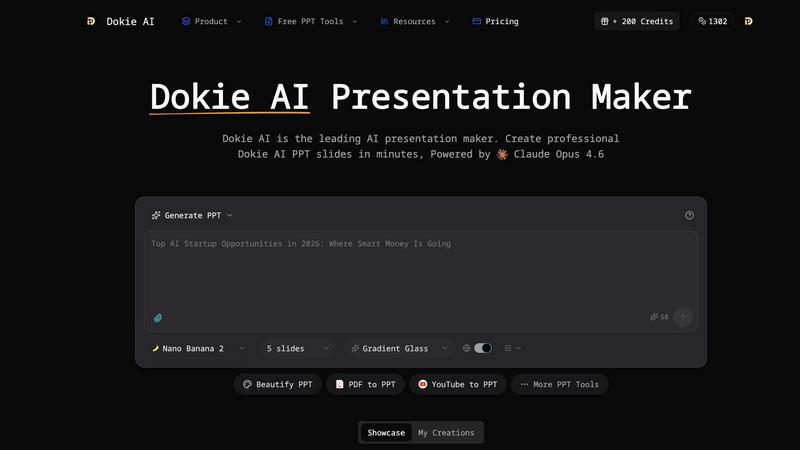
About Dokie AI
Dokie AI is a groundbreaking AI presentation maker designed to revolutionize the way business professionals, educators, marketers, and startup founders craft their presentations. Utilizing the powerful Claude Opus 4.6 AI engine, Dokie AI automates the process of creating polished and visually stunning presentations without the need for design skills. This innovative tool transcends traditional template-based solutions by dynamically generating content structure, layout selection, typography, and visual design, allowing users to focus on their message rather than the mechanics of presentation design. With multiple modes such as Generate, Beautify, Speech, and document-to-PPT conversions, Dokie AI serves as an all-in-one platform that enhances productivity and creativity, enabling users to deliver impactful presentations in mere minutes. Experience the future of presentation-making with Dokie AI, where elegance meets efficiency.
Features of Dokie AI
AI Generate PPT
With the AI Generate PPT feature, users can simply describe their topic in plain text, and Dokie AI will create a complete slide deck tailored to their needs. This feature includes professional layouts, engaging charts, and compelling content, making it ideal for users who want to express their ideas without the hassle of design intricacies.
AI Beautify PPT
The AI Beautify PPT functionality allows users to upload existing presentations for instant enhancement. Dokie AI analyzes the slides and applies professional styling, fixes layouts, and enhances overall design while preserving the original content, transforming ordinary presentations into visually stunning works of art.
Speech Notes Generation
Dokie AI provides an automatic speaker notes generation feature that creates detailed talking points for each slide. This functionality ensures users can deliver their presentations with confidence, as it equips them with comprehensive notes that enhance clarity and engagement during delivery.
Multi-format Conversions
Dokie AI supports various document-to-PPT conversions, including PDF to PPT, Word to PPT, and even YouTube to PPT. This versatility enables users to easily transform content from multiple formats into professional presentations, streamlining their workflow and enhancing productivity.
Use Cases of Dokie AI
Business Presentations
Dokie AI is perfect for business professionals who need to create high-quality presentations quickly. It helps streamline the presentation-making process, allowing users to focus on their message and strategy instead of getting bogged down by design details.
Educational Lectures
Educators can leverage Dokie AI to develop engaging lecture slides that captivate students' attention. By utilizing the AI generation and beautification features, teachers can ensure their content is visually appealing, fostering better understanding and retention among learners.
Marketing Campaigns
Marketers can benefit from Dokie AI by creating compelling presentations that effectively communicate campaign strategies and results. The tool's ability to generate stunning visuals and concise content helps marketers pitch their ideas more effectively to stakeholders.
Startup Pitches
Startup founders can utilize Dokie AI to craft persuasive pitch decks that attract investors. By generating presentations that highlight key business metrics and unique value propositions, founders can present their ideas with clarity and confidence, increasing their chances of securing funding.
Frequently Asked Questions
How does Dokie AI work?
Dokie AI uses advanced artificial intelligence powered by Claude Opus 4.6 to automatically generate, enhance, and refine presentations based on user input. This allows users to create polished slides without any design skills.
Can I upload my existing presentations?
Yes, Dokie AI allows users to upload existing presentations, which it can then beautify by enhancing design elements, fixing layouts, and applying professional styling while retaining the original content.
What types of documents can I convert to PPT?
Dokie AI supports multiple document formats for conversion, including PDF, Word, HTML, and even YouTube videos, allowing for seamless integration of various content sources into professional presentations.
Is there a free trial available for Dokie AI?
While Dokie AI offers a pay-as-you-go pricing model, potential users can explore its capabilities through various plans that cater to different needs, ensuring they can find the right option for their presentation requirements.
Similar to Dokie AI

ogimagegenerator.dev
Paste a URL and AI designs on-brand Open Graph images from your page's colours, fonts and logo. Free, no sign-up.

Budgetpixel AI
Create and edit AI images, videos, music, and designs in one workspace, with multiple models, reusable characters, and API access.

Try OC Maker
Create OCs from text or images, customize their look, and turn them into animated videos with AI.

PXDMD
AI image editor in the browser: remove backgrounds, erase objects and watermarks, change backgrounds and grade colors in seconds.

ImageGenerator
Create and edit AI images online with multiple models, text-to-image, image-to-image, background removal, and upscaling.

MakePixelArt
Free browser-based picture to pixel art converter with adjustable pixel size, retro palettes, grid preview, and PNG downloads.

Presentation Intelligence
AI-native presentation and visual content platform that turns prompts, documents, images, videos, and data into polished, shareable decks.

ProfileLoom
ProfileLoom turns one photo into platform-ready AI portraits for professional, social, and creator profiles, with presets and built-in editing.