
AI Filter vs Img Editor
Side-by-side comparison to help you choose the right AI tool.

AI Filter
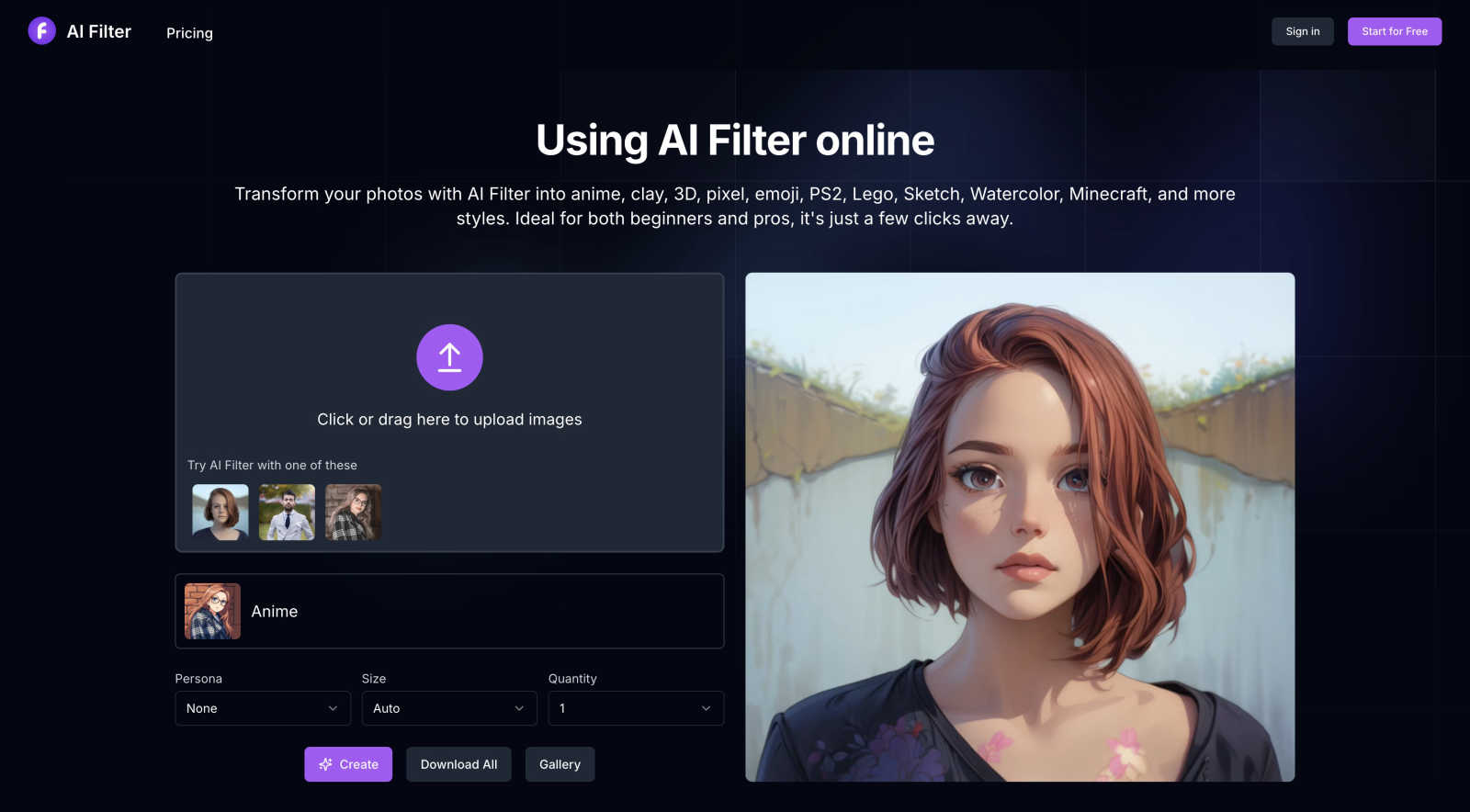
Transform any photo into stunning AI art in seconds with diverse styles like anime, pixel, and watercolor at AI Filter.
Last updated: February 28, 2026

Img Editor
Img Editor empowers you to effortlessly create breathtaking AI-generated images from your imagination in seconds.
Last updated: February 28, 2026
Visual Comparison
AI Filter
Img Editor

Feature Comparison
AI Filter
AI Anime Filter
Transform your photos into vibrant and captivating anime styles with the AI Anime Filter. This feature breathes new life into ordinary images, making them visually striking and fun, perfect for catching the eye of your audience.
AI Clay Filter
Delve into a new dimension of artistry with the AI Clay Filter. This feature allows you to convert your photos into three-dimensional clay-style masterpieces, giving them a unique tactile appeal that stands out in the digital realm.
AI PS2 Filter
Experience the nostalgia of classic gaming with the AI PS2 Filter. This feature lets you transform your photos into the iconic graphics style reminiscent of PS2 games, providing a playful and retro aesthetic that resonates with gamers and creatives alike.
AI Pixel Filter
The AI Pixel Filter offers a perfect blend of nostalgia and innovation. This feature enables you to convert your images into charming pixel art styles, allowing you to relive the unique charm of early computer graphics while adding a modern twist to your visuals.
Img Editor
Text to Image Generation
This feature allows users to input textual descriptions and receive stunning AI-generated images that match their vision. The advanced AI understands nuances in language, translating them into high-fidelity visuals that capture the essence of user creativity.
Image Editing Capabilities
Users can enhance and modify existing images using Img Editor's state-of-the-art editing tools. With options for adjusting colors, adding effects, and refining details, creators can elevate their visuals to new heights, ensuring every piece meets their artistic standards.
Prompt Generator
The integrated prompt generator assists users in formulating effective descriptions to achieve desired results. By suggesting various prompts based on user input, this tool enhances creativity and expands possibilities, making it easier to explore different artistic directions.
Quality Settings
Img Editor offers multiple quality settings, including 1K, 2K, and 4K options, allowing users to choose the resolution that best fits their needs. Whether for social media posts or high-resolution prints, creators can ensure their images are sharp and vibrant.
Use Cases
AI Filter
Social Media Enhancement
Elevate your social media presence by using AI Filter to create eye-catching visuals. Transform your photos into artistic masterpieces that capture attention and engage your audience, making your posts stand out in a crowded digital landscape.
Game Development
Game developers can leverage AI Filter to prototype concepts and visualize characters in unique artistic styles. The ability to create PS2 graphics or pixel art can inspire fresh ideas and bring game worlds to life during the development process.
Digital Art Creation
For digital artists, AI Filter serves as a powerful source of inspiration. By converting ordinary photos into various artistic styles, artists can explore new creative avenues and produce innovative artworks that challenge traditional boundaries.
Personal Projects and Gifts
Whether you're crafting personalized gifts or exploring creative hobbies, AI Filter allows you to transform your photos into memorable keepsakes. Create custom art pieces that hold sentimental value, perfect for sharing with friends and family.
Img Editor
Artistic Creation
Artists can use Img Editor to swiftly generate concepts and ideas for their works. By transforming simple text prompts into elaborate visuals, they can experiment with different styles and themes, enhancing their creative process.
Marketing and Advertising
Marketers can harness the power of Img Editor to produce eye-catching visuals for campaigns. Whether crafting social media graphics or promotional materials, the platform enables rapid generation of tailored images that resonate with target audiences.
Content Creation
Bloggers and content creators can enhance their articles with unique visuals generated by Img Editor. By producing relevant images that complement their written content, they can increase engagement and improve the overall aesthetic of their posts.
Educational Resources
Educators can utilize Img Editor to create custom illustrations and infographics for teaching materials. By generating visuals that convey complex concepts, they can enhance learning experiences and make information more accessible to students.
Overview
About AI Filter
AI Filter is a game-changing neural style transfer platform that redefines the boundaries of photo editing. Harnessing the power of advanced generative artificial intelligence, it allows users to deconstruct and reimagine their images through an extensive array of digital and artistic styles. This platform goes beyond simple filtering techniques; it offers a complete visual metamorphosis that can turn ordinary photographs into extraordinary creative expressions. With AI Filter, users can transform their images into stunning anime art, tactile clay sculptures, charming pixel art, blocky Minecraft visuals, retro PS2 graphics, elegant watercolor paintings, and much more. Accessible through a user-friendly browser interface, it requires no software installation or technical knowledge, democratizing professional-grade AI artistry for everyone. Whether you are a social media influencer aiming for viral content, a game developer brainstorming concepts, a digital artist seeking inspiration, or an enthusiast eager to explore new creative frontiers, AI Filter serves as your gateway to a new reality of visual possibilities.
About Img Editor
Img Editor is a revolutionary AI-driven image generation platform that redefines the landscape of digital art creation. Designed to cater to artists, graphic designers, marketers, and content creators, this tool is completely free, breaking down financial barriers that often restrict access to high-quality art generation. At the heart of Img Editor lies a sophisticated dual-mode AI system, which harnesses the power of advanced neural networks to convert text prompts and existing images into breathtaking visuals. This platform empowers users to unleash their creativity without limitations, allowing for the creation of everything from photorealistic scenes to imaginative abstract art in mere seconds. Img Editor not only serves as a powerful tool but also cultivates a vibrant ecosystem, where users can interact, share, and earn rewards through participation, fostering a community that values collaboration and innovation.
Frequently Asked Questions
AI Filter FAQ
What is an AI filter?
An AI filter is an advanced tool that utilizes artificial intelligence technology to enhance and process photos. It can identify elements within an image and apply various effects, including style transfers and detail enhancements, resulting in visually stunning images.
Are AI Filter services free?
AI Filter operates on a credit-based system. New users receive 10 credits upon registration, while additional credits can be purchased separately, providing a flexible approach to accessing the platform's features.
Which image formats are supported by AI Filter?
AI Filter supports a variety of image formats, including png, jpg, jpeg, and webp. This ensures that users can upload their preferred image types without compatibility issues.
What types of AI filters are available?
Currently, AI Filter offers a diverse range of styles, including anime, clay, pixel art, and emoji filters. The platform is continually evolving, with plans to introduce more filters and effects in the future, expanding creative possibilities.
Img Editor FAQ
What types of images can I generate with Img Editor?
Img Editor allows users to create a wide variety of images, ranging from photorealistic landscapes to abstract art. The advanced AI capabilities enable the generation of visuals based on detailed text prompts or modifications of existing images.
Is Img Editor really free to use?
Yes, Img Editor is completely free, offering users unlimited generations without the need for subscription fees. This democratizes access to high-quality image generation, empowering anyone to create professional-grade art.
How does the prompt generator work?
The prompt generator assists users in crafting effective descriptions for image generation. By analyzing user input, it suggests variations and enhancements, enabling users to explore diverse artistic possibilities and improve the quality of their outputs.
Can I submit my creations to a gallery?
Absolutely! Img Editor encourages users to submit their generated images to the community gallery. Approved submissions can earn users additional generations, fostering a collaborative environment where creativity is shared and celebrated.
Alternatives
AI Filter Alternatives
AI Filter is a groundbreaking neural style transfer platform that revolutionizes the way users approach photo editing. By utilizing advanced generative artificial intelligence, it transforms ordinary images into captivating art pieces across diverse digital styles. As a member of the Image & Photo category, AI Filter democratizes access to professional-grade artistry, making it an appealing tool for creators of all kinds. Users often seek alternatives to AI Filter for various reasons, including pricing structures, specific features, and compatibility with their preferred platforms. When exploring alternatives, it’s essential to consider the range of artistic styles offered, the user interface's accessibility, and any additional functionalities that may enhance the creative process. A comprehensive understanding of these factors will help users find a solution that aligns perfectly with their artistic vision and technical requirements.
Img Editor Alternatives
Img Editor is a revolutionary AI image generation platform that empowers creativity through its cutting-edge machine learning capabilities. It falls within the image and photo category, designed for artists, designers, marketers, and anyone eager to transform their ideas into stunning visuals without financial constraints. Users often seek alternatives due to various factors such as pricing models, specific feature sets, or compatibility with their preferred platforms. When selecting an alternative, it’s essential to consider the quality of output, the ease of use, the flexibility of features, and the overall user experience to ensure it aligns with your creative vision.