
BlitzCut vs ZColoring
Side-by-side comparison to help you choose the right AI tool.

BlitzCut
Blitzcut is the AI video editor that instantly removes silence and adds captions for viral shorts.
Last updated: February 28, 2026

ZColoring
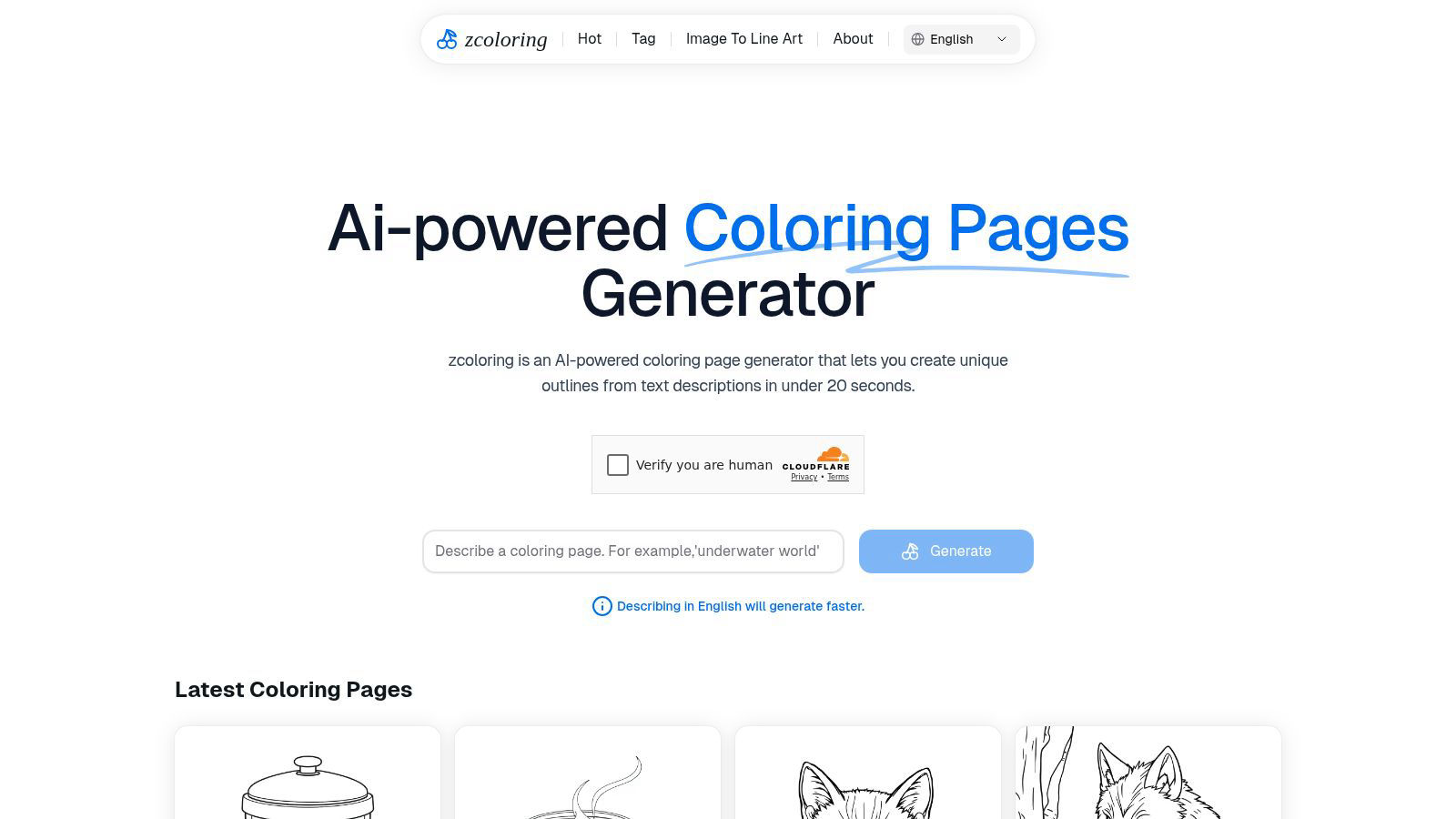
ZColoring instantly generates unique AI coloring pages from any text description you imagine.
Last updated: February 28, 2026
Visual Comparison
BlitzCut

ZColoring
Feature Comparison
BlitzCut
Neural Silence Removal
BlitzCut's proprietary AI doesn't just detect silence; it intelligently analyzes audio waveforms to surgically identify and remove every pause, filler word gap, and dead-air moment. This on-device processing happens in seconds, eliminating the 15-20 minutes of manual cutting typically required, and condensing video length by 30-60% to maximize viewer retention and engagement without any tedious manual clipping or upload delays.
AI-Powered Caption Engine
Go beyond basic transcription. BlitzCut generates highly accurate captions (95%+ accuracy) and automatically applies dynamic, viral styling optimized for short-form platforms. The AI selects fonts, colors, and animations that enhance readability and shareability, turning a simple transcript into a compelling visual narrative element that hooks viewers in the first few seconds, all without any manual design work.
Text-Based Editing Interface
Edit your video as effortlessly as editing a document. BlitzCut provides a full transcript of your clip, allowing you to delete entire sentences or sections simply by highlighting and removing the text. The corresponding video and audio are automatically spliced out with frame-perfect accuracy, making complex edits and content restructuring an intuitive, text-driven process.
Mobile-First, One-Tap Export Pipeline
Built natively for iPhone, iPad, and Mac, BlitzCut embodies a seamless mobile creation ethos. The entire process—from import to final export—is optimized for touch. With one tap, AI processes your video. Another tap exports the final product in full HDR quality directly to your social media apps or camera roll, enabling true creation and publishing from anywhere.
ZColoring
Neural-Powered Instant Generation
At the heart of ZColoring is a sophisticated generative AI model that interprets natural language prompts and renders detailed, coherent line art in mere seconds. This neural network-powered instantiation eliminates hours of manual sketching, providing a foundational artwork that is both structurally sound and rich in imaginative detail, ready for the coloring phase.
Intuitive Prompt-to-Art Interface
The platform features an exceptionally user-friendly interface where creativity begins with a simple text box. Users describe their vision—like "cyberpunk samurai cat" or "enchanted forest with hidden fairies"—and the AI handles the complex task of visualization. This intuitive design ensures a frictionless journey from concept to creation, requiring no prior design software knowledge.
High-Resolution, Print-Ready Outputs
Every generated outline is produced in high resolution, ensuring crisp, clean lines that are perfect for both digital coloring and physical printing. This guarantees that the final artwork maintains its quality whether displayed on screen or printed for hands-on coloring activities, making it ideal for creating custom coloring books, educational sheets, or art projects.
Dynamic Style and Complexity Adjustment
ZColoring offers users control over the artistic output, allowing for adjustments in style and complexity. Whether you need a simple cartoon for a young child or a highly detailed mandala for an adult coloring book, the AI can tailor the intricacy and artistic flair of the generated outlines to match the intended audience and purpose.
Use Cases
BlitzCut
Daily Social Media Content Creation
For influencers, educators, and business owners committed to daily posting on TikTok, Reels, or Shorts, BlitzCut is the essential tool. It turns the daunting hour-long editing session into a sustainable 2-minute task, allowing creators to consistently produce high-engagement, captioned content that maintains audience growth without creative burnout.
Rapid Podcast-to-Short Form Clipping
Content repurposing is revolutionized. Podcasters and live streamers can instantly import long-form recordings, use text-based editing to isolate key viral moments, and have BlitzCut automatically remove pauses and add styled captions. This creates multiple, polished promotional clips ready for social media in a fraction of the time previously needed.
Agile Marketing and Product Demos
Marketing teams and solopreneurs can film quick, authentic product demos or announcements on their phone and have a professional, captioned video ready for launch in minutes. The speed enables rapid iteration and timely content that capitalizes on trends, making marketing agile and responsive.
Educational and Tutorial Content
Educators creating micro-lessons can focus purely on their delivery. BlitzCut handles the post-production, ensuring tutorials are concise (via silence removal) and accessible (via accurate, clear captions), improving comprehension and meeting accessibility standards with zero extra effort from the creator.
ZColoring
Personalized Educational Material Creation
Educators and therapists can generate custom, theme-specific coloring pages in seconds to complement lesson plans or therapeutic activities. Teaching about dinosaurs, the solar system, or historical figures becomes more engaging with unique, AI-generated outlines that capture students' imaginations and reinforce learning objectives.
On-Demand Entertainment for Families
Parents and caregivers can instantly conjure a limitless supply of personalized coloring activities tailored to their child's current interests. From a birthday party theme to a favorite storybook character, ZColoring provides a quick, creative solution to keep children engaged and entertained with unique, custom-made art.
Foundation for Digital Artists and Designers
Artists and graphic designers can use ZColoring as a powerful ideation and sketching tool. It rapidly generates complex compositional outlines and unique character concepts based on descriptive prompts, serving as a springboard for further digital painting, graphic design projects, or merchandise creation, significantly speeding up the initial design phase.
Customized Content for Hobbyists and Creators
Coloring book authors, bloggers, and content creators can leverage ZColoring to produce original, royalty-free line art at scale. This enables the efficient creation of niche coloring books, printable blog resources, or unique digital assets for social media, opening new avenues for creative entrepreneurship and community engagement.
Overview
About BlitzCut
BlitzCut is the paradigm-shifting AI video editor engineered for the velocity of the modern creator economy. It represents a fundamental leap beyond traditional editing suites, discarding bloated feature lists in favor of hyper-focused, intelligent automation. This mobile-first platform is built on a core thesis: that creators should spend their energy on ideation and performance, not on the tedious mechanics of post-production. By leveraging on-device AI processing, BlitzCut delivers a near-instantaneous workflow, transforming raw talking-head clips into polished, platform-optimized content for TikTok, Instagram Reels, and YouTube Shorts in a revolutionary two-minute window. It is designed for social media creators, educators, entrepreneurs, and anyone for whom daily, consistent posting is non-negotiable. Its core value proposition is uncompromising speed and accessibility, automating the most time-consuming tasks—silence removal and caption styling—with precision, thereby making professional-grade video editing not just possible, but sustainable for everyone.
About ZColoring
ZColoring is a revolutionary AI-powered creative platform that shatters the traditional boundaries of illustration and design. It leverages cutting-edge generative neural networks to instantaneously transform simple textual descriptions into intricate, high-quality, ready-to-color line art outlines in under 20 seconds. This represents a paradigm shift in creative instantiation, democratizing professional-grade illustration by making it accessible to anyone, regardless of technical skill or artistic training. The platform acts as a creative co-pilot, seamlessly bridging the gap between linguistic imagination and tangible visual structure. Users can materialize any concept, from fantastical creatures and anime-inspired characters to serene landscapes and complex patterns, with unprecedented speed and ease. ZColoring is engineered for a diverse spectrum of creators: digital artists seeking unique sketching foundations, educators crafting bespoke and engaging learning materials, parents generating instant personalized activities for children, and hobbyists exploring the frontiers of AI-assisted design. Its core value proposition lies in unlocking infinite possibilities for personalized coloring adventures, empowering users to manifest their unique visions directly from thought to printable art.
Frequently Asked Questions
BlitzCut FAQ
How does BlitzCut's silence removal work so fast?
BlitzCut utilizes on-device neural processing, meaning the AI analyzes your video's audio directly on your iPhone, iPad, or Mac. This eliminates the time required to upload large files to the cloud, enabling near-instantaneous detection and cutting of silent gaps. The advanced algorithm identifies not just pure silence but also low-energy pauses for a perfectly paced final cut.
Is BlitzCut really free to use?
Yes, BlitzCut is free to download and use its core functionality. This includes automatic silence removal and AI caption generation, allowing you to fully process and export videos without any watermarks or account requirements. The app is built to provide immense value at no upfront cost to the creator community.
How accurate are the automatic captions?
BlitzCut's AI caption engine achieves over 95% accuracy for clear spoken English. It is specifically trained on conversational speech patterns common in creator content. For optimal results, ensure clear audio during recording. You can always review and make minor text adjustments in-app before finalizing your styled captions.
Can I export videos for platforms other than social media?
Absolutely. While optimized for TikTok, Instagram, and YouTube Shorts, BlitzCut exports full-quality HDR video files directly to your device's camera roll. From there, you can share the professional-grade output to any platform, including LinkedIn, Twitter, your website, or use it in other professional editing suites for further refinement.
ZColoring FAQ
How does ZColoring generate images from text?
ZColoring utilizes a state-of-the-art generative AI model, a type of deep learning neural network trained on vast datasets of images and descriptive text. When you input a prompt, the AI interprets the language, understands the components and style requested, and synthesizes a completely new, coherent line art illustration that matches your description in under 20 seconds.
Do I need any artistic skill or software to use ZColoring?
Absolutely not. ZColoring is designed specifically to democratize art creation. No drawing skill, design experience, or complex software knowledge is required. The entire process is driven by your descriptive words in a simple web interface. You provide the idea, and the AI provides the professional-grade outline.
Can I use the generated outlines for commercial purposes?
The commercial usage policy depends on ZColoring's specific licensing terms, which should be reviewed on their official website. Typically, AI-generated art platforms have guidelines regarding the sale and distribution of artworks created with their tools. It is essential to check the terms of service to understand your rights for commercial projects, merchandise, or published coloring books.
What kind of prompts work best with ZColoring?
For optimal results, use clear, descriptive prompts that specify the main subject, setting, style, and key details. Instead of "dog," try "a fluffy corgi wearing a wizard hat in a magical library, cartoon style." The more vivid and detailed your description, the more accurately the AI can materialize your vision. Experimenting with adjectives and artistic styles (e.g., "stippled," "art nouveau," "minimalist") can yield diverse and exciting results.
Alternatives
BlitzCut Alternatives
BlitzCut is a next-generation AI video editor, a powerhouse in the content creation category designed to automate the tedious aspects of editing. It leverages artificial intelligence to instantly remove silences, generate high-accuracy captions, and enable text-based editing, all within a mobile-first ecosystem. This positions it as a revolutionary tool for creators who prioritize speed and efficiency in their workflow. Users often explore alternatives for various reasons, including specific budget constraints, the need for different feature sets like advanced color grading or multi-track timelines, or compatibility with other operating systems and platforms. The quest for the right tool is highly personal, driven by individual content style, posting frequency, and desired level of creative control versus automation. When evaluating other solutions, focus on core value alignment. Seek platforms that understand the creator economy's velocity, offering genuine time savings through AI automation without sacrificing essential quality. Prioritize tools that enhance your creative process rather than complicate it, ensuring the technology serves your vision and sustains your daily publishing rhythm.
ZColoring Alternatives
ZColoring is a neural network-powered creative co-pilot, operating within the generative art and AI design tool category. It instantly transmutes textual imagination into intricate, ready-to-color outlines, democratizing professional-grade illustration for all. Users often seek alternatives to align with specific creative parameters. This exploration can be driven by varied subscription models, the need for different artistic styles or output formats, integration with other creative suites, or platform-specific accessibility requirements beyond a web interface. When evaluating a substitute, prioritize the AI's interpretive fidelity to complex prompts, the artistic quality and variety of the generated line art, and the overall velocity of the creative workflow. The ideal platform should function as a seamless extension of your cognitive process, bridging the linguistic and the visual with minimal latency.