
conceptviz vs Proofapp
Side-by-side comparison to help you choose the right AI tool.

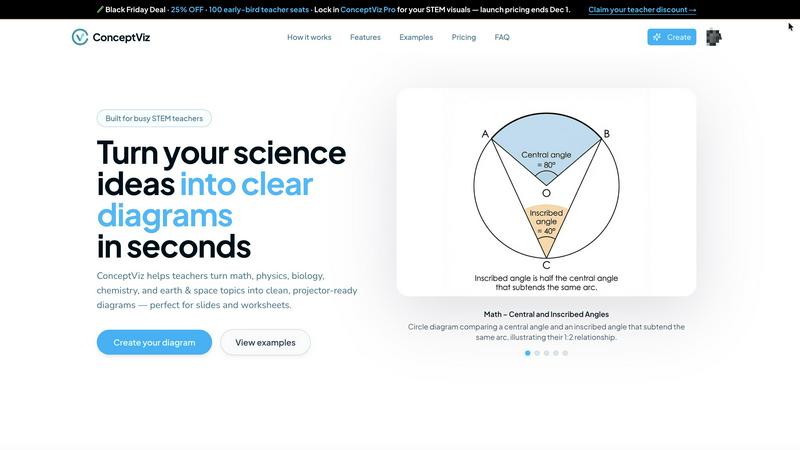
Effortlessly turn complex science and math concepts into stunning, clear diagrams with ConceptViz's AI-powered.
Last updated: February 28, 2026

Proofapp
Revolutionize your design feedback with visual comments on any webpage, eliminating miscommunication and speeding up.
Last updated: March 4, 2026
Visual Comparison
conceptviz
Proofapp

Feature Comparison
conceptviz
Intuitive Diagram Generation
ConceptViz features a user-friendly interface that allows educators to generate diagrams in three simple steps. Users can sign in, choose their subject, and describe the diagram they need in plain English. This makes it easy for anyone, regardless of their design skills, to create professional-grade visuals that enhance learning.
Projector-Ready Clarity
The platform is specifically designed to produce high-contrast, legible diagrams that are projector-ready. Thick lines and clear labels ensure that visuals are readable from any point in the classroom, making it an ideal tool for educators who frequently present material to large groups.
Subject and Grade Presets
ConceptViz offers a variety of preset templates tailored for different subjects and grade levels, including physics, biology, chemistry, earth & space, and math. These presets are designed to align with U.S. educational standards, providing educators with a quick start that saves time while ensuring relevance to their curriculum.
High-Resolution Outputs
With the capability to download diagrams in high-resolution PNG format, ConceptViz ensures that visuals maintain their quality whether used in projectors, printed handouts, or digital presentations. This feature guarantees that educators can seamlessly integrate visuals into PowerPoint, Google Slides, or worksheets without loss of clarity.
Proofapp
Visual Commenting
Proofapp allows users to click anywhere on a screenshot to leave contextual feedback. This feature eliminates the confusion of vague location descriptions, ensuring that comments are pinned exactly where they belong, making the feedback process straightforward and effective.
Multi-Breakpoint Testing
With automatic screenshots captured at both desktop and mobile breakpoints, Proofapp enables teams to review their websites across different devices effortlessly. This feature ensures that designs are optimized for a seamless user experience, regardless of the platform used.
Secure Share Links
Users can generate secure, expirable links to share projects with clients. This feature provides an added layer of security, ensuring that only authorized reviewers have access while allowing them to leave comments without the need for a dedicated account.
Real-time Collaboration
Proofapp facilitates dynamic collaboration by allowing team members to see comments and updates in real-time. Users can reply, resolve feedback, and track progress together, ensuring that everyone is on the same page and speeding up the iteration process.
Use Cases
conceptviz
Enhancing STEM Lessons
Educators can utilize ConceptViz to create visually engaging diagrams that clarify complex scientific concepts, such as energy transformations in physics or cellular structures in biology. This enhances student comprehension and retention during lessons, making challenging topics more approachable.
Streamlining Assessment Preparation
Teachers can quickly generate diagrams for quizzes and tests, ensuring that assessment materials are not only accurate but also visually stimulating. By using ConceptViz, educators can focus on crafting questions rather than spending hours searching for the right images.
Supporting Research Presentations
Researchers can leverage ConceptViz to create sophisticated visuals for academic papers and presentations, enabling them to convey intricate data and findings effectively. The ability to generate high-quality diagrams in seconds allows them to focus on their research rather than visual design.
Facilitating Collaborative Projects
Students working on group projects can use ConceptViz to collaboratively create diagrams that represent their ideas and findings. This fosters teamwork and enhances their ability to communicate scientific concepts effectively, preparing them for future academic or career pursuits.
Proofapp
Freelance Projects
Freelancers can utilize Proofapp to streamline client feedback, allowing them to present designs and collect comments efficiently. This not only enhances professionalism but also saves valuable time across multiple projects.
Agency Workflow
Agencies managing several client projects can leverage Proofapp to maintain organized feedback loops. By centralizing visual comments and revisions, teams can reduce the time spent on back-and-forth communications and focus on delivering high-quality work.
Marketing Campaign Reviews
Marketing teams can use Proofapp to review landing pages and campaigns collaboratively. By pinning feedback visually, teams can ensure that all aspects of a project align with the overall marketing strategy, leading to more effective campaigns.
Design Iteration
Designers can benefit from Proofapp's visual feedback capabilities by receiving precise comments from clients and team members. This clarity allows for quicker iterations and a more streamlined design process, ultimately leading to better end products.
Overview
About conceptviz
ConceptViz is an innovative and transformative tool tailored specifically for STEM educators, students, and researchers who seek to distill complex scientific ideas into visually engaging diagrams. Designed for both K-12 educators and higher education professionals, this cutting-edge platform enables users to create intricate yet clear visuals for lessons, lab activities, and assessment materials in a matter of seconds. The main value proposition of ConceptViz lies in its ability to streamline the creation of educational content, allowing educators to allocate more time to teaching rather than preparation. By simplifying the communication of advanced concepts, ConceptViz makes intricate scientific ideas accessible and understandable for learners at all levels. Whether it’s a simple physics diagram or a complex biology illustration, ConceptViz empowers users to enhance educational experiences through clarity and precision, revolutionizing the way science and math are taught in classrooms and research labs alike.
About Proofapp
Proofapp is an innovative visual feedback and website review platform designed to revolutionize the way designers, developers, and clients collaborate. By allowing users to upload any website URL, Proofapp automatically captures both desktop and mobile screenshots, streamlining the feedback process. This cutting-edge tool eliminates the chaos of traditional communication methods, such as email chains and vague revision notes, by enabling reviewers to pin comments directly on the design. With features like real-time notifications and Slack integration, Proofapp ensures that all feedback is organized, actionable, and easily accessible. Whether you are a freelancer gathering client insights or an agency managing multiple projects, Proofapp enhances productivity, reduces miscommunication, and fosters a collaborative environment that drives results.
Frequently Asked Questions
conceptviz FAQ
What subjects does ConceptViz cover?
ConceptViz encompasses a wide range of subjects, including physics, biology, chemistry, earth & space, and math, making it a versatile tool for educators across various disciplines.
Is there a free trial available?
Yes, ConceptViz offers a free 4K Ultra HD trial with no credit card required, allowing users to explore its features and capabilities before committing to a purchase.
Can I reuse diagrams created with ConceptViz?
Absolutely! Users can save and reuse their generated diagrams across different classes and sections, making it a time-efficient tool for educators who teach multiple subjects or grade levels.
How does ConceptViz ensure clarity in its diagrams?
ConceptViz is designed with clarity in mind, featuring thick, legible lines and minimal background noise, ensuring that visuals are easily understandable and effective for classroom presentations.
Proofapp FAQ
How does Proofapp improve the feedback process?
Proofapp enhances the feedback process by allowing users to leave visual comments directly on screenshots, eliminating confusion and miscommunication often associated with traditional email exchanges.
Is there a free trial available for Proofapp?
Yes, Proofapp offers a generous free trial that allows users to experience full access for 60 days without the need for a credit card, making it easy to explore its features.
Can I share projects with clients securely?
Absolutely! Proofapp provides secure, expirable links for sharing projects with clients, ensuring that feedback can be gathered in a safe manner while maintaining control over access.
What types of teams can benefit from using Proofapp?
Proofapp is ideal for a variety of teams, including freelancers, small dev teams, design teams, and marketing departments. Its features are designed to streamline feedback and enhance collaboration, regardless of team size or industry.
Alternatives
conceptviz Alternatives
ConceptViz is a groundbreaking AI-powered platform that revolutionizes the way STEM educators, students, and researchers visualize complex science and math concepts. As a member of the AI Assistants and Data Visualization categories, it allows users to create stunning diagrams quickly and effortlessly, enhancing educational materials for K-12 and higher education. Users often seek alternatives to ConceptViz due to various factors such as pricing, specific feature sets, or compatibility with their existing platforms. When choosing an alternative, it's essential to consider aspects like ease of use, the range of design options, integration capabilities, and customer support. These factors can significantly impact the overall effectiveness and satisfaction with the tool.
Proofapp Alternatives
Proofapp is an innovative visual feedback and website review platform that empowers designers, developers, and clients to collaborate seamlessly. By capturing screenshots of any website URL on both desktop and mobile devices, Proofapp allows users to pin comments directly onto designs, creating an intuitive feedback loop that eliminates confusion and enhances productivity. This tool belongs to the design tools category, revolutionizing the way teams communicate about design revisions. Users often seek alternatives to Proofapp for various reasons, including pricing structures, specific feature sets, or platform compatibility. When exploring alternatives, it's crucial to consider factors such as usability, integrations with existing tools, and the ability to manage multiple projects effectively. A superior alternative should provide a streamlined process for gathering feedback, ensuring that all comments are organized and actionable, ultimately enhancing collaboration in any design workflow.