
GPT Create Image vs SparkPix
Side-by-side comparison to help you choose the right AI tool.

GPT Create Image
Create stunning images through simple conversation with revolutionary AI.
Last updated: February 28, 2026

SparkPix
Transform your photos effortlessly with SparkPix, the AI-powered editor that enhances, restores, and styles images just by typing your commands.
Last updated: March 11, 2026
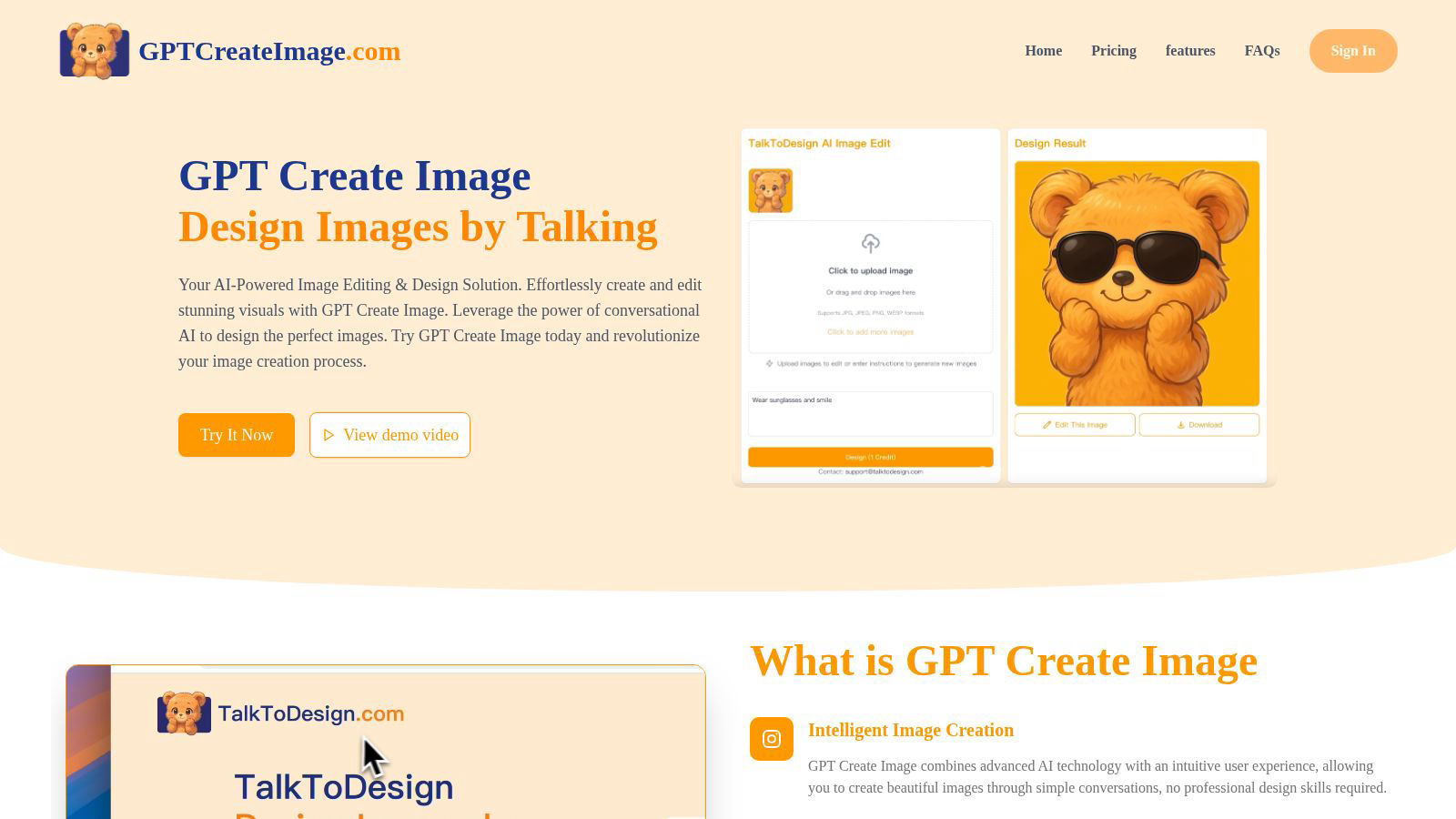
Visual Comparison
GPT Create Image
SparkPix

Feature Comparison
GPT Create Image
Conversational AI Design Interface
Engage in a natural language dialogue with the AI to create and edit images. Simply describe the scene, subject, style, or specific edits you envision, and the platform's advanced AI interprets your commands to generate or modify visuals in real-time. This eliminates complex menus and tools, offering an intuitive, chat-based creative experience.
Advanced Image Generation & Synthesis
Leverage cutting-edge generative AI models to produce original, high-resolution images from text prompts. Whether you need photorealistic scenes, artistic illustrations, logos, or social media graphics, the platform synthesizes unique visuals that align precisely with your descriptive input, providing a limitless source of creative assets.
Context-Aware Image Editing & Transformation
Go beyond generation to perform intelligent edits on existing images. Instruct the AI using natural language to remove objects, change backgrounds, alter colors, apply filters, add elements, or restyle entire compositions. The AI understands context, making precise, non-destructive edits that maintain visual integrity.
Professional-Grade Output & Fine-Tuning
Receive exceptional quality visuals suitable for commercial and professional use. The platform includes fine-tuning tools and parameters that allow for granular control over aspects like resolution, aspect ratio, and artistic style, ensuring the final output meets the highest standards for print, digital media, and branding.
SparkPix
AI Photo Editor
The AI Photo Editor allows users to make transformative edits by simply typing in commands. Whether you want to change the background, restore an old photo, or enhance image quality, SparkPix's AI processes these instructions in under 30 seconds, making photo editing accessible and efficient for everyone.
Background Remover
With the one-click Background Remover feature, you can instantly isolate subjects from their backgrounds. This tool is particularly useful for creating professional-looking portraits, product images, or marketing materials, allowing users to focus on what truly matters in their photos without the hassle.
Unblur Image
The Unblur Image feature employs advanced AI algorithms to fix motion blur, out-of-focus shots, and unsightly compression artifacts. With just a few clicks, users can restore clarity and sharpness to their images, ensuring that every detail is crisp and visually appealing.
Photo Restoration
SparkPix excels in photo restoration, enabling users to repair old, faded, scratched, or damaged photographs with ease. This feature is a blessing for anyone looking to preserve family memories or historical images, allowing you to bring life back to cherished moments.
Use Cases
GPT Create Image
Marketing & Advertising Content Creation
Marketing teams can rapidly prototype and produce a vast array of promotional materials. Generate unique ad banners, social media posts, email graphics, and product mockups by simply describing campaign themes and target aesthetics, dramatically speeding up the content pipeline and enabling agile, on-brand visual production.
Concept Art & Creative Brainstorming
Artists, writers, and product developers can use the platform to visualize concepts instantly. Generate multiple iterations of character designs, environment concepts, storyboard frames, or product ideas through conversational exploration, turning abstract thoughts into tangible visual references to fuel innovation and collaboration.
Personal Project Enhancement & Social Media
Individuals can effortlessly enhance personal photos, create custom invitations, design unique gifts, or craft eye-catching social media profiles. Describe the desired mood or edit, such as "make this sunset more dramatic" or "create a vintage poster of my dog," to achieve polished results without any design background.
Educational & Presentation Material Design
Educators and professionals can create compelling visual aids, diagrams, infographics, and presentation slides through simple instructions. Quickly generate accurate illustrations of historical events, scientific concepts, or data visualizations to improve engagement and communication clarity in educational and business settings.
SparkPix
Social Media Marketing
Social media managers can leverage SparkPix to quickly create eye-catching visuals for posts and ads. With features like background removal and style transfer, they can tailor images to fit brand aesthetics and engage audiences effectively.
E-commerce Product Photography
E-commerce businesses can benefit from SparkPix’s ability to enhance product images. The AI-driven tools allow sellers to create high-quality product photos that attract buyers, ultimately boosting sales and improving online presence.
Personal Photo Archiving
For individuals looking to preserve family memories, SparkPix’s photo restoration and enhancement features make it easy to restore old photographs. Users can revive faded images and create beautiful keepsakes without professional help.
Creative Projects
Artists and designers can utilize SparkPix’s style transfer capabilities to transform their photos into unique artworks. By converting images into various artistic styles, users can create stunning visuals for portfolios, presentations, or personal enjoyment.
Overview
About GPT Create Image
GPT Create Image is a paradigm-shifting platform that redefines the creative process by merging advanced conversational AI with sophisticated image generation and manipulation. It represents the next evolutionary leap in digital design, transforming natural language descriptions into stunning, high-fidelity visuals. This tool is engineered for a diverse spectrum of users, from professional graphic designers and marketing teams seeking to accelerate their workflow to entrepreneurs, educators, and casual users who wish to materialize their ideas without the steep learning curve of traditional software like Photoshop. Its core value proposition is the radical democratization of professional-grade visual creation. By eliminating the need for technical expertise, complex toolbars, and manual editing, GPT Create Image empowers anyone to become a creator. It acts as an intuitive, collaborative AI partner that interprets creative vision through simple dialogue, making the future of image creation accessible, instantaneous, and bound only by the user's imagination.
About SparkPix
SparkPix is a revolutionary AI-powered photo editing tool that transforms the way you edit images. Designed for everyone from casual users to professional photographers, SparkPix eliminates the need for complex photo editing software like Photoshop. With its intuitive interface, users can simply type in their desired edits, such as "remove background" or "enhance colors," and watch as the AI executes these commands in a matter of seconds. This cutting-edge platform is perfect for those who want to quickly enhance their images without the steep learning curve. By offering a suite of powerful features, SparkPix empowers users to create stunning visuals effortlessly, making it an essential tool for social media managers, e-commerce businesses, and photography enthusiasts alike.
Frequently Asked Questions
GPT Create Image FAQ
How does GPT Create Image differ from traditional editing software?
Unlike traditional software that requires manual skill with complex tools like layers, masks, and brushes, GPT Create Image uses conversational AI as its primary interface. You achieve results by describing what you want in natural language, making professional editing accessible without a technical learning curve. It's a collaborative, intuitive partner rather than a complex toolset.
What can I create with GPT Create Image?
You can create a vast range of visuals, including original artwork, digital paintings, marketing graphics, social media content, logos, photo-realistic scenes, and illustrations. You can also edit existing images by performing tasks like object removal, background changes, color correction, style transfer, and adding new elements, all through text commands.
Do I need design experience to use GPT Create Image?
No, absolutely not. GPT Create Image is specifically designed to democratize design. The platform's core innovation is its conversational interface, which allows anyone, regardless of skill level, to create and edit images by simply describing their ideas. The AI handles the technical execution.
Are the images generated commercially usable?
Yes, based on the provided pricing context, commercial use is included. Images created with GPT Create Image can be used for commercial purposes, including in advertising, on websites, in products, and for branding. It is always recommended to review the specific Terms of Service for the latest licensing details.
SparkPix FAQ
How does SparkPix work?
SparkPix utilizes advanced AI algorithms to interpret user commands for photo editing. Simply type in what you want to change, and the AI processes the request, applying edits in seconds.
Is SparkPix free to use?
Yes, SparkPix offers a free tier that provides users with 5 credits to start editing. This allows you to explore its features without any upfront cost or credit card requirement.
What types of images can I edit with SparkPix?
You can edit a wide variety of images, including personal photos, product images, and artwork. SparkPix is versatile enough to handle portraits, landscapes, and more, catering to diverse editing needs.
Can I use SparkPix on my mobile device?
Absolutely! SparkPix is a web-based platform that is accessible on desktop, iPhone, and Android devices. You can edit photos on the go without any downloads or installations required.
Alternatives
GPT Create Image Alternatives
GPT Create Image is a revolutionary conversational AI tool that redefines the generative art and content creation landscape. It allows users to craft and edit visuals through simple natural language, eliminating the steep learning curve of traditional design software. This places it at the forefront of AI-native design tools, where intent directly manifests as imagery. Users often explore alternatives for various reasons, including specific budgetary constraints, the need for different feature sets like advanced control layers or particular artistic styles, and compatibility requirements with other platforms or existing workflows. The quest for a tool that aligns perfectly with individual creative and operational needs is a common driver in this dynamic space. When evaluating an alternative, consider core pillars like the sophistication of its AI model, the intuitiveness of its interface, and the depth of creative control it offers. Prioritize a platform that not only generates images but also seamlessly integrates into your creative process, whether for rapid prototyping, commercial design, or personal artistic exploration.
SparkPix Alternatives
SparkPix is an innovative AI-driven photo editor that allows users to edit images simply by typing commands. This cutting-edge tool falls within the image and photo editing category, making it accessible to anyone seeking to enhance their visual content without the need for extensive technical skills. Users often explore alternatives to SparkPix due to varying needs such as pricing plans, unique features, or specific platform compatibility, as different projects may require tailored solutions that meet individual preferences. When searching for an alternative to SparkPix, users should consider several factors. Key elements include the range of editing features offered, the ease of use, the pricing structure, and the availability of the platform across different devices. By evaluating these aspects, users can identify a photo editing solution that aligns with their creative goals and operational requirements.