
ImaginePro vs RemoveTexts
Side-by-side comparison to help you choose the right AI tool.

ImaginePro
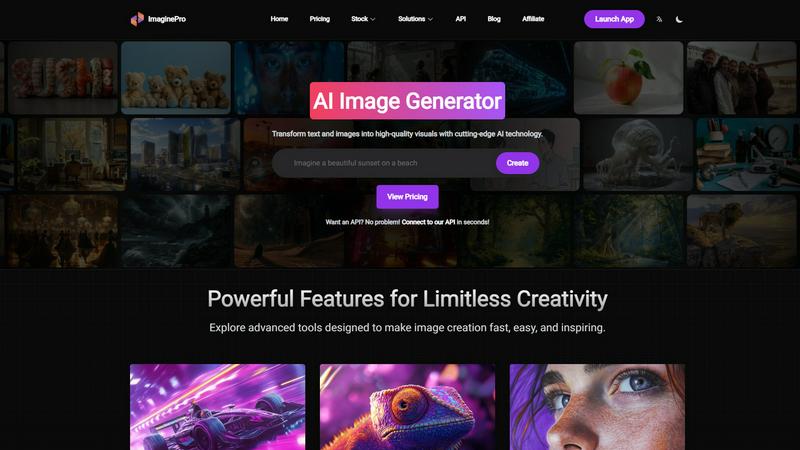
ImaginePro transforms your ideas into stunning, high-resolution visuals with cutting-edge AI technology.
Last updated: February 28, 2026

RemoveTexts
Effortlessly erase text and unwanted elements from images in seconds with RemoveTexts, the AI tool that transforms visuals without any design skills.
Last updated: March 11, 2026
Visual Comparison
ImaginePro
RemoveTexts

Feature Comparison
ImaginePro
Quantum-Powered Text-to-Image Synthesis
Harnessing a suite of top-tier, proprietary AI models, this core feature transforms descriptive text prompts into stunning, high-resolution visuals with unprecedented speed and realism. The system interprets nuanced language, understanding context, style, and composition to generate images that are immediately usable for professional projects, from hyper-realistic product shots to fantastical concept art, all in a matter of seconds.
Neural Background Removal Engine
Go beyond basic clipping with an AI-powered background removal tool that operates with surgical precision. The neural network intelligently detects and isolates subjects, even those with complex edges like hair or fur, delivering clean, cut-out assets instantly. This feature is indispensable for creating product catalogs, professional portraits, and composite graphics without the need for manual, time-consuming editing in external software.
Dynamic Text Behind Image Integration
This innovative feature allows for the creation of sophisticated magazine-cover-style compositions by seamlessly placing text behind foreground objects. The AI automatically detects subjects and depth within the image, enabling text to interact realistically with the scene. Users can customize fonts, styles, and positioning, unlocking new levels of creative layering and visual impact for promotional materials and social media content.
Agent-Optimized API & CLI Skill
Designed for the future of automated workflows, ImaginePro offers a powerful, zero-dependency API and Python skill. This allows AI coding agents and developers to integrate image generation, upscaling, and editing directly into automated pipelines, chatbots, and applications. The JSON-output script is built for agent consumption, enabling scalable, programmatic content creation without manual intervention.
RemoveTexts
Paint to Remove
With the Paint to Remove feature, users can brush over specific text areas in their images for precise control. This targeted approach allows you to eliminate only the text you want gone, ensuring that the rest of your image remains intact and visually appealing.
Auto Remove All
The Auto Remove All function leverages the power of AI to automatically detect and remove every text element from your image with just one click. This feature is perfect for those who need a quick solution for cleaning up images filled with text, saving valuable time and effort.
Edit & Replace Text
The Edit & Replace Text feature enables users to change existing text within images while perfectly matching the original style and font. This allows for seamless modifications, making it easy to update information or branding in your visuals without compromising quality.
Remove Objects
The Remove Objects feature goes beyond text removal, allowing users to erase unwanted objects, logos, and other visual elements from their images. This functionality ensures that you can create clean and professional visuals tailored to your needs.
Use Cases
ImaginePro
Agile Social Media & Marketing Content Creation
Marketing teams and social media managers can generate a constant stream of fresh, on-brand visual content. Instantly create eye-catching graphics for posts, ads, and campaigns tailored to specific platforms, drastically reducing dependency on stock photos and accelerating campaign launch timelines from days to minutes.
E-commerce Product Visualization & Enhancement
Online retailers can generate photorealistic product images in various settings or styles without costly photoshoots. Enhance existing catalog images by instantly removing backgrounds, creating clean white-background shots, or generating lifestyle context images to boost conversion rates and visual appeal.
Conceptual Design & Rapid Prototyping
Designers, artists, and concept developers can rapidly visualize ideas and iterate on creative concepts. Generate multiple artistic variations, explore different styles and color palettes, and create compelling mood boards or project mock-ups to streamline the creative process and client presentations.
Automated Content for Developer Workflows
Developers and product teams can automate visual asset generation for applications, websites, and digital products. Use the API to dynamically create custom images for user profiles, blog illustrations, or in-app content, enabling personalized and scalable visual experiences driven by code and AI agents.
RemoveTexts
E-Commerce Product Images
E-commerce sellers can utilize RemoveTexts to clean up product images by removing watermarks and unwanted text. This enhances the visual appeal of their listings, helping to drive sales and attract more customers.
Social Media Content Creation
Marketers and social media managers can quickly eliminate distracting text from images, ensuring their content is visually engaging and professional. This is particularly useful for creating polished promotional materials and advertisements.
Legal Document Redaction
Legal professionals can use RemoveTexts to redact sensitive information from documents and images. This capability is essential for maintaining confidentiality while ensuring that the remaining content remains clear and legible.
Academic and Research Publications
Researchers and academics can benefit from RemoveTexts by removing unnecessary text overlays from charts and graphs in their publications. This refinement elevates the clarity and professionalism of their visual data presentations.
Overview
About ImaginePro
ImaginePro is a paradigm-shifting AI image generation platform that transcends traditional creative boundaries. It is a comprehensive visual synthesis engine designed to instantly materialize high-fidelity, commercial-grade visuals from simple textual descriptions or existing images. Built for the next generation of creators, it serves a diverse spectrum of users from visionary artists and strategic marketers to agile startups and enterprise content teams. Its core value proposition lies in democratizing professional-grade visual creation, eliminating the steep learning curves and resource-intensive processes associated with conventional design. By leveraging cutting-edge, multi-modal AI models, ImaginePro delivers not just images, but fully-realized visual assets with lifelike detail and artistic nuance in mere seconds. The platform integrates a suite of advanced post-generation tools directly into its intuitive workflow, offering a seamless, end-to-end solution for turning abstract inspiration into polished, ready-to-deploy visual content for any digital medium.
About RemoveTexts
RemoveTexts is a revolutionary AI-powered image editing tool designed to effortlessly remove unwanted text and elements from images. With its user-friendly interface, anyone—regardless of design skill—can upload images and achieve clean, professional results in mere seconds. Whether you're looking to eliminate watermarks, meme text, subtitles, or branded overlays, RemoveTexts employs advanced deep learning algorithms to detect and erase text while intelligently reconstructing the surrounding background. This makes it ideal for creators, marketers, and designers looking to enhance their visuals without the hassle of complex software like Photoshop. Trusted by over 100,000 users worldwide, RemoveTexts empowers you to achieve pristine image clarity, elevating your content effortlessly.
Frequently Asked Questions
ImaginePro FAQ
What makes ImaginePro different from other AI image generators?
ImaginePro distinguishes itself through its integrated, production-ready toolkit. Beyond just text-to-image generation, it combines multiple cutting-edge features like precision background removal and text-behind-image compositing into a single, user-friendly interface. Furthermore, its enterprise-grade API and agent-optimized skill are built for scalable, automated workflows, catering to both creative professionals and developers.
Do I own the commercial rights to images I create with ImaginePro?
Yes, images generated by ImaginePro are intended for commercial use. Users retain ownership of their creations and can freely use them in commercial projects, marketing materials, and products, subject to the terms of their active subscription plan. This makes it a powerful tool for businesses and freelancers needing reliable, licensable assets.
Can I use ImaginePro without any design experience?
Absolutely. ImaginePro is engineered with an intuitive web UI that requires no prior design expertise. You can start creating by simply typing a description. The platform offers streamlined presets for styles, colors, and framing, guiding users to professional results. Advanced tools are presented in an accessible way, making high-end visual creation available to everyone.
How does the AI Agent integration work?
ImaginePro provides a zero-dependency Python skill with a JSON-output CLI script. AI coding agents like Claude or GPT-4 can execute this script with natural language commands to perform actions like generating an image, upscaling it, or removing its background. The output is structured JSON that the agent can parse and utilize, enabling fully automated, programmatic image generation within developer pipelines.
RemoveTexts FAQ
How does RemoveTexts work?
RemoveTexts employs advanced AI technology to analyze images and intelligently reconstruct the background after removing unwanted text. This ensures seamless results with no visible traces of the removed elements.
What types of images can I upload?
You can upload images in JPG, PNG, or WebP format, with a maximum file size of 10 MB. This versatility makes it easy to work with a variety of image types for your editing needs.
Is RemoveTexts free to use?
Yes, RemoveTexts offers a free online platform for users to remove text and unwanted elements from their images without the need for any design skills or software installation.
Can I remove watermarks with RemoveTexts?
Yes, RemoveTexts is specifically designed to remove watermarks and other text overlays from images, allowing you to achieve clean, professional results in seconds.
Alternatives
ImaginePro Alternatives
ImaginePro is a revolutionary AI image generator, a leader in the text-to-visual synthesis category. It empowers creators to transform ideas into high-resolution, commercial-ready graphics with advanced features like background removal and integrated text tools. Users often explore alternatives to find a solution that aligns with their specific operational needs. This search can be driven by budget considerations, a need for different artistic styles or model architectures, specific platform integrations, or workflows requiring more granular control over the generative process. When evaluating other platforms, consider core generative quality, output resolution and licensing, the sophistication of editing tools, and API accessibility for scalable deployment. The ideal alternative should not only match your creative vision but also integrate seamlessly into your existing technological ecosystem.
RemoveTexts Alternatives
RemoveTexts is an innovative AI-powered tool designed specifically for the image and photo editing category. Its primary function is to effortlessly remove unwanted text from images, enabling users to enhance their visuals without needing advanced design skills or complicated software like Photoshop. As creators, marketers, and designers increasingly seek efficient solutions, many users find themselves exploring alternatives due to factors such as pricing, specific feature sets, or desired platform compatibility. When searching for alternatives to RemoveTexts, users should consider key aspects such as ease of use, the accuracy of text removal, and the range of editing features offered. Evaluating the output quality and supported languages is also essential, especially for those working with diverse image content. Ultimately, the right alternative should streamline the editing process while delivering results that meet the user's specific needs.