
NanoImg vs RemoveTexts
Side-by-side comparison to help you choose the right AI tool.
NanoImg instantly generates and edits studio-quality images with the world's best AI models.
Last updated: February 28, 2026

RemoveTexts
Effortlessly erase text and unwanted elements from images in seconds with RemoveTexts, the AI tool that transforms visuals without any design skills.
Last updated: March 11, 2026
Visual Comparison
NanoImg
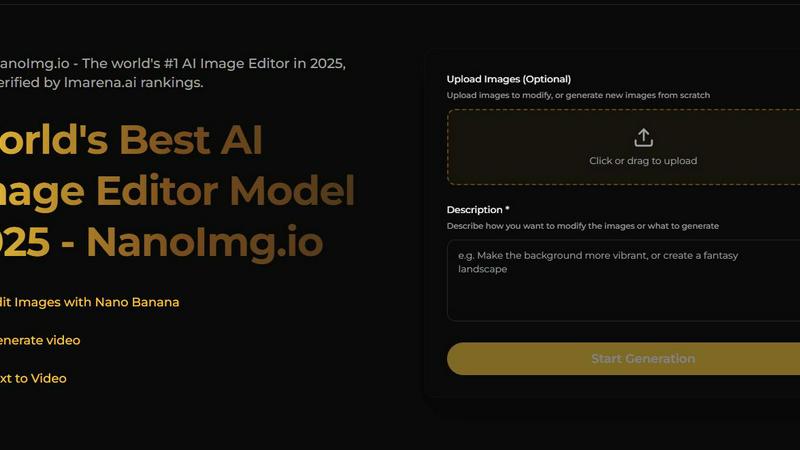
RemoveTexts

Feature Comparison
NanoImg
Unified AI Model Platform
NanoImg aggregates best-in-class AI models into one seamless interface, eliminating the need to juggle multiple subscriptions or platforms. Users can instantly switch between top-tier engines like Nano Banana for overall quality and character consistency, Seedream 4.0 for ultra-fast 4K generation, GPT Image 1 for superior text rendering, Flux Kontext for precise editing, and Sora 2 for cinematic video. This fusion provides the perfect tool for every creative task, from rapid ideation to final pixel-perfect edits, all within a single workflow.
Natural Language Command Editing
Move beyond layers and masks. NanoImg's revolutionary editing suite is powered by advanced natural language processing, allowing you to modify images with simple, intuitive commands. Instruct the AI to "remove reflections," "add a handwritten label," "change the background to a beach at sunset," or "apply a glitch effect." The model understands context and executes complex edits while preserving the original style and quality, making sophisticated photo manipulation accessible to everyone.
Stylistic Consistency Engine
A breakthrough for branding and serialized content, NanoImg's proprietary technology guarantees visual coherence across multiple images. Whether you're creating a series of social media posts, product variations for an online store, or character frames for a storyboard, the AI maintains consistent styles, colors, lighting, and character features. This ensures your brand identity or artistic vision remains unified, a feature previously only achievable by expert human artists.
Zero-Friction Browser-Based Studio
Experience instant creativity with no downloads, installations, or hardware limitations. NanoImg's entire powerful suite operates directly in your web browser. The platform is built for speed and accessibility, featuring drag-and-drop uploads, one-click generation, and a vast library of over 80 AI tools and templates. This plug-and-play approach ensures you can start creating professional visuals in under a minute, with a minimal learning curve and maximum creative output.
RemoveTexts
Paint to Remove
With the Paint to Remove feature, users can brush over specific text areas in their images for precise control. This targeted approach allows you to eliminate only the text you want gone, ensuring that the rest of your image remains intact and visually appealing.
Auto Remove All
The Auto Remove All function leverages the power of AI to automatically detect and remove every text element from your image with just one click. This feature is perfect for those who need a quick solution for cleaning up images filled with text, saving valuable time and effort.
Edit & Replace Text
The Edit & Replace Text feature enables users to change existing text within images while perfectly matching the original style and font. This allows for seamless modifications, making it easy to update information or branding in your visuals without compromising quality.
Remove Objects
The Remove Objects feature goes beyond text removal, allowing users to erase unwanted objects, logos, and other visual elements from their images. This functionality ensures that you can create clean and professional visuals tailored to your needs.
Use Cases
NanoImg
Viral Social Media Content Creation
Content creators and social media managers can generate trending visuals, memes (like Spongebob or Bratz Doll styles), and brand-consistent posts in seconds. By using tailored templates and AI effects, users can rapidly produce high-engagement graphics, animated avatars, and stylized photos (e.g., Photo to Anime, Glitch Effect) that capture audience attention and drive shares, significantly boosting engagement rates without a production team.
E-Commerce Product Visualization
Online retailers and entrepreneurs can create limitless product photos, lifestyle mockups, and advertising visuals without expensive photoshoots. Upload a product image and use AI to place it in various scenes, generate different color variants, or create professional vignettes. This slashes production costs by up to 80% while enabling A/B testing with diverse visual assets to improve conversion rates and showcase products in compelling contexts.
Marketing & Advertising Campaigns
Marketing professionals can swiftly ideate and produce complete visual campaigns. Generate cohesive ad creatives, banner images, and campaign visuals that maintain brand identity across all channels. The ability to quickly iterate on concepts based on natural language feedback ("make it more energetic," "use a corporate blue palette") allows for rapid prototyping and deployment of high-impact marketing materials.
Creative Storyboarding & Concept Art
Filmmakers, game developers, and architects can transform ideas into visual realities. Generate consistent character art for storyboards, turn CAD drawings into photorealistic architectural renderings, or create mood boards and concept illustrations. The style consistency engine is invaluable for pre-production, allowing teams to visualize narratives and designs with a coherent visual language long before final production begins.
RemoveTexts
E-Commerce Product Images
E-commerce sellers can utilize RemoveTexts to clean up product images by removing watermarks and unwanted text. This enhances the visual appeal of their listings, helping to drive sales and attract more customers.
Social Media Content Creation
Marketers and social media managers can quickly eliminate distracting text from images, ensuring their content is visually engaging and professional. This is particularly useful for creating polished promotional materials and advertisements.
Legal Document Redaction
Legal professionals can use RemoveTexts to redact sensitive information from documents and images. This capability is essential for maintaining confidentiality while ensuring that the remaining content remains clear and legible.
Academic and Research Publications
Researchers and academics can benefit from RemoveTexts by removing unnecessary text overlays from charts and graphs in their publications. This refinement elevates the clarity and professionalism of their visual data presentations.
Overview
About NanoImg
NanoImg is the definitive, all-in-one neural canvas for the next generation of digital creators. It represents a paradigm shift in visual AI, consolidating the world's most powerful image generation and editing models into a single, frictionless browser-based platform. Designed to democratize professional-grade artistry, NanoImg eliminates the traditional barriers of complex software, steep learning curves, and costly hardware. Whether you're a social media manager, e-commerce entrepreneur, marketing professional, or digital artist, the platform serves as your creative co-pilot. Its core value proposition is delivering studio-quality results—from photorealistic product mockups and consistent character art to cinematic videos—through an intuitive interface that understands natural language. By harnessing cutting-edge LLM-vision technology like Nano Banana, Sora 2, and Flux Kontext, it delivers the exceptional quality of tools like Midjourney without requiring expert prompt engineering. Simply describe your vision or use a plug-and-play template, and watch as stunning visuals materialize in seconds. NanoImg is not just a tool; it's a revolutionary creative ecosystem where imagination is the only limit.
About RemoveTexts
RemoveTexts is a revolutionary AI-powered image editing tool designed to effortlessly remove unwanted text and elements from images. With its user-friendly interface, anyone—regardless of design skill—can upload images and achieve clean, professional results in mere seconds. Whether you're looking to eliminate watermarks, meme text, subtitles, or branded overlays, RemoveTexts employs advanced deep learning algorithms to detect and erase text while intelligently reconstructing the surrounding background. This makes it ideal for creators, marketers, and designers looking to enhance their visuals without the hassle of complex software like Photoshop. Trusted by over 100,000 users worldwide, RemoveTexts empowers you to achieve pristine image clarity, elevating your content effortlessly.
Frequently Asked Questions
NanoImg FAQ
What AI models are available on NanoImg?
NanoImg provides access to a curated selection of leading AI models, each excelling in specific areas. This includes Nano Banana for best overall quality and character consistency, Seedream 4.0 for ultra-fast 4K image generation, GPT Image 1 for images requiring accurate text rendering, Flux Kontext for precise and fast image editing, and Sora 2 for generating high-quality, cinematic AI videos. You can switch between them seamlessly based on your project needs.
How does the natural language editing work?
Our editing tool uses cutting-edge LLM-vision technology to interpret your written commands in the context of the image you are working on. Instead of manually selecting tools, you simply describe the edit you want, such as "remove the background" or "add a vintage filter." The AI analyzes the image, understands the request, and applies the changes intelligently, preserving details and style far more effectively than traditional automated filters.
Can I use NanoImg for free?
Yes, NanoImg offers a free tier that allows users to generate and edit images online. This includes access to core AI models and a wide array of tools to explore the platform's capabilities. For users requiring higher volumes of generations, faster processing, premium models like Sora 2, or commercial usage, we offer upgraded plans with additional features and resources.
How does NanoImg ensure consistency across multiple images?
Our platform employs a proprietary stylistic consistency engine, often integrated within models like Nano Banana and Flux Kontext. When you are creating a series, the AI learns and locks in key visual elements—such as character design, art style, color palette, and lighting—from your initial reference images or prompts. This trained "context" is then applied to all subsequent generations, ensuring every new image aligns perfectly with your established visual theme.
RemoveTexts FAQ
How does RemoveTexts work?
RemoveTexts employs advanced AI technology to analyze images and intelligently reconstruct the background after removing unwanted text. This ensures seamless results with no visible traces of the removed elements.
What types of images can I upload?
You can upload images in JPG, PNG, or WebP format, with a maximum file size of 10 MB. This versatility makes it easy to work with a variety of image types for your editing needs.
Is RemoveTexts free to use?
Yes, RemoveTexts offers a free online platform for users to remove text and unwanted elements from their images without the need for any design skills or software installation.
Can I remove watermarks with RemoveTexts?
Yes, RemoveTexts is specifically designed to remove watermarks and other text overlays from images, allowing you to achieve clean, professional results in seconds.
Alternatives
NanoImg Alternatives
NanoImg is a revolutionary AI-native image generation and editing platform, operating within the browser to transform ideas into studio-quality visuals in seconds. It belongs to the cutting-edge category of prompt-to-image and intelligent editing tools, designed to democratize professional-grade creative output. Users often explore alternatives for various reasons, such as seeking different pricing models, specialized features for niche workflows, or platform-specific needs like mobile app integration versus desktop software. The desire for a different balance between automated simplicity and granular creative control also drives this search. When evaluating other solutions, consider the core intelligence of the AI model, the quality and consistency of its output, and the intuitiveness of its interface. Key factors include the speed of generation, the depth of editing capabilities, and whether the tool aligns with your specific use cases, from e-commerce to digital artistry, without imposing a steep learning curve.
RemoveTexts Alternatives
RemoveTexts is an innovative AI-powered tool designed specifically for the image and photo editing category. Its primary function is to effortlessly remove unwanted text from images, enabling users to enhance their visuals without needing advanced design skills or complicated software like Photoshop. As creators, marketers, and designers increasingly seek efficient solutions, many users find themselves exploring alternatives due to factors such as pricing, specific feature sets, or desired platform compatibility. When searching for alternatives to RemoveTexts, users should consider key aspects such as ease of use, the accuracy of text removal, and the range of editing features offered. Evaluating the output quality and supported languages is also essential, especially for those working with diverse image content. Ultimately, the right alternative should streamline the editing process while delivering results that meet the user's specific needs.