
dmaya vs GPT Create Image
Side-by-side comparison to help you choose the right AI tool.

dmaya
dMaya is an AI design platform that empowers teams to generate, collaborate on, and export production-ready UI designs at lightning speed.
Last updated: April 13, 2026

GPT Create Image
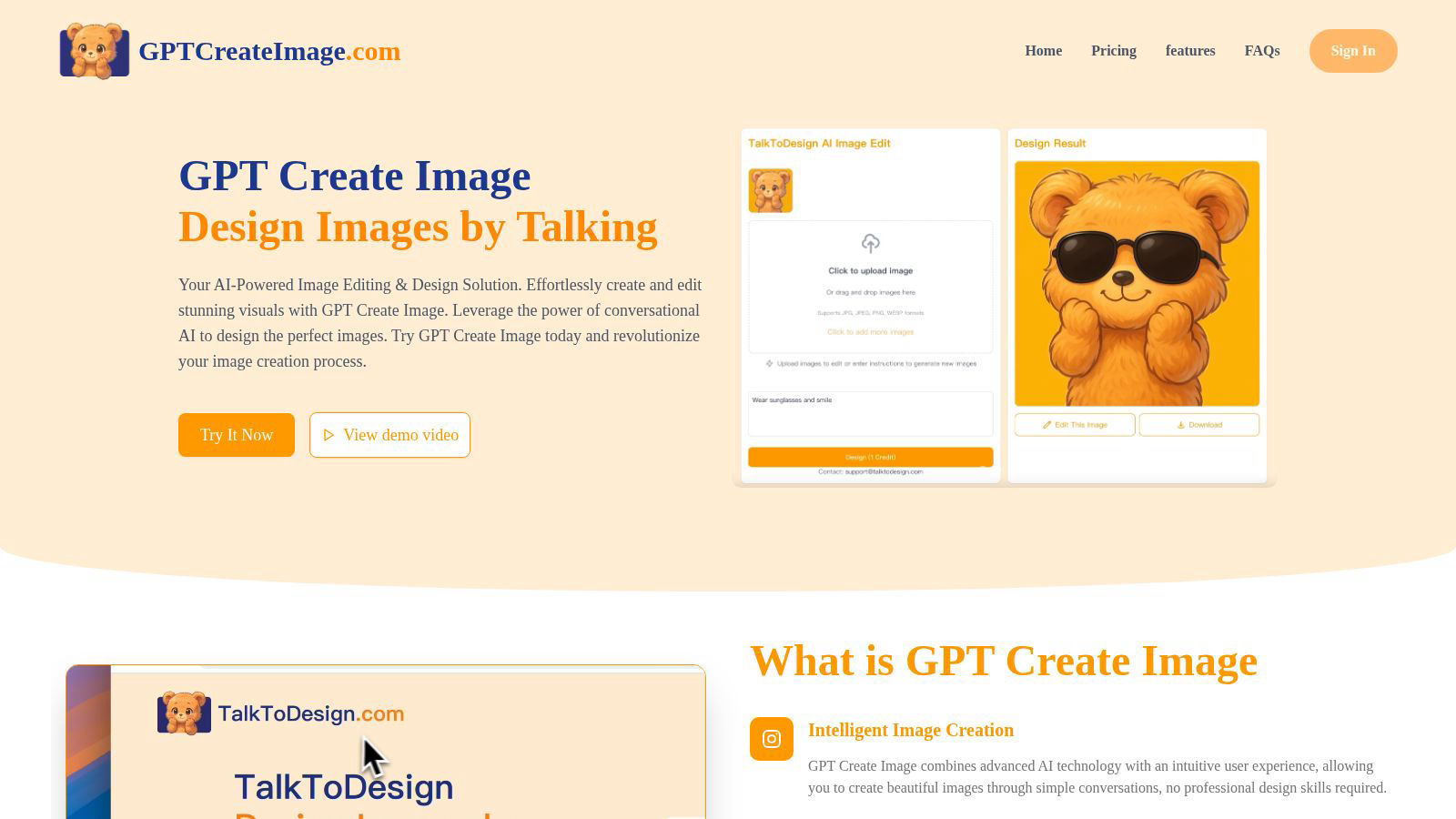
Create stunning images through simple conversation with revolutionary AI.
Last updated: February 28, 2026
Visual Comparison
dmaya
GPT Create Image
Feature Comparison
dmaya
AI-Powered Design Generation
Harness the power of AI by describing your design needs in straightforward language. dMaya translates your text into fully realized UI designs, complete with layouts and responsive components, in mere seconds. This feature eliminates the time-consuming initial design phase, allowing for rapid prototyping.
Multi-Screen Canvas
Experience a flexible workspace where you can work on desktop and mobile frames simultaneously on an infinite canvas. dMaya offers intuitive drag-and-drop functionality akin to Figma, enabling users to organize screens efficiently while benefiting from AI assistance that handles the heavy lifting of design tasks.
Built for Teams & Collaboration
Enhance teamwork with dMaya's collaboration features, which allow you to invite team members and share projects with clients. Real-time feedback, comments, and role-based access ensure that everyone stays in the right lane, making it easier to manage design projects collaboratively.
Client Presentation Mode
Transform client interactions with polished, interactive previews that can be shared through a single link. This feature requires no account for viewers, allowing clients to leave feedback effortlessly. The streamlined review process accelerates iterations, helping you gather approval without delays.
GPT Create Image
Conversational AI Design Interface
Engage in a natural language dialogue with the AI to create and edit images. Simply describe the scene, subject, style, or specific edits you envision, and the platform's advanced AI interprets your commands to generate or modify visuals in real-time. This eliminates complex menus and tools, offering an intuitive, chat-based creative experience.
Advanced Image Generation & Synthesis
Leverage cutting-edge generative AI models to produce original, high-resolution images from text prompts. Whether you need photorealistic scenes, artistic illustrations, logos, or social media graphics, the platform synthesizes unique visuals that align precisely with your descriptive input, providing a limitless source of creative assets.
Context-Aware Image Editing & Transformation
Go beyond generation to perform intelligent edits on existing images. Instruct the AI using natural language to remove objects, change backgrounds, alter colors, apply filters, add elements, or restyle entire compositions. The AI understands context, making precise, non-destructive edits that maintain visual integrity.
Professional-Grade Output & Fine-Tuning
Receive exceptional quality visuals suitable for commercial and professional use. The platform includes fine-tuning tools and parameters that allow for granular control over aspects like resolution, aspect ratio, and artistic style, ensuring the final output meets the highest standards for print, digital media, and branding.
Use Cases
dmaya
Agency Design Projects
Agencies can leverage dMaya to generate design concepts during discovery calls, presenting multiple UI directions to stakeholders in hours instead of weeks. This capability accelerates client acquisition and enhances project win rates.
Product Development Teams
Product teams can use dMaya to explore various UI directions before committing engineering resources. By collaborating across design, product, and engineering in a single workspace, teams can significantly reduce the gap between designed and built products.
Freelance Design Services
Freelancers can take advantage of dMaya to streamline their workflow, delivering more projects without extending their working hours. The AI-driven design process allows freelancers to impress clients with rapid iterations and professional outputs.
Rapid Prototyping for Startups
Startups can utilize dMaya for quick prototyping of their app or web interfaces, gaining valuable design feedback early in the process. This approach enables them to pivot and adapt designs based on client feedback, ensuring a product-market fit before full-scale development.
GPT Create Image
Marketing & Advertising Content Creation
Marketing teams can rapidly prototype and produce a vast array of promotional materials. Generate unique ad banners, social media posts, email graphics, and product mockups by simply describing campaign themes and target aesthetics, dramatically speeding up the content pipeline and enabling agile, on-brand visual production.
Concept Art & Creative Brainstorming
Artists, writers, and product developers can use the platform to visualize concepts instantly. Generate multiple iterations of character designs, environment concepts, storyboard frames, or product ideas through conversational exploration, turning abstract thoughts into tangible visual references to fuel innovation and collaboration.
Personal Project Enhancement & Social Media
Individuals can effortlessly enhance personal photos, create custom invitations, design unique gifts, or craft eye-catching social media profiles. Describe the desired mood or edit, such as "make this sunset more dramatic" or "create a vintage poster of my dog," to achieve polished results without any design background.
Educational & Presentation Material Design
Educators and professionals can create compelling visual aids, diagrams, infographics, and presentation slides through simple instructions. Quickly generate accurate illustrations of historical events, scientific concepts, or data visualizations to improve engagement and communication clarity in educational and business settings.
Overview
About dmaya
dMaya is a revolutionary AI design platform meticulously crafted for agencies, collaborative teams, and freelancers who understand the importance of thoughtful design before diving into coding. Unlike traditional tools that leap directly into development, dMaya emphasizes the design process, allowing users to articulate their vision through simple text descriptions. Imagine describing a SaaS dashboard or an e-commerce flow, and within seconds, dMaya generates polished, professional UI designs tailored to your needs. This tool fosters seamless interaction with an AI agent to facilitate real-time iterations, ensuring that every detail—be it colors, layouts, or typography—aligns with your vision. The instant feedback loop and design tokens maintain consistency across various screens, significantly streamlining the workflow. When the design meets approval, users can effortlessly export the output as clean HTML, CSS, and JS code, ready to be handed off to any coding agent. dMaya is designed for the modern professional, empowering teams to present, approve, and ship with unparalleled confidence and speed.
About GPT Create Image
GPT Create Image is a paradigm-shifting platform that redefines the creative process by merging advanced conversational AI with sophisticated image generation and manipulation. It represents the next evolutionary leap in digital design, transforming natural language descriptions into stunning, high-fidelity visuals. This tool is engineered for a diverse spectrum of users, from professional graphic designers and marketing teams seeking to accelerate their workflow to entrepreneurs, educators, and casual users who wish to materialize their ideas without the steep learning curve of traditional software like Photoshop. Its core value proposition is the radical democratization of professional-grade visual creation. By eliminating the need for technical expertise, complex toolbars, and manual editing, GPT Create Image empowers anyone to become a creator. It acts as an intuitive, collaborative AI partner that interprets creative vision through simple dialogue, making the future of image creation accessible, instantaneous, and bound only by the user's imagination.
Frequently Asked Questions
dmaya FAQ
How does dMaya generate designs from text descriptions?
dMaya uses advanced AI algorithms to interpret user-provided text descriptions and transform them into fully realized UI designs. This process involves generating layouts, component systems, and responsive variants within seconds, making design fast and efficient.
Can I collaborate with my team in real time using dMaya?
Yes, dMaya is built for collaboration, allowing you to invite team members, share projects, and leave comments in real time. This feature ensures effective communication and teamwork throughout the design process.
What happens after my design is approved?
Once your design receives client approval, you can export it as clean HTML, CSS, and JS code. This code can then be handed over to a preferred coding agent, like Claude Code or Cursor, for development in any framework, including React and Next.js.
Is there a limit to the number of screens I can design in dMaya?
No, dMaya offers an infinite canvas where you can design as many screens as needed. You can work across various frames simultaneously without worrying about space limitations, providing flexibility for complex projects.
GPT Create Image FAQ
How does GPT Create Image differ from traditional editing software?
Unlike traditional software that requires manual skill with complex tools like layers, masks, and brushes, GPT Create Image uses conversational AI as its primary interface. You achieve results by describing what you want in natural language, making professional editing accessible without a technical learning curve. It's a collaborative, intuitive partner rather than a complex toolset.
What can I create with GPT Create Image?
You can create a vast range of visuals, including original artwork, digital paintings, marketing graphics, social media content, logos, photo-realistic scenes, and illustrations. You can also edit existing images by performing tasks like object removal, background changes, color correction, style transfer, and adding new elements, all through text commands.
Do I need design experience to use GPT Create Image?
No, absolutely not. GPT Create Image is specifically designed to democratize design. The platform's core innovation is its conversational interface, which allows anyone, regardless of skill level, to create and edit images by simply describing their ideas. The AI handles the technical execution.
Are the images generated commercially usable?
Yes, based on the provided pricing context, commercial use is included. Images created with GPT Create Image can be used for commercial purposes, including in advertising, on websites, in products, and for branding. It is always recommended to review the specific Terms of Service for the latest licensing details.
Alternatives
dmaya Alternatives
dMaya is a revolutionary AI vibe design platform specifically crafted for agencies, teams, and freelancers. It empowers users to create stunning UI designs through natural language interactions with an AI agent, effectively bridging the gap between design and coding. As a design tool, dMaya streamlines the design process, enabling rapid iterations and collaborative client feedback, ensuring that teams can present polished designs before moving into the development phase. Users often seek alternatives to dMaya for various reasons, including pricing structures, feature sets, and compatibility with different platforms. When considering an alternative, it’s essential to evaluate the capabilities it offers, such as design flexibility, ease of collaboration, and the ability to efficiently export to code. A suitable alternative should enhance the design process and meet specific project needs while maintaining a seamless workflow.
GPT Create Image Alternatives
GPT Create Image is a revolutionary conversational AI tool that redefines the generative art and content creation landscape. It allows users to craft and edit visuals through simple natural language, eliminating the steep learning curve of traditional design software. This places it at the forefront of AI-native design tools, where intent directly manifests as imagery. Users often explore alternatives for various reasons, including specific budgetary constraints, the need for different feature sets like advanced control layers or particular artistic styles, and compatibility requirements with other platforms or existing workflows. The quest for a tool that aligns perfectly with individual creative and operational needs is a common driver in this dynamic space. When evaluating an alternative, consider core pillars like the sophistication of its AI model, the intuitiveness of its interface, and the depth of creative control it offers. Prioritize a platform that not only generates images but also seamlessly integrates into your creative process, whether for rapid prototyping, commercial design, or personal artistic exploration.