
Ironback vs Prompt Builder
Side-by-side comparison to help you choose the right AI tool.

Ironback
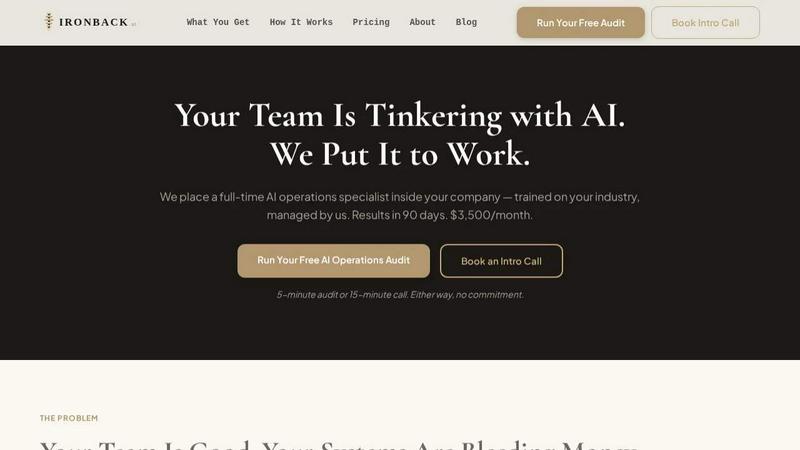
Transform your operations with Ironback's AI specialist, streamlining processes to save you $90K+ annually in just 90 days.
Last updated: April 4, 2026

Prompt Builder
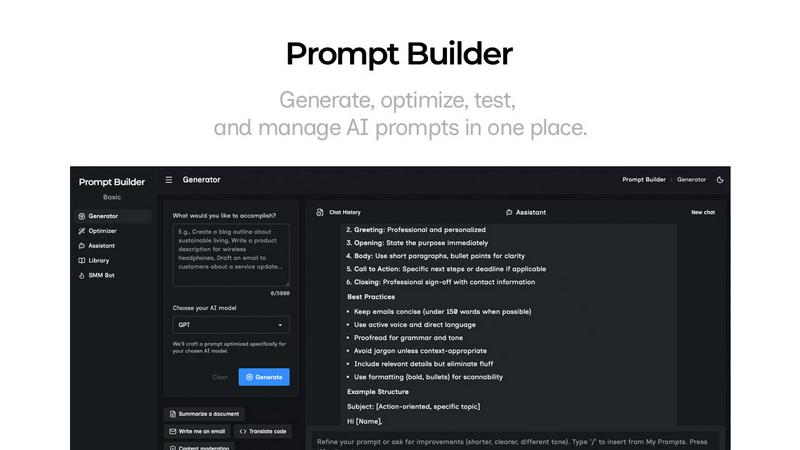
Generate, optimize, test, and manage AI prompts in one place. Turn an idea into a ready-to-use prompt in seconds.
Visual Comparison
Ironback
Prompt Builder
Overview
About Ironback
Ironback is a revolutionary AI-driven solution designed specifically for service companies seeking to optimize their operations. By embedding a full-time AI operations specialist within your organization, Ironback transforms traditional workflows into streamlined, automated processes. This specialist is not merely a consultant; they are an integral part of your team, trained on your specific industry and operations. Their expertise covers a wide range of tasks including call handling, estimating, scheduling, compliance management, and customer follow-up. The primary value proposition of Ironback lies in its ability to reduce operational inefficiencies and generate significant cost savings—guaranteeing over $50K in savings following a comprehensive two-week assessment. In a rapidly evolving technological landscape, Ironback empowers businesses to fully leverage AI capabilities without the burdens of hiring and managing additional personnel, allowing you to focus on growth and service excellence.
About Prompt Builder
Prompt Builder is a prompt engineering workspace for writing, testing, and saving prompts. Describe the task in plain English, and it helps you create a prompt that matches the model you choose. Start with a draft, refine it in chat, save or pin versions, then run them when you are ready. It works with GPT, Claude, Gemini, Llama, Mistral, DeepSeek, Grok, Perplexity, and more. You also get an Optimizer, an assistant for quick tests, and a library of reusable prompts and templates from the community. Turn an idea into a ready-to-use prompt in seconds. Refine it in chat, save it to your Library, and run it anytime.