
Shrinkpad vs Sprout Video Downloader
Side-by-side comparison to help you choose the right AI tool.

Transform your workflow with Shrinkpad, the ultimate tool for batch compressing images and videos on Mac effortlessly.
Last updated: February 28, 2026

Download hosted MP4s from embedded/direct pages
Visual Comparison
Shrinkpad
Sprout Video Downloader

Overview
About Shrinkpad
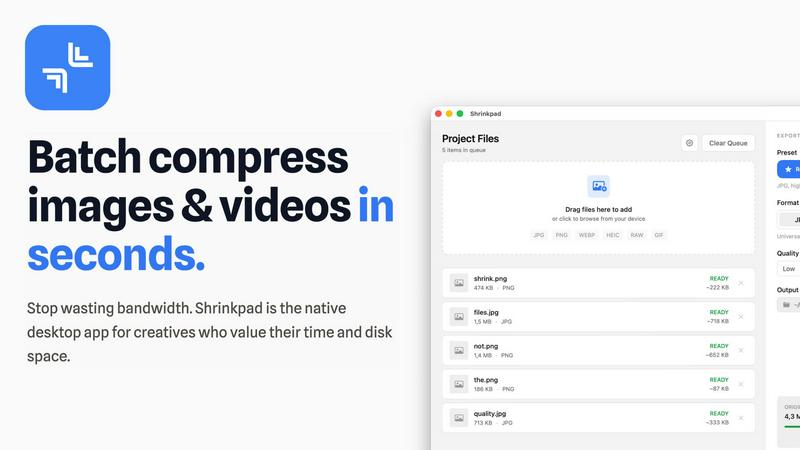
Shrinkpad is a cutting-edge desktop application engineered specifically for macOS, redefining the image and video compression landscape for creative professionals and enthusiasts. By harnessing the power of batch processing, Shrinkpad allows users to effortlessly drop hundreds of files or entire folders, compressing them in seconds while ensuring utmost privacy. The application stands out by performing all media processing locally through native macOS frameworks, which means that users can enjoy complete data security without the need for cloud uploads. This revolutionary approach not only safeguards your sensitive assets but also enhances processing speed and efficiency. With Shrinkpad, users can achieve file size reductions of up to 90% without compromising on visual quality, making it the ideal solution for photographers, designers, content creators, and anyone frustrated by the burden of oversized media files.
About Sprout Video Downloader
SproutVideo Downloader is a browser extension built for users who need offline access to business videos, training content, and embedded media served through SproutVideo. It detects supported direct-file and streaming playback flows, surfaces available quality options when present, and exports the final result as MP4 for later playback.
Save supported SproutVideo videos from embeds and direct pages
Handle direct MP4 and supported HLS-backed workflows
Export MP4 files for easier offline viewing and review
Keep a browser-first workflow for business and training content
Avoid manual stream extraction from embedded players