

Budgeting App
Walleta is an AI-powered budgeting app that effortlessly tracks expenses, scans receipts, and sets monthly limits to optimize your finances.
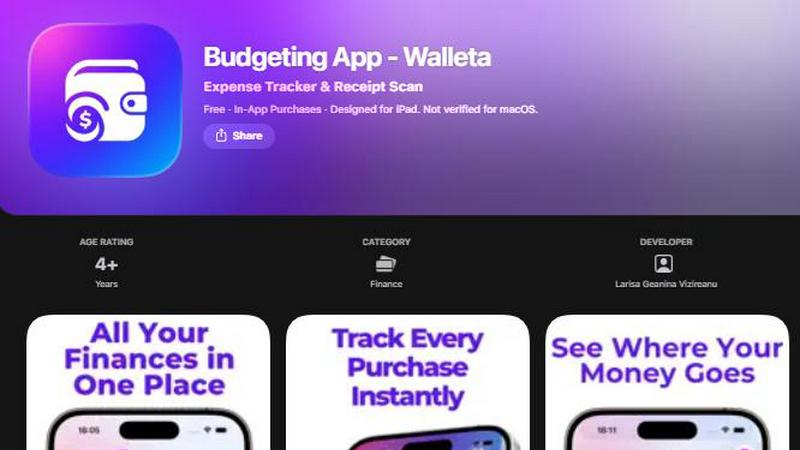
About Budgeting App
Budgeting App is a revolutionary free iOS budgeting planner and AI expense tracker that redefines how users manage their finances. Designed with simplicity and privacy in mind, this app allows users to set monthly spending limits, capture receipts, and analyze expenses without the need for bank linking or account sign-ups. Ideal for travelers, expats, students, and anyone prioritizing their financial privacy, Budgeting App empowers users to take control of their money with an intuitive interface. The on-device AI technology streamlines receipt scanning, making it effortless to log spending. With features such as category analytics, budget alerts, and beautiful visualizations, users can gain deep insights into their financial habits, all while keeping their data secure and private. Budgeting App is the ultimate solution for those seeking an efficient and private way to track their expenses.
Features of Budgeting App
AI Receipt Scanning
Experience the future of expense tracking with Walleta's cutting-edge AI receipt scanning feature. Simply point your camera at any receipt, and the on-device AI will extract critical details such as the merchant name, total amount, date, and expense category. This eliminates the hassle of manual entry and allows users to verify and save their expenses instantly, enhancing efficiency and accuracy.
Category Budgeting
Budgeting App allows users to take charge of their finances by setting monthly spending limits across various categories. With fourteen predefined categories—including food, groceries, transport, health, and fun—users can monitor their spending in real-time. Alerts notify them when they approach or exceed their budget, enabling them to make informed financial decisions.
Beautiful Analytics
Transform your financial data into insightful visualizations with Walleta's beautiful analytics features. Users can view their spending patterns through engaging pie charts, bar graphs, and summaries that provide a clear breakdown of expenses over weekly, monthly, and yearly periods. This comprehensive overview helps users identify trends and adjust their budgeting strategies accordingly.
Multi-Currency Support
Budgeting App is tailored for global citizens and adventurers by offering multi-currency support. The app automatically detects the user's local currency or allows manual currency code input, ensuring seamless expense tracking regardless of location. This feature is essential for travelers and expats who need flexibility in managing their finances while on the go.
Use Cases of Budgeting App
Personal Expense Management
Individuals seeking to gain control over their finances can utilize Budgeting App to log daily expenses effortlessly. With the ability to categorize spending and set monthly limits, users can track their financial habits and make adjustments to improve their savings.
Travel Budgeting
For frequent travelers, Budgeting App provides a powerful tool for managing expenses abroad. With multi-currency support and AI receipt scanning, users can log their purchases in real time and monitor their travel budgets without the stress of manual calculations.
Student Financial Tracking
Students can benefit immensely from Budgeting App by tracking their limited budgets throughout the semester. The app's category analytics help them identify areas where they can cut back, ensuring they stay within their financial limits while managing school expenses.
Privacy-Conscious Users
Budgeting App is perfect for users who prioritize their privacy and security. With no bank connections or cloud sync required, users can maintain full control of their financial data. This makes it an ideal choice for anyone looking to manage their finances without compromising their privacy.
Frequently Asked Questions
How does AI receipt scanning work?
AI receipt scanning in Budgeting App allows users to capture receipt images using their camera. The on-device AI extracts pertinent information such as the merchant, total amount, date, and category, streamlining the expense logging process.
Can I use Budgeting App without linking my bank account?
Yes, Budgeting App is designed for users who prefer not to link their bank accounts. All expenses can be logged manually or through receipt scanning, ensuring complete privacy and control over your financial data.
Is there a limit on receipt scans for free users?
Free users can enjoy three AI receipt scans to experience the feature. For those who require unlimited scanning capabilities, a Walleta Pro subscription is available to unlock this functionality.
What devices are compatible with Budgeting App?
Budgeting App is optimized for iPhone and iPad. It is not currently verified for macOS, ensuring a smooth experience on iOS devices as users manage their finances on the go.
Similar to Budgeting App


Money Tracker App
Effortlessly track your income and expenses with our private iOS app featuring AI receipt scanning and intuitive insights for smarter spending.

CalcFi
CalcFi offers 500+ free financial calculators for every money decision, providing instant results and detailed insights without signup.

Redbark
Redbark autonomously syncs your Australian financial data to apps like Google Sheets and YNAB in real time.

Ricco - Financial Literacy Game
Master financial skills through immersive gameplay, making real-life money decisions in a risk-free environment.

BudgetSheet
BudgetSheet revolutionizes your budgeting by effortlessly syncing live bank data into Google Sheets for total financial.

ConvertBankToExcel
Transform your bank statements to Excel, CSV, or QuickBooks formats in under 30 seconds with 99% accuracy.