
CloneUI
CloneUI revolutionizes design by transforming screenshots and URLs into responsive code for React, Vue, or HTML in.
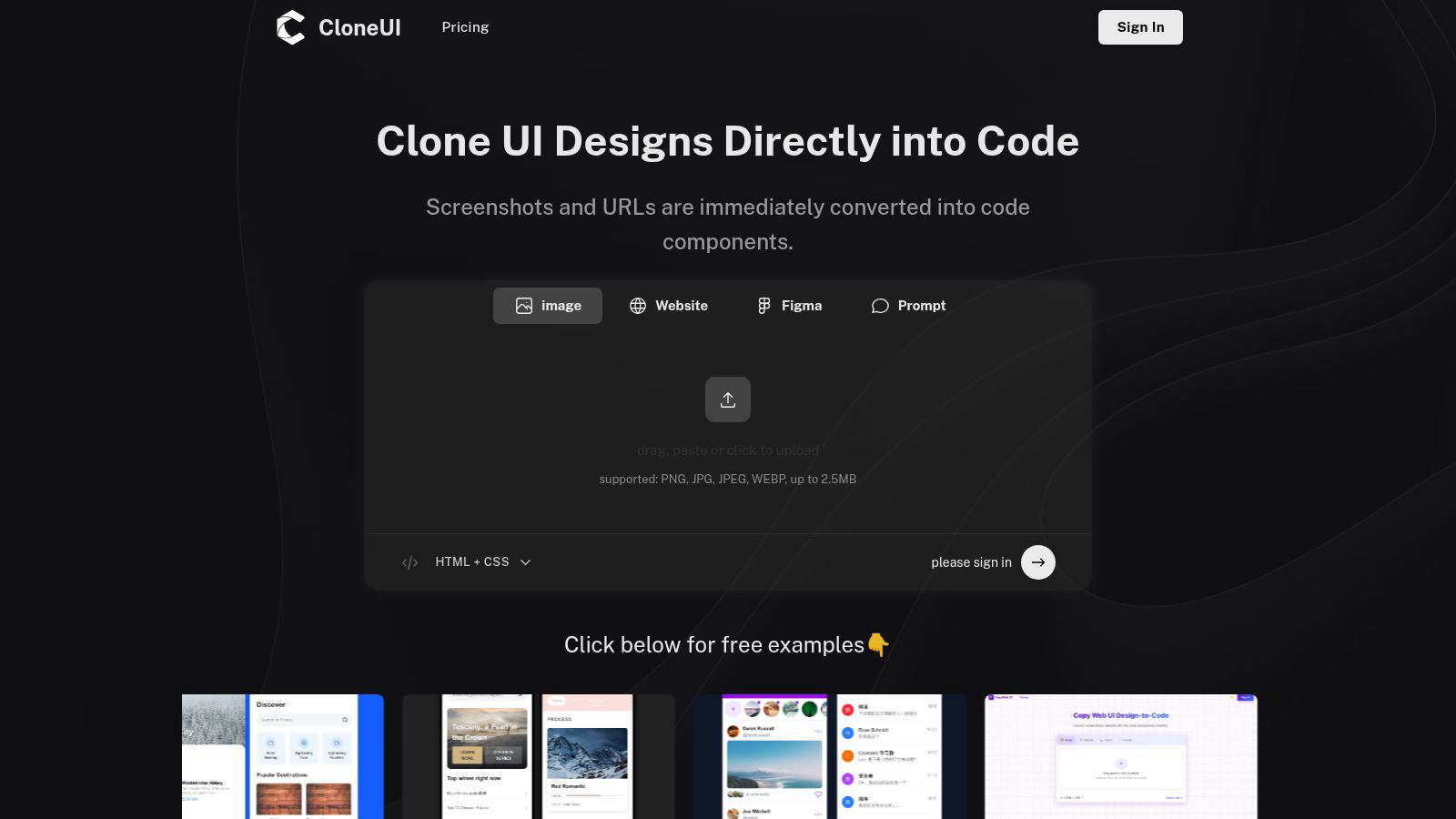
About CloneUI
CloneUI is a revolutionary AI-powered web development tool designed to transform the way designers and developers convert their creative visions into functional, production-ready code. With its state-of-the-art capabilities, CloneUI allows users to effortlessly convert website designs from screenshots or URLs into clean, responsive HTML, CSS, and framework-specific code. This innovative solution caters to a diverse range of users, from freelance designers aiming to bring their mockups to life, to seasoned developers looking to streamline their workflow. The main value proposition of CloneUI lies in its ability to simplify the complex coding process, enabling users to focus on creativity and innovation rather than the intricacies of coding syntax. By providing instant code generation that maintains pixel-perfect accuracy, CloneUI not only enhances productivity but also empowers users to unleash their full creative potential. Experience the future of web design and development with CloneUI, where efficiency meets innovation.
Features of CloneUI
URL to Code
Easily replicate entire website structures by simply entering a URL. CloneUI intelligently analyzes the design and generates precise, responsive code components that mirror the source website, saving hours of manual coding.
Screenshot to Code
Transform static design screenshots into dynamic code in seconds. Users can upload a screenshot, and CloneUI will deliver pixel-perfect HTML and CSS, allowing designers to focus on aesthetics while the tool handles technicalities.
Figma to Code
Seamlessly convert Figma designs into production-ready code with just one click. This feature simplifies the transition from design to development, making it easier for teams to collaborate and implement their visions without missing a beat.
Intelligent Component Recognition
Harness the power of AI with intelligent UI component identification. CloneUI automatically recognizes and maps UI elements, ensuring that every component is accurately translated into code, enhancing both functionality and design fidelity.
Use Cases of CloneUI
Freelance Design Projects
Freelancers can leverage CloneUI to quickly turn client designs into live websites. By uploading screenshots or entering URLs, they can efficiently deliver high-quality work, meeting tight deadlines while maintaining creative standards.
Rapid Prototyping
Developers can use CloneUI to create rapid prototypes from existing designs, allowing for quick iterations and testing. This capability accelerates the development process, enabling teams to validate concepts and gather feedback faster.
Educational Purposes
Educators and students can utilize CloneUI as a learning tool for understanding web development principles. By analyzing generated code from screenshots or designs, learners can gain insights into coding structures and best practices.
Collaborative Development
Teams can streamline their collaboration efforts by using CloneUI to convert shared designs into code. This feature fosters a more efficient workflow, as team members can focus on their strengths—design or development—without getting bogged down in technical details.
Frequently Asked Questions
Which input formats are compatible with CloneUI?
CloneUI supports various image formats for design uploads, including PNG, JPG, JPEG, and WEBP, with a maximum file size of 2.5MB. This flexibility allows users to work with their preferred design assets seamlessly.
How is the code generated?
The code is generated through advanced AI algorithms that analyze the uploaded screenshot or URL. CloneUI identifies UI components and translates them into clean, production-ready HTML and CSS, facilitating rapid development.
Supported frameworks?
CloneUI provides export options to popular frameworks such as React and Vue, in addition to plain HTML and CSS. This versatility ensures that developers can easily integrate the generated code into their preferred tech stacks.
Is the generated code customizable?
Yes, the generated code can be customized to fit specific project needs. Developers can modify the output as necessary, allowing for further enhancements and adjustments to align with unique design requirements.
Explore more in this category:
Similar to CloneUI

Forms Plugin
The #1 Native Form Builder Plugin for Framer - No Code, No Embeds, No External Platforms.

MakePixelArt
Free browser-based picture to pixel art converter with adjustable pixel size, retro palettes, grid preview, and PNG downloads.

Presentation Intelligence
AI-native presentation and visual content platform that turns prompts, documents, images, videos, and data into polished, shareable decks.

ProfileLoom
ProfileLoom turns one photo into platform-ready AI portraits for professional, social, and creator profiles, with presets and built-in editing.

Free AI Image
Free AI Image is a free text-to-image AI generator for creating clean visual drafts from prompts with no sign-up required.

Built2Win AI Indexing
Custom PHP websites, AI Indexing Pack ($599 one‑time), and WebAgentScan SaaS ($9/mo). MCP, A2A, llms.txt, full ownership.

