

Remove Handwriting
Effortlessly erase handwriting from images and PDFs with our AI-powered tool, preserving original content for seamless document restoration.
About Remove Handwriting
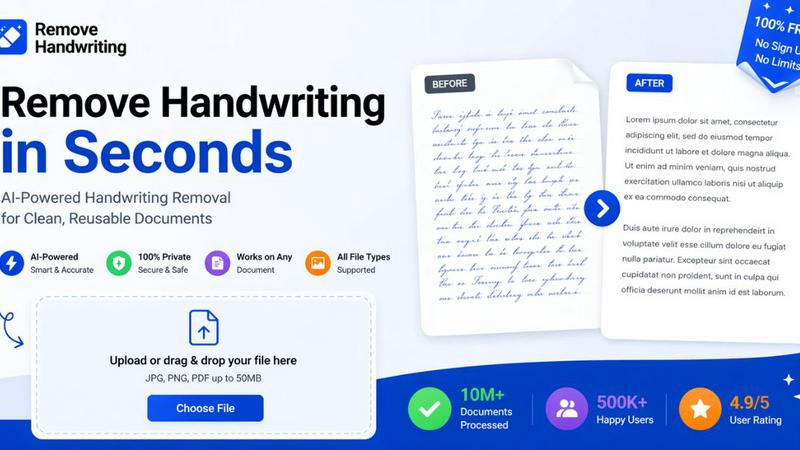
Remove Handwriting is an innovative AI-powered tool designed to revolutionize the way users handle images, PDFs, and scanned documents. This cutting-edge software effectively erases handwritten text, notes, and annotations while maintaining the integrity of printed content, tables, and diagrams. Ideal for educators, professionals, and archivists, it serves a wide range of needs, from cleaning up exam papers and worksheets to restoring historical documents. Its advanced algorithms intelligently analyze documents to detect boundaries, eliminate background noise, and correct distortions, ensuring that every output is pristine. With support for various formats like JPG, PNG, JPEG, and PDF, along with batch processing and API access, Remove Handwriting streamlines workflows, allowing users to enhance their documents effortlessly. Experience document restoration like never before with a free trial that requires no credit card, making it accessible for everyone.
Features of Remove Handwriting
AI-Powered Handwriting Removal
This revolutionary feature allows users to quickly and accurately eliminate handwritten notes and annotations from documents. By leveraging advanced artificial intelligence, Remove Handwriting preserves original printed text and formatting, ensuring that the essential content remains intact while the unwanted handwriting is removed.
Multi-Format Support
Remove Handwriting supports a variety of file types including JPG, PNG, JPEG, and PDF, catering to diverse user needs. Whether you are working with single images or multi-page PDFs, the tool provides seamless functionality, enabling users to upload and process documents effortlessly.
Intelligent Document Restoration
The software not only removes handwriting but also intelligently corrects common document issues such as skewed angles, curled edges, and background noise. This ensures that every document is restored to a clean, flat state, making it ready for reuse or repurposing.
Batch Processing and API Access
For users with larger workflows, Remove Handwriting offers batch processing capabilities and API access. This allows professionals to automate the handwriting removal process across multiple documents, saving time and enhancing productivity in high-volume scenarios.
Use Cases of Remove Handwriting
Educational Document Cleanup
Educators can utilize Remove Handwriting to clean up exam papers and worksheets by erasing handwritten notes and grading marks. This creates a cleaner, more professional document that can be easily shared with students or used for further evaluations.
Professional Archiving
Archivists can benefit from the tool by restoring and preserving historical documents that may have been annotated over time. By removing unwanted handwriting, they can maintain the original quality and readability of important archival materials.
Enhanced Document Sharing
Businesses and professionals can use Remove Handwriting to generate shareable, printable master copies of documents. By erasing annotations and highlights, users can ensure that their documents are polished and suitable for presentation to clients or stakeholders.
Personal Document Refinement
Individuals can enhance personal documents, such as scanned notes or contracts, using Remove Handwriting. By eliminating personal annotations or handwriting, users can ensure that their documents are clear and professional, ready for signing or sharing.
Frequently Asked Questions
How does Remove Handwriting work?
Remove Handwriting utilizes advanced artificial intelligence algorithms to analyze documents, detect handwriting, and intelligently remove it while preserving printed text and formatting.
Is Remove Handwriting free to use?
Yes, Remove Handwriting offers a free trial with no credit card required. Users can explore its features and capabilities before committing to any paid plans.
What file formats does Remove Handwriting support?
Remove Handwriting supports multiple file formats, including JPG, PNG, JPEG, and PDF, making it versatile for various document types.
Can I process multiple documents at once?
Absolutely! Remove Handwriting offers batch processing capabilities, allowing users to handle multiple documents simultaneously, making it efficient for larger workflows.
Explore more in this category:
Similar to Remove Handwriting

Image to Layers AI
Turn images into editable AI-powered layers


Hailuo AI
Create high-quality videos from text or images with guided prompts, motion and camera controls, flexible settings, and downloadable results.

Vynzo
AI image and video studio. Generate from a prompt, animate stills, swap faces, restyle clips and edit — one credit pool, no subscription.

Z Image Turbo
Z Image Turbo is an online AI image generator for photorealistic visuals, bilingual posters, ecommerce assets, ads, and social content.

ProfileLoom
ProfileLoom turns one photo into platform-ready AI portraits for professional, social, and creator profiles, with presets and built-in editing.

Free AI Image
Free AI Image is a free text-to-image AI generator for creating clean visual drafts from prompts with no sign-up required.
