
Alternatives to Remove Handwriting
Explore the best alternatives and competitors to Remove Handwriting.
Explore 20 alternatives to Remove Handwriting. Compare features, pricing, and find the best fit for your needs.


Hailuo AI
Create high-quality videos from text or images with guided prompts, motion and camera controls, flexible settings, and downloadable results.

Vynzo
AI image and video studio. Generate from a prompt, animate stills, swap faces, restyle clips and edit — one credit pool, no subscription.

Z Image Turbo
Z Image Turbo is an online AI image generator for photorealistic visuals, bilingual posters, ecommerce assets, ads, and social content.

ProfileLoom
ProfileLoom turns one photo into platform-ready AI portraits for professional, social, and creator profiles, with presets and built-in editing.

Free AI Image
Free AI Image is a free text-to-image AI generator for creating clean visual drafts from prompts with no sign-up required.

Tikdek
AI video and image generation in the browser, with stable APIs for scalable creative workflows.
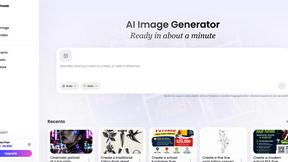
Vismuse
Create polished AI images and videos from prompts or references for social posts, ads, flyers, album covers, and campaigns.

GPT Image 2 API
Production-ready GPT Image 2 generation and editing API for creators and developers.
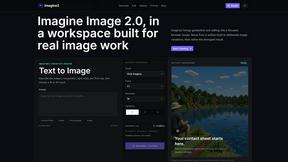
Imagine2
Private browser-based AI image generation and editing with text-to-image, targeted edits, and multi-image references.

Kogashitsuka AI
An online AI image tool that enhances photos and illustrations at their original size or upscales them by 2x or 4x.

Trushot AI
TruShot creates ultra-realistic AI dating photos from just 4 selfies. Generate natural-looking, verification-friendly profile pictures for Tinder, Hin
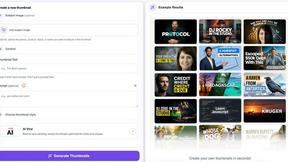
StopScroll
StopScroll helps YouTube creators generate AI thumbnails and improve images for higher-click videos.

HubVanta
HubVanta is a multilingual AI workspace for image, video, audio, and text generation tools.

Headshot.ltd AI Headshot Generator
Turn a few phone selfies into professional headshots in ~5 minutes. 200+ backgrounds, one-time payment starting from $8.

IsThisAIImage
Ask is this AI image? Free online checker: upload a photo for AI-generated and deepfake scores plus a clear verdict band.
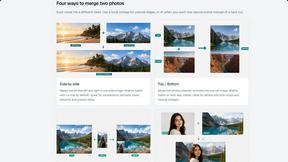
Merge Two Photos
Merge two photos free in browser: side by side, stacked, overlay, or AI fusion. Private local modes; download clean PNG, no watermark.
ClipUtils
Free browser video & image tools: trim, compress, convert, resize & remove backgrounds. 100% on-device — your files never leave your browser.

About Remove Handwriting Alternatives
Remove Handwriting is a groundbreaking AI-powered tool designed to seamlessly eliminate handwritten text, notes, and annotations from images, PDFs, and scanned documents. As part of the image generation category, it demonstrates a revolutionary approach to document cleanup, allowing users to maintain the integrity of printed text, tables, and diagrams while enhancing the overall visual quality of their files. With its advanced capabilities, it addresses the growing need for clarity and professionalism in digital documentation. Users often seek alternatives to Remove Handwriting for various reasons, such as pricing considerations, feature sets, or compatibility with different platforms. It’s essential to evaluate alternatives based on key factors like user interface, processing speed, supported file types, and additional functionalities such as batch processing or API access. By understanding these criteria, users can make informed decisions that align with their unique requirements and workflows, ensuring they choose a solution that enhances their productivity and efficiency.
FAQs about Remove Handwriting Alternatives
What is Remove Handwriting?
Remove Handwriting is an innovative AI-powered tool that effectively removes handwritten text and annotations from images, PDFs, and scanned documents. It is designed to enhance document clarity while preserving the integrity of printed text and other important elements. This tool streamlines the process of document cleanup, making it suitable for various applications such as worksheets, contracts, and exam papers.
Who is Remove Handwriting for?
Remove Handwriting is ideal for students, educators, professionals, and anyone who regularly works with digital documents that require cleanup or modification. Whether you need to erase notes from a scanned exam paper or clean up annotations on a contract, this tool caters to a wide range of users looking to improve the presentation of their documents.
Is Remove Handwriting free?
Yes, Remove Handwriting offers a free trial that allows users to explore its features without the need for a credit card. This enables potential users to test the tool's capabilities and determine if it fits their needs before making any financial commitments.
What are the main features of Remove Handwriting?
The main features of Remove Handwriting include the ability to erase handwritten text while preserving printed content, tables, and diagrams. The tool also enhances document quality by fixing issues such as shadows, skew, and curled edges. Additionally, it supports various file formats like JPG, PNG, JPEG, and PDF, and offers batch processing and API access for larger workflows.