

SupaSidebar
SupaSidebar is your AI-powered command center for effortlessly accessing links, files, and apps on Mac in an instant.
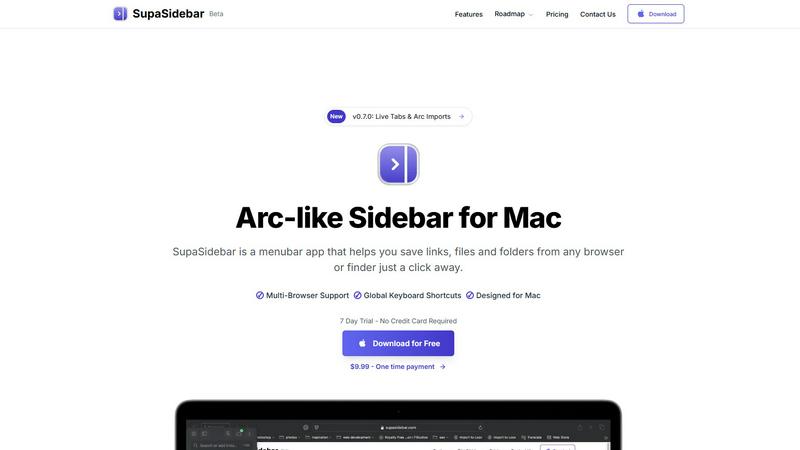
About SupaSidebar
SupaSidebar is a revolutionary productivity engine specifically designed for macOS that transforms your digital workspace into an efficient command hub. Gone are the days of juggling multiple browser tabs, bookmarks, and files scattered across your system. SupaSidebar integrates everything you need—links, files, folders, and open tabs—into a beautifully crafted native sidebar, allowing you to seamlessly navigate your workflow. Targeted at modern knowledge workers, researchers, and creators, this innovative tool eliminates the inefficiencies associated with context-switching and digital clutter. With its instantaneous, keyboard-driven access, SupaSidebar ensures that you can maintain a state of deep focus and flow. Whether you are a professional striving for efficiency or a student managing multiple projects, SupaSidebar serves as an extension of your cognitive process, placing everything you require right at your fingertips.
Features of SupaSidebar
Instant Access to Everything
SupaSidebar provides immediate access to your essential apps, websites, and files through powerful keyboard shortcuts. No more wasting time searching for what you need; simply press a few keys and find everything instantly.
Unified Command Hub
With SupaSidebar, all your links, files, and folders from major browsers like Safari, Chrome, and Firefox, as well as Finder, are aggregated into one streamlined sidebar. This unification eliminates the chaos of navigating multiple platforms.
Recents & Favorites
SupaSidebar features a Recents tab that tracks every website you have visited in the last 48 hours, making it easy to return to your latest work. Additionally, you can pin your favorite items at the top of the sidebar for quick access.
Global Keyboard Shortcuts
Designed for speed and efficiency, SupaSidebar offers global keyboard shortcuts that allow you to save URLs and copy links with ease. Simply press CMD CTRL S to save or CMD CTRL C to copy, optimizing your workflow.
Use Cases of SupaSidebar
Research Efficiency
For researchers who often juggle multiple tabs and sources, SupaSidebar simplifies the process by consolidating all references in one location. This enables quick access to essential materials without losing focus.
Creative Workflows
Creators can benefit from SupaSidebar by keeping their favorite tools and resources at hand. This allows for a fluid creative process, where inspiration can be captured instantly without the hassle of searching through clutter.
Student Productivity
Students can leverage SupaSidebar to manage their study materials, links to research, and class notes. The ability to quickly access recent documents and favorite resources enhances learning efficiency.
Project Management
Professionals managing projects can use SupaSidebar to keep track of important files, links, and communications. By having everything organized in one sidebar, teams can collaborate more effectively and stay aligned on tasks.
Frequently Asked Questions
Is SupaSidebar a browser extension?
No, SupaSidebar is a standalone menubar app designed specifically for macOS, allowing you to save links and files from any browser or Finder.
Which browsers does SupaSidebar work with?
SupaSidebar supports all major browsers, including Safari, Chrome, Firefox, Brave, and Arc, ensuring a seamless experience across your digital workspace.
What macOS version do I need?
SupaSidebar requires macOS 13 or higher to function properly, ensuring compatibility with the latest features and updates from Apple.
Where is my data stored?
All data handled by SupaSidebar is securely stored locally on your Mac. Nothing leaves your device, ensuring your privacy and data integrity.
Pricing of SupaSidebar
SupaSidebar offers both free and premium plans to cater to different needs. The Free Forever plan includes all major browser support and three spaces for daily use. The Pro plan, at $19.99 monthly or $13.99 annually (with a 30% discount available during the beta phase), provides unlimited spaces, priority support, and early access to new features. Additionally, a one-time Lifetime purchase option is available for $49.99. All plans come with a 14-day money-back guarantee, ensuring a risk-free experience.
Explore more in this category:
Similar to SupaSidebar

Panzoe
Panzoe is an all-in-one AI platform for personal productivity, business automation, AI assistants, content creation, and custom AI solutions.

Kody Tools
Free collection of online developer utilities, code formatters, and digital converters designed to streamline your daily workflow.

tallycounterweb.com
Online tally counter for tracking attendance, workouts, inventory, sports scores, visitors, habits, and everyday counting tasks.

Forms Plugin
The #1 Native Form Builder Plugin for Framer - No Code, No Embeds, No External Platforms.

Product Launch Checklist
A free launch checklist for SaaS, apps, AI tools and more. Every step says why it matters and when you can skip it.

HomeAnswerBook
Practical, independent guides to home repairs, maintenance, costs, troubleshooting, and everyday fixes.

BlazePDF
Highlight faster. Study in flow with custom shortcuts and a workflow built around you. Print smarter, or turn any page into a tiled poster.
