

URL to Any
Transform any URL into diverse formats effortlessly with URL to Any, your all-in-one web content conversion tool.
About URL to Any
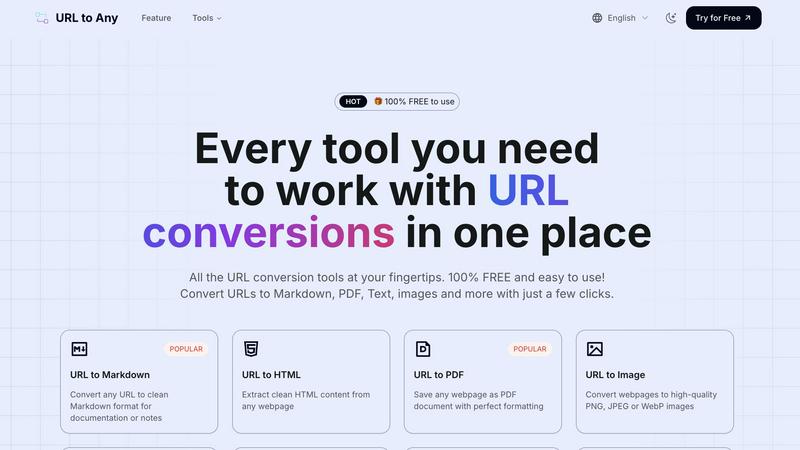
URL to Any is a groundbreaking web content conversion tool tailored for anyone who interacts with online information. Whether you are a content creator, developer, or an everyday user, this all-in-one solution empowers you to transform any webpage into a plethora of formats, including Markdown, PDF, HTML, images, and even QR codes. Designed with user-friendliness in mind, URL to Any requires no registration or complicated setup, enabling you to start converting content in mere seconds. Its core value proposition lies in its simplicity and versatility, allowing users to swiftly convert web content without encountering cumbersome processes or hidden fees. As the digital ecosystem continues to evolve, URL to Any stands out as an essential resource for efficient content management, enhancing online engagement and improving information retention.
Features of URL to Any
URL to Markdown
Transform any URL into clean Markdown format seamlessly. This feature is perfect for documentation, note-taking, and creating easily editable text files, making it indispensable for developers and writers.
URL to PDF
Effortlessly save any webpage as a PDF document while preserving its perfect formatting. This feature is ideal for creating offline references, sharing important information, or archiving web content without losing layout integrity.
URL to Image
Convert web pages into high-quality images in formats such as PNG, JPEG, or WebP. With this feature, you can visually capture the essence of any webpage, making it useful for presentations, reports, or social media sharing.
URL to QR Code
Generate QR codes from any URL in an instant. This innovative feature allows you to create scannable codes for easy sharing and access to online content, simplifying the process of directing users to specific URLs.
Use Cases of URL to Any
Content Creation
Writers and bloggers can utilize URL to Any to convert articles and web pages into Markdown or PDF formats, streamlining their content creation process and enhancing productivity.
Educational Resources
Educators can use the tool to convert online resources into PDF documents or images, which can be easily shared with students for offline study or classroom presentations.
Social Media Marketing
Digital marketers can generate QR codes for their campaigns, enabling users to quickly access promotional content or landing pages, thereby enhancing user engagement and driving traffic.
Research and Archiving
Researchers can extract and save crucial information from various web pages in their preferred format, ensuring that they can reference their sources efficiently and keep their work organized.
Frequently Asked Questions
Is URL to Any really free to use?
Yes, URL to Any is completely free to use. There are no hidden fees or registration requirements, allowing you to start converting content immediately.
What formats can I convert webpages into?
You can convert webpages into multiple formats, including Markdown, PDF, HTML, images (PNG, JPEG, WebP), QR codes, text, JSON, XML, and more.
How fast is the conversion process?
The conversion process is lightning-fast. With our optimized processing engine, you can obtain your converted content in just seconds.
Is my data secure while using URL to Any?
Absolutely! Your data is processed securely and is never stored on our servers, ensuring your privacy and confidentiality while using the tool.
Similar to URL to Any

screenRIG
Signage and kiosk infrastructure for AI agents. Your agent publishes images, video, streams, web pages and apps to screens via one plugin.screenRIG is

GetYouTubeTranscript
Free YouTube transcripts on the web, a Chrome extension, and an API + MCP server so AI assistants can read YouTube.


Speechyou
AI transcription for voice notes, meetings, and audio files in 1,700 languages, with AI summaries and subtitle export and unlimited chat ai usage.

ProspectHalo
AI sales agent that finds qualified leads, runs outreach, follows up automatically, creates content, and helps book more meetings.