
Alternatives to ContextBolt
Explore the best alternatives and competitors to ContextBolt.
Explore 20 alternatives to ContextBolt. Compare features, pricing, and find the best fit for your needs.


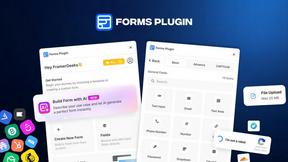
Forms Plugin
The #1 Native Form Builder Plugin for Framer - No Code, No Embeds, No External Platforms.



BriefIQ
AI SEO platform for keyword research, content briefs, writing, grading, optimization and publishing.

TryKlingAI
Create Kling AI videos from text, images, audio, and motion references with Kling 3.0, Motion Control, Lip Sync, task tracking, and API access.

AI UGC Video Generator
Create AI UGC video ads from a product URL, image, or script with lifelike creators, voices, captions, product visuals, and clear CTAs.

AkraLabs
Where modern software products get discovered, launched, and distributed. Explore verified AI tools, SaaS startups, and developer software.

ContextBolt SEO
Research keywords, competitors, backlinks and AI visibility inside Claude or Codex, with findings saved to your SEO dashboard.

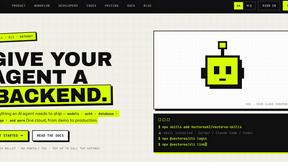

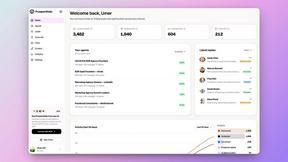
Speechyou
AI transcription for voice notes, meetings, and audio files in 1,700 languages, with AI summaries and subtitle export and unlimited chat ai usage.
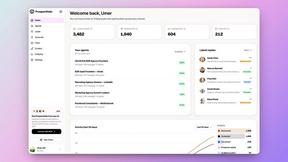
ProspectHalo
AI sales agent that finds qualified leads, runs outreach, follows up automatically, creates content, and helps book more meetings.
benchmark.directory
146 AI tools across 20 categories, indexed by the job they do. Every listing earned its place. None of them paid for it.
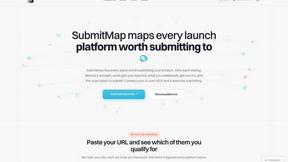
SubmitMap
A directory of launch platforms: who each accepts, what disqualifies you, and how to submit. Free to read, and your agent can do the submitting.

Happy Horse AI
Browser-based AI video generation from text, images, and references with flexible output and API workflows.

ViduAI
ViduAI creates consistent cinematic videos from text, images, references, and first/last frames with Vidu Q3.

Z Image Turbo
Z Image Turbo is an online AI image generator for photorealistic visuals, bilingual posters, ecommerce assets, ads, and social content.
About ContextBolt Alternatives
ContextBolt is an MCP-native, local-first tooling ecosystem that bridges the gap between your AI agents and the real-world data they cannot natively access, placing it squarely in the intersection of AI assistants, SEO, APIs, and developer tools. It transforms Claude Desktop, Cursor, Windsurf, and other agentic interfaces into command centers for bookmarks, competitor monitoring, and keyword intelligence, effectively making your AI agent the only dashboard you will ever need. Users often seek alternatives due to specific pricing constraints, the desire for a non-MCP-compatible workflow, or a need for deeper integration with a proprietary data stack that ContextBolt’s local-first architecture does not serve. Others may be looking for a more enterprise-grade permissions model or a broader ecosystem of context sources beyond bookmarks, SEO, and radar. When evaluating an alternative, you should prioritize tools that offer the same level of agentic autonomy—meaning they must plug into your existing AI with minimal configuration and zero dashboard switching. Look for solutions that provide real-time, structured data retrieval (like Ahrefs-grade SEO numbers or live competitor pricing) without requiring you to learn a new interface. Security and data sovereignty are non-negotiable; the best alternatives will keep your bookmarks and competitive intelligence local-first or fully encrypted, ensuring no lock-in. Finally, ensure the tool’s context delivery is semantic, not just keyword-based, so your agent can answer complex questions like “what did I save about X?” with the same fluidity as ContextBolt’s own library.
FAQs about ContextBolt Alternatives
What is ContextBolt?
ContextBolt is an MCP-native, local-first toolkit that equips AI agents—like Claude Desktop, Cursor, and Windsurf—with real-world context they cannot otherwise access. It provides three core tools: Bookmarks, which recalls saved posts by meaning; SEO, which delivers Ahrefs-grade keyword and SERP data in plain English; and Radar, which monitors competitors’ pricing and positioning nightly. Each tool integrates with a single line of configuration, requiring no dashboard or tab-switching.
Who is ContextBolt for?
ContextBolt is designed for developers, SEO professionals, and power users who rely on AI agents like Claude, Cursor, or Cline for daily workflows. It is ideal for anyone who needs to surface bookmarked content, conduct competitor research, or perform keyword analysis directly within their agent’s interface. The tool is particularly valuable for users who want to avoid context-switching between multiple dashboards and instead keep all data retrieval inside their AI environment.
Is ContextBolt free?
The provided content does not specify whether ContextBolt is free or offers a paid tier. However, it emphasizes that the tools are local-first and have no lock-in, suggesting a low barrier to entry. Users should check ContextBolt’s official website for current pricing plans, as the product is built for quick integration and may offer a freemium model for individual users or teams.
What are the main features of ContextBolt?
ContextBolt’s main features are three MCP-native tools: Bookmarks, which creates a semantic searchable library of saved posts from X, Reddit, and LinkedIn; SEO, which provides real-time keyword, SERP, and competitor data in plain English; and Radar, which monitors competitors’ pricing and positioning nightly, delivering actionable counter-moves. All tools plug into your existing AI agent with a single line of configuration and require no external dashboards or tab-switching.