
Alternatives to Easymotion - AI Motion Graphic Generator
Explore the best alternatives and competitors to Easymotion - AI Motion Graphic Generator.
Explore 20 alternatives to Easymotion - AI Motion Graphic Generator. Compare features, pricing, and find the best fit for your needs.
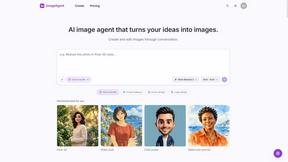
ImageAgent
Create and edit AI images through conversation, using text or reference images and refining results in chat.

GenX
All-in-one AI workspace to generate images, videos, and audio with multiple leading AI models.

Bloom
An adaptive AI tutor that turns topics or your materials into courses, lessons, and answers tailored to how you learn.

AppIconGenerator
Generate iOS and Android app icons from any image and export all platform sizes for free.

Agent Pets
Your Claude Code & Codex sessions as pets in Chrome. Approve, deny and reply to your coding agents from any tab.

Nano AI
Create and edit AI images, generate videos, and compare models in one creative workbench.

Genjutsu AI
AI video-to-video: Motion Transfer & Object Swap. Preview the credit cost, pay once. No subscription.
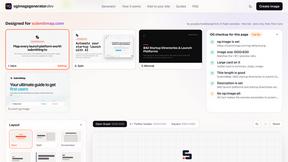
ogimagegenerator.dev
Paste a URL and AI designs on-brand Open Graph images from your page's colours, fonts and logo. Free, no sign-up.

funeralprogramai
A private funeral program builder: free AI obituary draft, free print check, no account needed, and nothing is ever published.
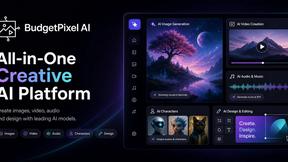
Budgetpixel AI
Create and edit AI images, videos, music, and designs in one workspace, with multiple models, reusable characters, and API access.

SaaSHunter
Compare social media scheduling, content creation and monetization tools with verified pricing and side-by-side comparisons.
Try OC Maker
Create OCs from text or images, customize their look, and turn them into animated videos with AI.

FreeVideoGenerator
Free AI video generator: turn text prompts and photos into video clips with Sora 2, Veo 3.1, Wan and more. Free starter credits, no watermark download

Maeve Social
Plan social content, get client approval, publish to nine platforms, and report with an AI assistant.
PXDMD
AI image editor in the browser: remove backgrounds, erase objects and watermarks, change backgrounds and grade colors in seconds.

Submora
Find backlink opportunities, prepare directory submissions with AI, autofill forms, and monitor published links in one workspace.


Leadeon
AI growth tool for X and LinkedIn: write posts in your voice, schedule at your best times, find leads on X and see what works.

About Easymotion - AI Motion Graphic Generator Alternatives
Easymotion - AI Motion Graphic Generator is a browser-based platform that operates at the intersection of AI Assistants, Content Creation, Design Tools, and Video, empowering creators, editors, founders, and marketers to transform static ideas into polished animated videos without the steep learning curve of traditional timeline editing. It leverages artificial intelligence to generate motion graphics for SaaS promos, flowcharts, UI explainers, and map animations, allowing users to start from a simple prompt, image, spreadsheet, or PDF and edit the output through conversational chat. While Easymotion represents a revolutionary leap in democratizing animation, users commonly explore alternatives due to specific pricing structures, the need for more granular control over complex 3D elements, integration with legacy editing suites, or a desire for hyper-specialized features like real-time collaboration or enterprise-level asset management. When evaluating an alternative, the key benchmarks should include the depth of AI editing capabilities, the diversity of export formats and resolutions, the speed of rendering, and the flexibility of the template library to ensure the tool can scale from quick social media bursts to high-fidelity client deliverables without sacrificing the futuristic, frictionless workflow that defines this new category of generative design. The search for an alternative often stems from a need to align platform capabilities with specific production pipelines, whether that means prioritizing a vast library of pre-built map pin animations for geographic storytelling or requiring native support for transparent background exports that integrate seamlessly with After Effects. The most cutting-edge alternatives will offer a similar paradigm of prompt-to-video generation but differentiate themselves through superior AI understanding of narrative flow, the ability to handle multi-scene story arcs, or more advanced color grading and pacing controls that feel less like a chatbot and more like a collaborative creative director. Ultimately, the ideal choice should feel like a revolutionary upgrade to your creative arsenal, offering the same instant gratification and browser-native convenience while eliminating any friction points that slow down your journey from concept to cinematic motion.
FAQs about Easymotion - AI Motion Graphic Generator Alternatives
What is Easymotion - AI Motion Graphic Generator?
Easymotion is an AI-powered platform that acts as a motion graphic and map animation generator, specifically designed for content creators, editors, founders, and marketers. It allows users to turn ideas, files, and static visuals into polished animated videos directly in the browser, bypassing the need for complex timeline editing software. The platform supports a wide range of outputs, including SaaS product promos, flowcharts, animated charts, UI explainers, and geographic map animations featuring flight routes and location pins.
Who is Easymotion - AI Motion Graphic Generator for?
Easymotion is built for content creators, video editors, startup founders, and marketers who need to produce professional motion graphics and map animations quickly without mastering traditional animation software. It is ideal for anyone who frequently creates visual storytelling assets for social media, product marketing, presentations, or client deliverables. The platform’s intuitive AI chat interface and template library make it accessible to both non-designers and experienced creatives looking to accelerate their workflow.
Is Easymotion - AI Motion Graphic Generator free?
Based on the available information, Easymotion operates as a premium browser-based tool that offers a range of export capabilities, including MP4 and MOV formats. While specific pricing tiers are not detailed in the provided content, the platform is designed for professional use cases like client work and marketing campaigns, suggesting it likely operates on a subscription or credit-based model. Users should visit the official Easymotion website for the most current information on free trials or pricing plans.
What are the main features of Easymotion - AI Motion Graphic Generator?
The main features include AI-driven generation of motion graphics from prompts, images, spreadsheets, and PDFs, as well as a specialized map animation maker for flight routes and geographic visuals. Users can edit their animations by chatting with the AI to adjust colors, pacing, labels, and layout. The platform also provides a premium template library for quick starts and supports exporting in MP4 or MOV formats with options for transparent backgrounds, catering to multiple aspect ratios like 16:9, 9:16, 1:1, and 4:5.