
Alternatives to HeyImg
Explore the best alternatives and competitors to HeyImg.
Explore 20 alternatives to HeyImg. Compare features, pricing, and find the best fit for your needs.

FoxyLab
FoxyLab is a chat-based AI editor that creates product videos and banner sets from briefs or website URLs.

Goshortsai
Goshortsai turns images and prompts into AI videos, with motion control and preset effects for social and creative projects.

Flux3Max.io
Make short AI videos with sound from text, a photo or up to 10 keyframes, choosing 720p or 1080p output.

LobbyClip
LobbyClip turns two photos into short AI duo videos, with people and pet scenes, three aspect ratios, and one-time video purchases.
TipToe AI
TipToe AI makes short AI meme videos from photos, with prepared scenes and no prompts or editing app to learn.
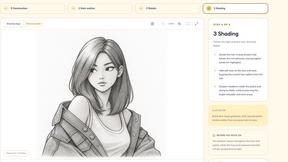
Drawcil
Drawcil turns a reference photo into a four-stage pencil lesson, helping beginners practise drawing on paper and get feedback on finished work.

TokClip
Create AI videos from photos with ready-to-use TikTok and Reels trend templates, including dances, memes, songs, and sports formats.

PixText
PixText edits text already embedded in screenshots and graphics, rebuilding the background and matching replacement lettering for quick image updates.
iWhiteScreen
A free browser based white screen for display light, pixel inspection, monitor cleaning, tracing and blank projector images.
Discord Fonts
Discord Fonts turns typed text into copyable Unicode styles and provides a separate helper for Discord's built-in formatting syntax.

VirtualTryOn
Explore AI previews of clothing, accessories and hairstyles on your photo, with side-by-side comparison to help assess visual changes.

Safe Outreach
Safe Outreach checks LinkedIn extension fingerprints and offers code teardowns to help readers assess detection and session exposure.

Promptclay
Explore and share tested AI image prompts with real results and model details, then copy prompts free without an account.

Tiny Desk AI
Turn one to five portraits into a 15-second Outstanding Tiny Desk video, with role-based casting and a vertical social-ready format.

Tip Toeing in My Jordans AI
Create a 12-second Rumpelstiltskin tip toe clip from photos, with AI-generated sound and vertical or widescreen output.

AIdeaFlow
AIdeaFlow transforms notes, documents and web pages into customizable two-host podcasts, with multilingual voices and a direct script option.

ButterShare
ButterShare helps creative teams send large files through encrypted browser transfers, with optional CloudLinks for offline client delivery.

Genjutsu
Genjutsu turns your photos into short videos using trending templates, motion transfer, and AI video tools for creative remixes.

Face Swap Video
Create a photo-based face swap video with trending scenes for runway, dance and music in supported formats.

EveryGen AI
EveryGen AI offers task-focused AI image and video tools, including generators, editors, and utilities for preparing visual content.
About HeyImg Alternatives
For a fast stylized image, compare tools by the range of available filters and how much control they offer after the first generation. If your priority is precise editing, look for a workflow with more direct image controls; if you need quick concepts or social graphics, weigh speed and the ease of making prompt-based adjustments.
FAQs about HeyImg Alternatives
What should I compare in AI photo filter tools?
Check whether the styles fit your goal, whether text-based adjustments are available, and what image output options each tool offers.
What if I need precise image editing?
Compare the available adjustment controls with your editing needs; HeyImg’s described adjustment method uses text instructions.