
Alternatives to Opal
Explore the best alternatives and competitors to Opal.
Explore 20 alternatives to Opal. Compare features, pricing, and find the best fit for your needs.

ROIpad Positioning Intelligence
ROIpad equips SaaS teams with real-time positioning intelligence. Uncover high-converting messaging gaps and outmaneuver rivals with live data.

Panzoe
Panzoe is an all-in-one AI platform for personal productivity, business automation, AI assistants, content creation, and custom AI solutions.
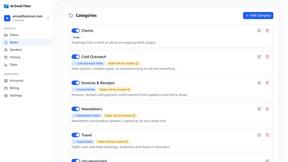
AI Email Filter
AI Email Filter sorts incoming mail into folders using plain-language prompts you write. Works with any IMAP mailbox; bring your own LLM if you want.

Leads Reddit
LeadsReddit helps founders, marketers, and sales teams find people on Reddit who are actively looking for what they sell. Instead of scrolling through
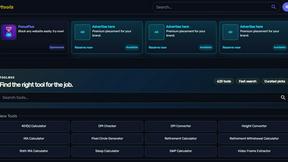
Kody Tools
Free collection of online developer utilities, code formatters, and digital converters designed to streamline your daily workflow.
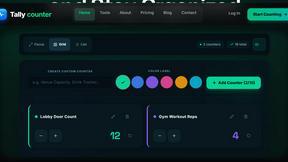
tallycounterweb.com
Online tally counter for tracking attendance, workouts, inventory, sports scores, visitors, habits, and everyday counting tasks.
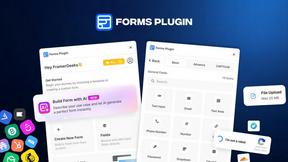
Forms Plugin
The #1 Native Form Builder Plugin for Framer - No Code, No Embeds, No External Platforms.
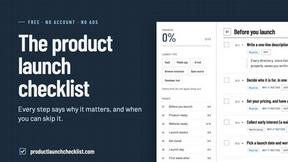
Product Launch Checklist
A free launch checklist for SaaS, apps, AI tools and more. Every step says why it matters and when you can skip it.

HomeAnswerBook
Practical, independent guides to home repairs, maintenance, costs, troubleshooting, and everyday fixes.
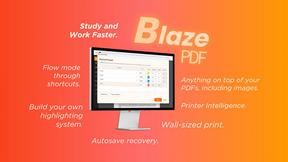
BlazePDF
Highlight faster. Study in flow with custom shortcuts and a workflow built around you. Print smarter, or turn any page into a tiled poster.

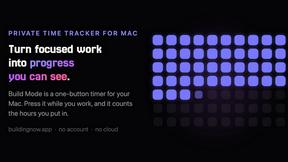
Build Mode for Mac
Build Mode is a Mac app that turns focused sessions into visible progress, so you can see the work adding up before the results arrive.

Build A Player
Build a custom basketball player and simulate an 82-game season in a free browser game.



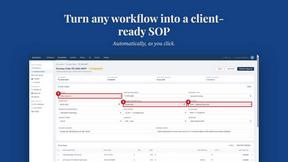
MySOP.guru
Capture any workflow in your browser and export a branded, step-by-step SOP with screenshots. €5 per document, no subscription.

PerPageFax
PerPageFax lets you send a fax online from any browser for a flat $0.50 per page — no account, no subscription, no fax machine.


About Opal Alternatives
Opal is an innovative visual workspace that revolutionizes how individuals manage their projects and notes. It exists within the productivity and management category, catering to those who benefit from a spatial approach to organization. This unique platform allows users to seamlessly arrange notes, documents, and files on an infinite digital canvas, creating a dynamic environment that mirrors the physical world. With Opal, users can enhance their workflow by keeping everything they need visible and organized, which helps to foster creativity and clarity. Users often seek alternatives to Opal for various reasons, including pricing considerations, specific feature requirements, or compatibility with preferred platforms. When exploring alternatives, it’s essential to consider the unique needs of your workflow, such as the level of customization you desire, the ease of use, and how well the platform integrates with other tools in your ecosystem. A good alternative should not only meet your functional needs but also match the intuitive design and spatial organization that Opal offers, ensuring that your productivity remains uninterrupted.
FAQs about Opal Alternatives
What is Opal?
Opal is a visual workspace designed for project and note management, providing users with an intuitive platform to organize their thoughts and tasks. It allows for the arrangement of notes, documents, and files on an infinite digital canvas, which enhances the retrieval of information by leveraging spatial memory. Opal is tailored for individuals and professionals who thrive in a visually structured environment.
Who is Opal for?
Opal is built for solopreneurs, consultants, agency owners, writers, and anyone whose work relies heavily on managing conversations, details, and creative ideas. It is especially beneficial for individuals who think spatially and prefer a visual approach to organization, making it easier to manage multiple projects without losing track of essential information. The platform caters to those who seek to enhance their productivity through a clear and accessible workspace.
Is Opal free?
Opal's pricing model may vary, and users are encouraged to visit the official website for the most current information regarding free trials or subscription plans. While some features may be available at no cost, accessing the full range of tools and functionalities typically requires a paid subscription. This structure allows users to choose a plan that fits their needs and budget.
What are the main features of Opal?
Opal boasts a range of features designed to enhance project management and note organization. Key functionalities include an infinite digital canvas for visually arranging notes and files, drag-and-drop capabilities for easy item management, and tools that prioritize spatial memory for quick retrieval. This innovative workspace is designed to keep active projects, client details, and creative ideas visible and organized, enabling users to focus on their work without unnecessary distractions.