
Alternatives to Tagada
Explore the best alternatives and competitors to Tagada.
Explore 20 alternatives to Tagada. Compare features, pricing, and find the best fit for your needs.

Uniclip
Clip pages, take full-page screenshots and batch-capture list data to Notion, Feishu, Obsidian, Markdown, CSV or JSON.

TroveKey
Search tabs, Chrome bookmarks and history, run browser commands, and save webpages and social posts locally—no account.

Agent Pets
Your Claude Code & Codex sessions as pets in Chrome. Approve, deny and reply to your coding agents from any tab.

LightScreen
Free light screen tool online. Turn any display into a flashlight, ambient light, or solid-color screen. No download or sign-up.
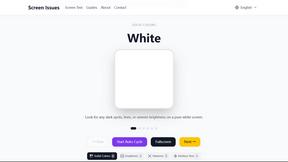
Screen Issues
Free Online Screen Test Tool - Instantly diagnose dead pixels, lines, color issues, and flickering. Multiple test modes, no download needed.

Context Board
Context Board brings your numbers, docs, clients, content and day into one workspace that Claude and Codex can read and update.

@fuck.it - email with attitude
Private email. Pure. Secure. Exclusive. No ads, no tracking, no data selling. GDPR compliant, EU-hosted.

FreeVideoGenerator
Free AI video generator: turn text prompts and photos into video clips with Sora 2, Veo 3.1, Wan and more. Free starter credits, no watermark download

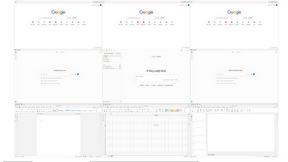

imgtxtapp.laviolab.com
imgtxtapp.laviolab.com is a Telegram-based image-to-text converter that turns photos, screenshots, scanned documents into editable text
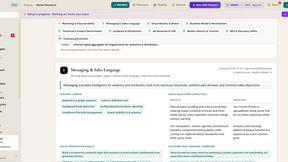
ROIpad Positioning Intelligence
ROIpad equips SaaS teams with real-time positioning intelligence. Uncover high-converting messaging gaps and outmaneuver rivals with live data.

Panzoe
Panzoe is an all-in-one AI platform for personal productivity, business automation, AI assistants, content creation, and custom AI solutions.

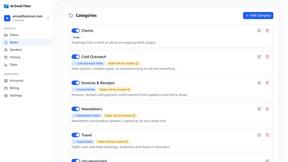
AI Email Filter
AI Email Filter sorts incoming mail into folders using plain-language prompts you write. Works with any IMAP mailbox; bring your own LLM if you want.

Leads Reddit
LeadsReddit helps founders, marketers, and sales teams find people on Reddit who are actively looking for what they sell. Instead of scrolling through

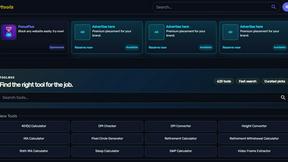
Kody Tools
Free collection of online developer utilities, code formatters, and digital converters designed to streamline your daily workflow.
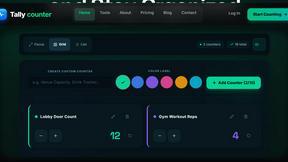
tallycounterweb.com
Online tally counter for tracking attendance, workouts, inventory, sports scores, visitors, habits, and everyday counting tasks.

Forms Plugin
The #1 Native Form Builder Plugin for Framer - No Code, No Embeds, No External Platforms.
About Tagada Alternatives
Tagada represents a paradigm shift in email productivity, operating as a browser extension that injects a layer of localized intelligence directly into Gmail. It belongs to the emerging category of on-device email augmentation tools, distinct from cloud-based assistants because it parses, categorizes, and structures your inbox data without ever transmitting it to a third-party server. Users commonly seek alternatives when they require cross-platform compatibility beyond Gmail, need deeper integration with enterprise CRM systems, or desire a different pricing model such as a one-time purchase versus a subscription. When evaluating alternatives, the critical criteria are the processing location—ensuring absolute data sovereignty—the granularity of categorization controls, and the seamlessness of the reply template generation, as the core value lies in reducing cognitive load without sacrificing privacy. The search for a replacement often stems from a need for native mobile support or a more aggressive AI-driven summarization engine that Tagada intentionally avoids. Because Tagada processes everything locally by design, it forgoes the predictive text and auto-suggest features that cloud-based competitors offer, which may be a dealbreaker for users wanting deeper automation. When choosing a successor, prioritize tools that offer a similar click-to-highlight workflow but with expanded ecosystem support, such as integration with Slack or Notion. The ideal alternative will preserve the sacred principle of local-first processing while offering a more robust tagging taxonomy or the ability to handle attachments and calendar parsing, ensuring your workflow remains both private and future-proof.
FAQs about Tagada Alternatives
What is Tagada?
Tagada is a browser extension that transforms how you read and reply to emails directly inside Gmail. It parses incoming emails into clickable sentences, allowing you to highlight, tag, and organize content by category with a single click. The tool then generates a clean reply template built around the points you selected, all without sending any data to the cloud.
Who is Tagada for?
Tagada is ideal for professionals, support teams, freelancers, consultants, and anyone who manages long email threads. It is specifically designed for users who need to respond faster and more clearly while maintaining absolute data privacy. The tool is perfect for those who want to structure their replies without learning a new platform or relying on cloud-based AI.
Is Tagada secure?
Yes, Tagada is extremely secure because it performs 100% local processing on your own machine. There is no AI, no cloud, and no third-party servers involved, meaning your email data never leaves your browser. This architecture ensures that your sensitive communications remain completely private and under your control at all times.
What are the main features of Tagada?
Tagada offers instant parsing of emails into selectable sentences, one-click highlighting and tagging by category, and auto-generated reply templates based on your selections. It works directly inside Gmail with no new tools to learn, and all processing is done locally to guarantee privacy. These features collectively cut response time and help users structure their replies more effectively.