
Alternatives to Vivideo
Explore the best alternatives and competitors to Vivideo.
Explore 20 alternatives to Vivideo. Compare features, pricing, and find the best fit for your needs.

Rhinobird
AI video ads, UGC-style videos, and product visuals for cross-border sellers and e-commerce brands.
FreeCreate
Create AI images from text or reference photos and turn prompts or still images into short videos with FreeCreate. Start free—no account needed.

Nano AI
Create and edit AI images, generate videos, and compare models in one creative workbench.

Genjutsu AI
AI video-to-video: Motion Transfer & Object Swap. Preview the credit cost, pay once. No subscription.

FreeVideoGenerator
Free AI video generator: turn text prompts and photos into video clips with Sora 2, Veo 3.1, Wan and more. Free starter credits, no watermark download

Raindance AI Video Generator
Turn two photos into the Raindance AI pier video with the soundtrack included

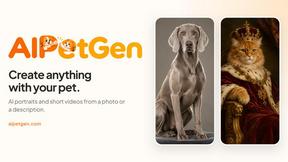
AIPetGen
AIPetGen turns a photo of your dog, cat, or other pet, or a written description, into a new picture or a short animation.

DanseAI - Alors on Danse AI Video Genera
Make the Alors on Danse AI meme video from two photos, soundtrack included
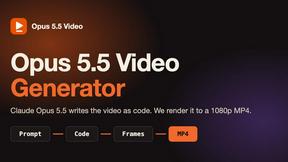
Opus 5.5 Video Generator
Turn a prompt into a 1080p motion-graphics MP4 planned and coded by Claude Opus 5.5

Hotel Lobby AI Video Generator
Turn two photos into a Hotel Lobby dance video in the orange A COLORS SHOW booth

GetYouTubeTranscript
Free YouTube transcripts on the web, a Chrome extension, and an API + MCP server so AI assistants can read YouTube.

TryKlingAI
Create Kling AI videos from text, images, audio, and motion references with Kling 3.0, Motion Control, Lip Sync, task tracking, and API access.

AI UGC Video Generator
Create AI UGC video ads from a product URL, image, or script with lifelike creators, voices, captions, product visuals, and clear CTAs.


Hailuo AI
Create high-quality videos from text or images with guided prompts, motion and camera controls, flexible settings, and downloadable results.

OwlPeek
Free browser-based viewer for active stories from public TikTok profiles, with no TikTok sign-in required.

Happy Horse AI
Browser-based AI video generation from text, images, and references with flexible output and API workflows.
About Vivideo Alternatives
Vivideo is a next-generation AI video generator that operates at the revolutionary intersection of text and visual media, enabling creators to transform simple prompts, scripts, or images into high-definition video content in moments. This cutting-edge tool belongs to the rapidly evolving category of AI-powered video production platforms, designed to democratize professional filmmaking by automating the generation of visuals, voiceovers, subtitles, and transitions. Despite its advanced capabilities, users frequently seek alternatives due to factors like evolving pricing structures, the need for more granular control over specific AI models, or a desire for unique features such as deeper customization of stock assets or integration with niche marketing ecosystems. When evaluating alternatives in this futuristic landscape, the key is to assess the platform's core neural engine and its ability to maintain coherence across long-form narratives or complex product demonstrations. Look for tools that offer transparent, scalable pricing without hidden limits on export resolution or multilingual voiceover accuracy. Also consider the breadth of the asset library and the flexibility of the editing workflow—whether the system allows you to override AI decisions on pacing, music selection, or visual style. The most powerful alternatives will be those that balance autonomous generation with intuitive human oversight, ensuring your final video feels less like an algorithmic output and more like a bespoke cinematic creation.
FAQs about Vivideo Alternatives
What is Vivideo?
Vivideo is an advanced AI video generator that transforms text prompts, scripts, articles, product descriptions, or uploaded images into engaging, high-quality videos. It leverages multiple AI models to automatically produce visuals, voiceovers, subtitles, music, and transitions, streamlining the entire video production process for creators and businesses.
Who is Vivideo for?
Vivideo is designed for a broad spectrum of users including creators, marketers, businesses, and educators. It is particularly suited for anyone needing to rapidly produce content for platforms like TikTok, Instagram Reels, YouTube Shorts, marketing campaigns, product promotions, and tutorials, making professional video creation accessible without requiring technical editing skills.
What are the main features of Vivideo?
Key features include text-to-video and image-to-video generation, multilingual AI voiceovers, automatic captioning, customizable aspect ratios, and support for HD and 4K exports. The platform is powered by multiple AI video models and backed by millions of stock assets, offering an intuitive editing workflow that automates visuals, transitions, and music selection.
Is Vivideo free?
Based on the provided product description, Vivideo is a premium, feature-rich platform that likely operates on a subscription or usage-based pricing model, though specific pricing details are not listed. Users should check the official website for current plans, which may include a free tier or trial to test its text-to-video and image-to-video capabilities before committing to a paid package.