
LinkedInPro vs RemoveTexts
Side-by-side comparison to help you choose the right AI tool.
Instantly generate AI-powered professional headshots from your casual photos.
Last updated: February 28, 2026

RemoveTexts
Effortlessly erase text and unwanted elements from images in seconds with RemoveTexts, the AI tool that transforms visuals without any design skills.
Last updated: March 11, 2026
Visual Comparison
LinkedInPro
RemoveTexts

Feature Comparison
LinkedInPro
Quantum-Grade AI Enhancement
Leveraging a proprietary neural network architecture, LinkedInPro performs a deep analysis of your uploaded image. It goes beyond simple filters, intelligently correcting lighting imbalances, refining skin tones with photorealistic texture, sharpening focus, and professionally retouching details to produce a headshot that rivals those captured in high-end studios, all while maintaining your authentic likeness.
Authenticity-Preserving Algorithm
Our core differentiator is an AI engineered for integrity. The system is specifically calibrated to enhance, not erase, your natural features. It preserves unique identifiers, genuine expressions, and personal character, ensuring your professional headshot remains unmistakably you—a trusted and true representation that builds genuine connections and trust in digital networks.
Instantaneous Processing Engine
Experience the velocity of the future. From upload to download, the transformation cycle is measured in seconds. This lightning-fast processing, powered by optimized cloud infrastructure, delivers immediate results, allowing you to iterate and update your professional image in real-time, keeping pace with the dynamic demands of your career trajectory.
Secure & Sovereign Data Protocol
Your privacy is paramount. LinkedInPro operates with a zero-retention policy on uploaded images. All processing occurs within secure, encrypted sessions, and original files are purged from our servers immediately after generating your headshot. We adhere to stringent data sovereignty principles, ensuring your professional data remains exclusively yours.
RemoveTexts
Paint to Remove
With the Paint to Remove feature, users can brush over specific text areas in their images for precise control. This targeted approach allows you to eliminate only the text you want gone, ensuring that the rest of your image remains intact and visually appealing.
Auto Remove All
The Auto Remove All function leverages the power of AI to automatically detect and remove every text element from your image with just one click. This feature is perfect for those who need a quick solution for cleaning up images filled with text, saving valuable time and effort.
Edit & Replace Text
The Edit & Replace Text feature enables users to change existing text within images while perfectly matching the original style and font. This allows for seamless modifications, making it easy to update information or branding in your visuals without compromising quality.
Remove Objects
The Remove Objects feature goes beyond text removal, allowing users to erase unwanted objects, logos, and other visual elements from their images. This functionality ensures that you can create clean and professional visuals tailored to your needs.
Use Cases
LinkedInPro
The Aspiring Job Seeker
A candidate can instantly transform a casual selfie into a boardroom-ready profile picture before applying for a dream role. This allows them to present a polished, confident first impression to recruiters and hiring algorithms, significantly increasing profile views and engagement rates without the delay or expense of booking a photographer during a critical job search window.
The Entrepreneur & Founder
Startup founders and solopreneurs can consistently project a professional, investable brand image across all platforms. LinkedInPro enables them to generate cohesive, high-quality headshots for their entire founding team, company website, and investor decks, elevating their venture's credibility and perceived market readiness with a unified visual identity.
The Content Creator & Influencer
Digital creators who are their own brand require a constant stream of fresh, professional visuals. LinkedInPro allows them to generate studio-quality headshots on-demand for new course launches, podcast appearances, and promotional materials, maintaining a premium aesthetic that attracts partnerships and grows their authoritative presence online.
The Corporate Professional
Employees navigating promotions, internal role changes, or company rebranding can instantly align their digital persona with new professional milestones. Before a big presentation, conference speaking engagement, or a company-wide directory update, they can generate a current, authoritative headshot that reflects their evolving role and expertise.
RemoveTexts
E-Commerce Product Images
E-commerce sellers can utilize RemoveTexts to clean up product images by removing watermarks and unwanted text. This enhances the visual appeal of their listings, helping to drive sales and attract more customers.
Social Media Content Creation
Marketers and social media managers can quickly eliminate distracting text from images, ensuring their content is visually engaging and professional. This is particularly useful for creating polished promotional materials and advertisements.
Legal Document Redaction
Legal professionals can use RemoveTexts to redact sensitive information from documents and images. This capability is essential for maintaining confidentiality while ensuring that the remaining content remains clear and legible.
Academic and Research Publications
Researchers and academics can benefit from RemoveTexts by removing unnecessary text overlays from charts and graphs in their publications. This refinement elevates the clarity and professionalism of their visual data presentations.
Overview
About LinkedInPro
LinkedInPro is a paradigm-shifting AI platform engineered to redefine professional digital identity. It transcends traditional photography by deploying advanced generative artificial intelligence to metamorphose casual, everyday photos into impeccable, studio-grade headshots within seconds. This tool is meticulously crafted for the modern professional ecosystem: ambitious job seekers, visionary entrepreneurs, freelancers, and corporate climbers who understand that a powerful LinkedIn profile is a non-negotiable asset in today's hyper-competitive landscape. The core value proposition is a revolutionary blend of accessibility, authenticity, and unparalleled quality. LinkedInPro democratizes professional imaging, eliminating the barriers of cost, time, and scheduling associated with conventional photoshoots. Its sophisticated AI algorithms are trained not only to enhance lighting, sharpness, and background but to intelligently preserve the user's unique essence and natural features, ensuring the final result is both polished and genuinely representative. In the age of algorithmic first impressions, LinkedInPro empowers individuals to project confidence, competence, and credibility effortlessly, forging a digital persona that opens doors and creates lasting impact.
About RemoveTexts
RemoveTexts is a revolutionary AI-powered image editing tool designed to effortlessly remove unwanted text and elements from images. With its user-friendly interface, anyone—regardless of design skill—can upload images and achieve clean, professional results in mere seconds. Whether you're looking to eliminate watermarks, meme text, subtitles, or branded overlays, RemoveTexts employs advanced deep learning algorithms to detect and erase text while intelligently reconstructing the surrounding background. This makes it ideal for creators, marketers, and designers looking to enhance their visuals without the hassle of complex software like Photoshop. Trusted by over 100,000 users worldwide, RemoveTexts empowers you to achieve pristine image clarity, elevating your content effortlessly.
Frequently Asked Questions
LinkedInPro FAQ
What kind of photo should I upload for the best results?
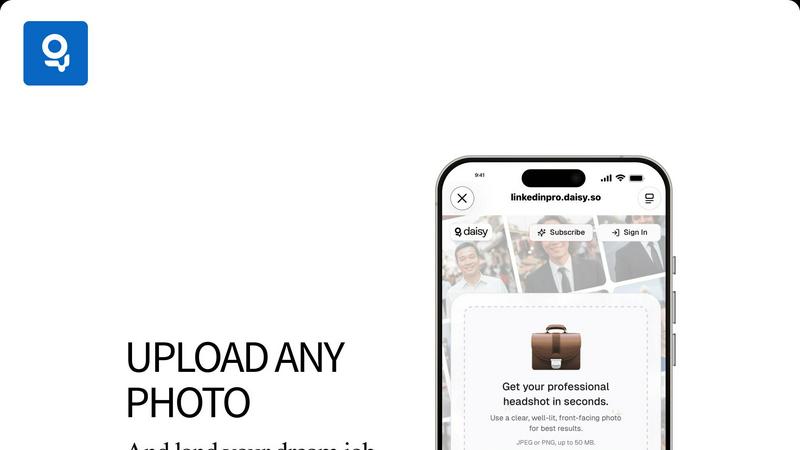
For optimal AI performance, upload a clear, well-lit, front-facing photo. Ensure your face is fully visible, with minimal shadows and a relatively simple background. High-resolution images (JPEG or PNG, up to 50 MB) taken in good natural light yield the most spectacular, detail-rich transformations that the AI can expertly refine.
How does LinkedInPro ensure my headshot looks like me and not generic?
Our AI is trained on a foundational principle of authenticity preservation. It analyzes and enhances the unique geometry, features, and expressions present in your source photo. The technology applies professional photographic principles—not a one-size-fits-all template—resulting in a headshot that is a polished version of you, not an AI-generated avatar.
Is my data and privacy secure with LinkedInPro?
Absolutely. Security and privacy are engineered into our core. We employ bank-level encryption for all data transfers. Crucially, we operate on a strict no-permanent-storage model. Your original upload is processed in a secure session and permanently deleted immediately after your enhanced headshot is generated, leaving no trace on our servers.
Can I use the generated headshots for purposes beyond LinkedIn?
Yes, definitively. The professional headshots you generate are high-resolution, royalty-free images that belong to you. They are perfectly suited for corporate websites, email signatures, professional portfolios, conference speaker profiles, press releases, and any other platform where a premium professional image is required to make an impact.
RemoveTexts FAQ
How does RemoveTexts work?
RemoveTexts employs advanced AI technology to analyze images and intelligently reconstruct the background after removing unwanted text. This ensures seamless results with no visible traces of the removed elements.
What types of images can I upload?
You can upload images in JPG, PNG, or WebP format, with a maximum file size of 10 MB. This versatility makes it easy to work with a variety of image types for your editing needs.
Is RemoveTexts free to use?
Yes, RemoveTexts offers a free online platform for users to remove text and unwanted elements from their images without the need for any design skills or software installation.
Can I remove watermarks with RemoveTexts?
Yes, RemoveTexts is specifically designed to remove watermarks and other text overlays from images, allowing you to achieve clean, professional results in seconds.
Alternatives
LinkedInPro Alternatives
LinkedInPro is a paradigm-shifting AI productivity tool that transforms casual photos into professional-grade LinkedIn headshots in seconds. It belongs to the AI-enhanced productivity and personal branding category, empowering users to elevate their digital presence without the friction of traditional photography. Users often seek alternatives to explore different value propositions. This can be driven by budget considerations, a desire for more specialized AI editing features, or the need for a platform that integrates with other professional ecosystems. The quest for the optimal tool is a natural part of the digital optimization journey. When evaluating an alternative, prioritize core metrics: the sophistication of the AI engine for authentic results, data privacy protocols, output quality and customization depth, and overall value alignment with your professional branding objectives. The ideal solution should seamlessly merge cutting-edge technology with intuitive user experience.
RemoveTexts Alternatives
RemoveTexts is an innovative AI-powered tool designed specifically for the image and photo editing category. Its primary function is to effortlessly remove unwanted text from images, enabling users to enhance their visuals without needing advanced design skills or complicated software like Photoshop. As creators, marketers, and designers increasingly seek efficient solutions, many users find themselves exploring alternatives due to factors such as pricing, specific feature sets, or desired platform compatibility. When searching for alternatives to RemoveTexts, users should consider key aspects such as ease of use, the accuracy of text removal, and the range of editing features offered. Evaluating the output quality and supported languages is also essential, especially for those working with diverse image content. Ultimately, the right alternative should streamline the editing process while delivering results that meet the user's specific needs.