
Alternatives to CreateImg
Explore the best alternatives and competitors to CreateImg.
Explore 20 alternatives to CreateImg. Compare features, pricing, and find the best fit for your needs.

LinkIntel
MCP server giving your AI assistant your X post results and X’s ranking weights, with sources.

screenRIG
Signage and kiosk infrastructure for AI agents. Your agent publishes images, video, streams, web pages and apps to screens via one plugin.screenRIG is

TrackMedia
Publish to 20 social networks from one composer and track every click in real time. Built for humans and AI agents.
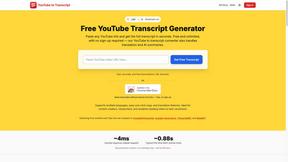
GetYouTubeTranscript
Free YouTube transcripts on the web, a Chrome extension, and an API + MCP server so AI assistants can read YouTube.



Travel Safety Map
A colour-coded safety reference for 168 countries: government advisories, scams, women’s safety, traffic, embassies and emergency numbers.

TryKlingAI
Create Kling AI videos from text, images, audio, and motion references with Kling 3.0, Motion Control, Lip Sync, task tracking, and API access.

AI UGC Video Generator
Create AI UGC video ads from a product URL, image, or script with lifelike creators, voices, captions, product visuals, and clear CTAs.


Hailuo AI
Create high-quality videos from text or images with guided prompts, motion and camera controls, flexible settings, and downloadable results.



Motiofy
Motiofy is an AI creative workspace that helps creators and teams turn ideas into polished visual stories.

Speechyou
AI transcription for voice notes, meetings, and audio files in 1,700 languages, with AI summaries and subtitle export and unlimited chat ai usage.

ProspectHalo
AI sales agent that finds qualified leads, runs outreach, follows up automatically, creates content, and helps book more meetings.

benchmark.directory
146 AI tools across 20 categories, indexed by the job they do. Every listing earned its place. None of them paid for it.
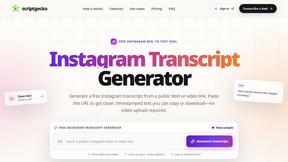
ScriptGecko
Turn public Instagram Reels into clean, timestamped transcripts you can copy or download.

Happy Horse AI
Browser-based AI video generation from text, images, and references with flexible output and API workflows.

About CreateImg Alternatives
CreateImg is a groundbreaking AI image editor that empowers users to transform their ideas into stunning visuals in an instant. As a member of the AI Assistants and Content Creation categories, it caters to photographers, digital artists, and content creators seeking professional-grade results without the steep learning curve of traditional design software. Users often seek alternatives due to factors like pricing, specific features, or platform compatibility that may not align with their unique needs. When exploring alternatives, it's essential to consider the range of features offered, the user interface's intuitiveness, and whether the platform is free of hidden costs or subscriptions. The ideal alternative should not only meet your creative requirements but also provide a seamless and enjoyable editing experience, enabling you to unleash your artistic potential with efficiency and ease.
FAQs about CreateImg Alternatives
What is CreateImg?
CreateImg is a revolutionary free AI image editor that enables users to enhance and stylize their photos effortlessly using advanced artificial intelligence.
Who is CreateImg for?
CreateImg is designed for photographers, digital artists, and content creators looking for quick and professional-grade image editing without requiring design skills.
Is CreateImg free?
Yes, CreateImg is completely free to use, providing a comprehensive suite of tools without any subscriptions or hidden fees.
What are the main features of CreateImg?
Key features of CreateImg include automatic background removal, advanced AI upscaling, and an intuitive interface that streamlines the editing process for users of all skill levels.