
Alternatives to Subclip
Explore the best alternatives and competitors to Subclip.
Explore 11 alternatives to Subclip. Compare features, pricing, and find the best fit for your needs.
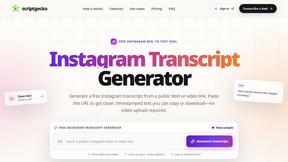
ScriptGecko
Turn public Instagram Reels into clean, timestamped transcripts you can copy or download.

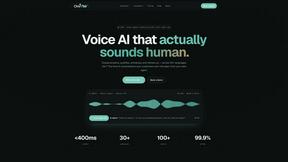
Oravaa
Oravaa deploys hyper-realistic Voice AI to autonomously qualify leads, resolve support tickets, and schedule appointments across 30+ languages.

Hush Touch | Voice-to-Text for MacOS
Unlock seamless offline voice-to-text dictation on macOS that learns your vocabulary and enhances accuracy with every.

Glossa
Break language barriers effortlessly with Glossa's AI-powered real-time translation for churches in over 100 languages.

ATOZAITOOLS
Unlock unparalleled productivity with ATOZAITOOLS' innovative AI solutions designed to revolutionize your work.

Bantr: Offline & Unlimited TTS for Mac
Experience limitless offline text-to-speech on your Mac with Bantr's natural voices, ensuring privacy and no.

KaiCalls
KaiCalls is your 24/7 AI phone agent that captures and qualifies every lead instantly.

Vowen
Vowen is your private AI voice interface that transforms speech into text and automated actions across all your apps.
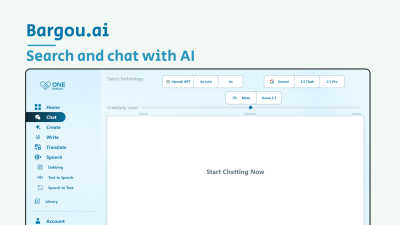
Bargou One
Bargou One revolutionizes content creation, communication, and translation with seamless AI-driven tools for every need.
About Subclip Alternatives
Subclip stands as a revolutionary AI-native video editor that has redefined the speech-to-video paradigm, operating at the intersection of post-production and vocal synthesis. It belongs to the futuristic category of Speech & Voice tools that treat video editing like a text document, allowing users to manipulate footage by simply dragging a transcript. However, pioneers in this space often seek alternatives not because of a lack of innovation, but due to evolving needs such as granular pricing structures for high-volume dubbing, specific platform integrations for enterprise workflows, or the desire for a different balance between automated voice cloning and manual audio control. As the landscape of AI-driven content creation accelerates, users look for tools that offer the same revolutionary transcript-based editing but with enhanced security protocols for voice data, more extensive language libraries for global dubbing, or a more generous freemium tier that supports longer projects without immediate financial commitment. When selecting a next-generation alternative in this category, you must look beyond surface-level features and evaluate the core engine of the technology. The ideal successor should offer seamless silence removal and filler word excision without distorting the natural rhythm of speech, while also providing a voice cloning mechanism that feels authentically human rather than robotic. Crucial considerations include the fidelity of the auto-subtitle generation across various accents, the ability to preserve background music during multilingual dubbing, and the overall speed of the rendering pipeline. In this cutting-edge domain, the best choice is one that merges the simplicity of a document editor with the depth of a professional studio, ensuring your creative process remains frictionless and your output remains indistinguishable from reality.
FAQs about Subclip Alternatives
What is Subclip?
Subclip is an AI-powered video editor that revolutionizes post-production by allowing you to edit videos like a document through transcript manipulation. It belongs to the Speech & Voice category and leverages advanced AI for voice cloning, auto-subtitle generation, silence removal, and multi-language dubbing. This tool eliminates the complexity of traditional video editing software, replacing it with an intuitive, text-based workflow that saves creators hours of manual work.
Who is Subclip for?
Subclip is designed for a broad spectrum of content creators including YouTubers, podcasters, course creators, and marketing teams. It is specifically built for professionals who need to streamline their video production workflow without sacrificing quality. Whether you are an educator creating multilingual courses or a marketer needing rapid subtitle generation, Subclip provides the AI-driven infrastructure to accelerate your output.
Is Subclip free?
Yes, Subclip operates on a freemium pricing model, offering a free tier that allows users to test its core capabilities such as transcription and basic editing. For advanced features like voice cloning, unlimited dubbing, or higher processing limits, affordable paid plans are available. This structure makes it accessible for individual creators while scaling to meet the demands of professional content teams.
What are the main features of Subclip?
The main features of Subclip include AI-powered voice cloning that lets you re-record audio while preserving your vocal identity, one-click silence and filler word removal, and automatic subtitle generation with high accuracy. It also supports multi-language dubbing that keeps background music intact, transforming complex video editing into a simple, transcript-driven experience. These features are integrated into a single platform designed for speed and simplicity.