
MindMap AI vs Zovo
Side-by-side comparison to help you choose the right AI tool.

MindMap AI
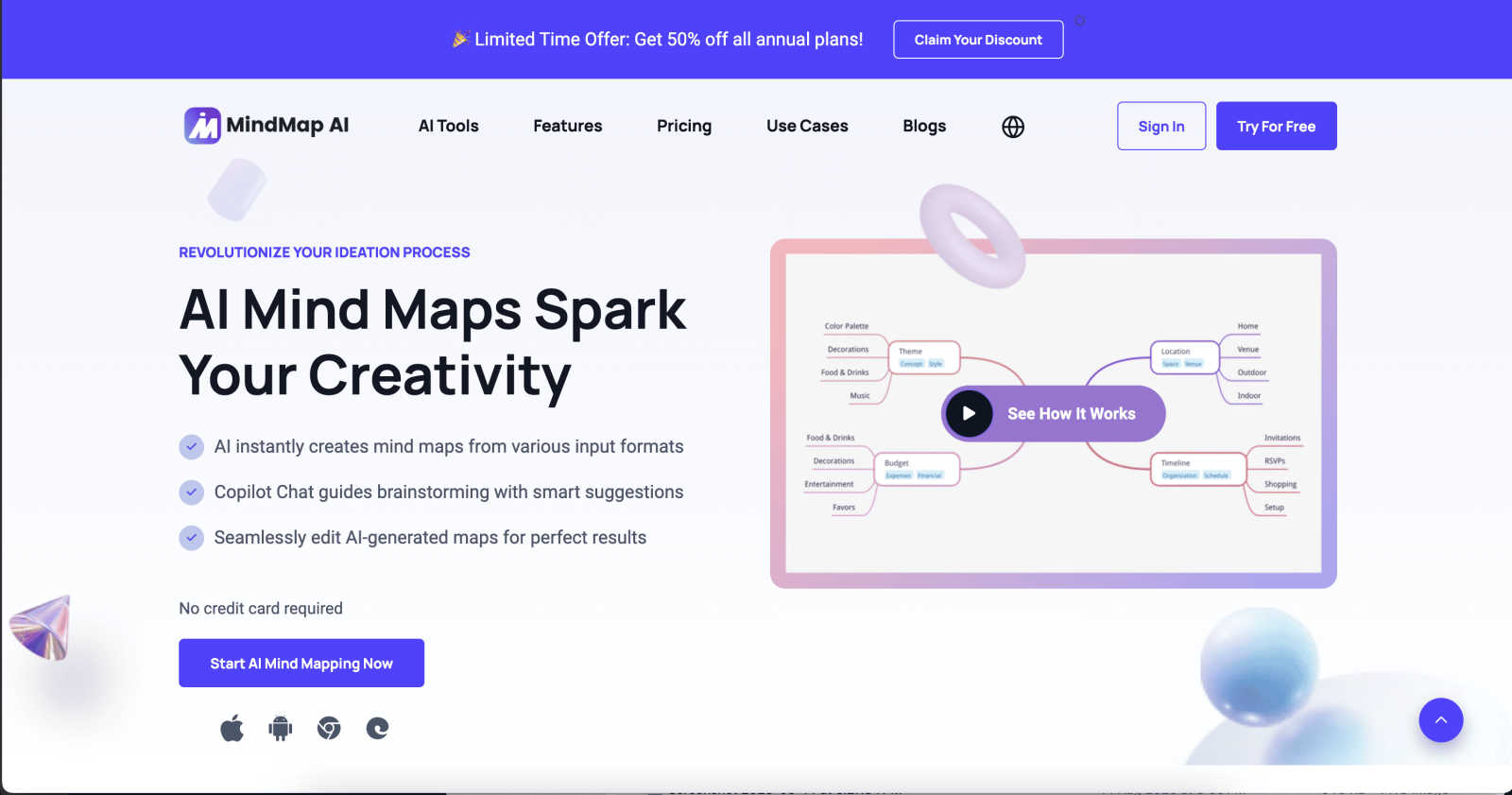
Effortlessly transform your ideas into structured mind maps with intelligent AI co-editing and multi-language support.
Last updated: February 28, 2026

Unlock 20 privacy-first Chrome extensions for developers and writers with Zovo, where your data remains yours.
Last updated: February 28, 2026
Visual Comparison
MindMap AI
Zovo

Feature Comparison
MindMap AI
AI Thinking Mode for Accuracy
MindMap AI employs a sophisticated step-by-step reasoning engine that understands context, hierarchy, and relationships. This ensures that every mind map generated is structured, meaningful, and accurate, eliminating the risk of random branches thrown together. Users can trust that their ideas are presented clearly and logically.
File-to-Map Conversion
With the powerful file-to-map conversion feature, users can instantly transform any type of content—such as text documents, PDFs, images, audio, and video—into beautifully structured mind maps. This feature allows professionals to bypass manual formatting, diving straight into the ideation and planning stages.
Continuous Editing
MindMap AI's continuous editing capability allows users to build their mind maps manually or co-create with AI. Users can expand, summarize, reorganize, and style their maps in seconds while maintaining full control over their designs. This flexibility ensures that their unique vision is realized without sacrificing creativity.
Multi-Language Support
MindMap AI supports the creation and editing of mind maps in over 25 languages, maintaining accuracy and structure throughout. This feature enables global teams to collaborate effectively, ensuring that language barriers do not hinder the organization and sharing of ideas.
Zovo
BeLikeNative
This flagship extension revolutionizes writing by providing instant rewrites in 80 languages with a single keystroke. Designed for anyone looking to enhance their language skills, BeLikeNative ensures that users can express themselves like native speakers effortlessly, making communication more effective and authentic.
Tab Suspender Pro
Optimize your browser’s performance with Tab Suspender Pro, which intelligently manages open tabs by suspending inactive ones. This feature significantly reduces memory usage, allowing for a smoother browsing experience even with numerous tabs open, thereby enhancing productivity.
Clipboard History Pro
Never lose track of your copied content again with Clipboard History Pro. This powerful tool retains a history of your clipboard entries, enabling you to access and retrieve previously copied items with ease, making your workflow more efficient and organized.
Form Filler Pro
Streamline your online form submissions with Form Filler Pro. This extension automatically populates forms with saved data, significantly reducing the time you spend entering repetitive information and allowing you to navigate the web faster and more conveniently.
Use Cases
MindMap AI
Project Planning
MindMap AI is ideal for project planning, allowing teams to outline tasks, set deadlines, and visualize project stages. By using dynamic mind maps, teams can adapt to changes in project scope and collaborate in real-time, ensuring that all members are aligned.
Meeting Insights
Professionals can utilize MindMap AI to capture insights during meetings effectively. By converting discussions into structured mind maps, teams can ensure that key points are documented, making it easier to follow up on action items and decisions made.
Research Analysis
Researchers can leverage MindMap AI to organize and analyze complex data. By converting research papers, articles, and other resources into visual maps, they can identify patterns, relationships, and insights that may otherwise be overlooked.
Curriculum Development
Educators can use MindMap AI for curriculum mapping, enabling them to visualize course structures, learning objectives, and assessment strategies. This helps in creating a cohesive educational framework that enhances student learning outcomes.
Zovo
Enhanced Language Learning
Zovo’s BeLikeNative extension is ideal for students and professionals studying foreign languages. By providing instant rewrites in multiple languages, users can practice and refine their skills, making language learning more interactive and effective.
Improved Productivity for Professionals
Tab Suspender Pro is perfect for busy professionals who juggle multiple projects. By suspending unused tabs, users can free up memory and improve their browser's speed, allowing them to focus on their tasks without distractions.
Efficient Content Management
With Clipboard History Pro, content creators and marketers can manage copied text, links, and images efficiently. This tool allows users to keep track of various snippets, making it easy to compile and organize content for articles or presentations.
Streamlined Online Shopping
Form Filler Pro enhances the online shopping experience by automatically filling out shipping and payment details. Users can complete their purchases quickly, reducing the hassle of repetitive entry, and ensuring a smoother transaction process.
Overview
About MindMap AI
MindMap AI is the revolutionary AI-powered mind mapping software designed for professionals and teams looking to elevate their ideation process. This cutting-edge tool transforms a vast array of inputs—ranging from text documents and PDFs to audio recordings and images—into dynamic, visually engaging mind maps. It serves as an interactive workspace where ideas flourish, enabling users to brainstorm, organize knowledge, and streamline complex workflows in real-time. With advanced features like Co-Pilot Chat, auto-expansion, and second-order connections, MindMap AI empowers teams to refine strategies and uncover insights effortlessly. Built for corporate productivity, it facilitates a seamless transition from chaos to clarity, allowing organizations to tackle projects with agility. Available across web, mobile, and browser extensions, it offers multi-format exports for ultimate flexibility. Whether planning a new initiative, capturing meeting insights, or analyzing research, MindMap AI is the essential tool for professionals aiming to think bigger and work smarter.
About Zovo
Zovo is a revolutionary suite of 20 Chrome extensions, meticulously crafted by a solo developer with over a decade of expertise and an impressive track record of $400K+ earned on Upwork, boasting an unparalleled 100% success rate. The flagship extension, BeLikeNative, empowers more than 3,300 users to communicate fluently in 80 languages, offering seamless one-keystroke rewrites for enhanced writing. The collection encompasses essential tools such as Tab Suspender Pro, JSON Formatter Pro, Clipboard History Pro, and many more, all designed to optimize your browsing experience. Zovo's commitment to privacy is unmatched; every extension operates locally on your device, ensuring that your data remains yours—free from corporate exploitation, data harvesting, or third-party investors. Users play an integral role in shaping the roadmap by voting on features, and with new extensions released monthly, Zovo is constantly evolving to meet the needs of its community. Many tools are also accessible for free online at zovo.one, making it a go-to resource for users seeking efficiency and privacy.
Frequently Asked Questions
MindMap AI FAQ
How does MindMap AI enhance the mind mapping process?
MindMap AI enhances the mind mapping process by utilizing advanced AI technology to generate structured and accurate maps based on user inputs. The tool's intuitive features allow for seamless collaboration, making brainstorming sessions more effective.
Can I use MindMap AI on multiple devices?
Yes, MindMap AI is available on web, mobile, and browser extensions, enabling users to access their mind maps and collaborate across multiple devices anytime, anywhere.
Is there a free trial available for MindMap AI?
Absolutely! MindMap AI offers 50 free credits monthly with no credit card required, allowing new users to explore its features and capabilities without any financial commitment.
How does the AI co-editing feature work?
The AI co-editing feature in MindMap AI allows users to work alongside the AI to co-create mind maps. The AI respects manual edits and does not overwrite user contributions, ensuring that the final map reflects the user's vision while benefiting from AI assistance.
Zovo FAQ
How does Zovo protect user privacy?
Zovo extensions are designed with privacy as a core principle. All extensions operate locally on your device without collecting any user data, ensuring that your browsing history and personal information remain completely private.
Can I request new features for the extensions?
Absolutely! Zovo encourages user feedback. You can submit feature requests directly, and the most requested features are prioritized for development, giving you a voice in shaping the future of the extensions.
Are there any costs associated with using Zovo?
Zovo offers a selection of free features that are available indefinitely. For users looking for more advanced functionalities, a single subscription unlocks Pro features across all extensions, providing exceptional value.
How often are new extensions released?
Zovo is committed to continuous improvement and innovation. New extensions are typically released monthly, keeping the suite fresh and aligned with user needs and preferences, ensuring you always have access to cutting-edge tools.
Alternatives
MindMap AI Alternatives
MindMap AI is a revolutionary AI-powered mind mapping software that belongs to the productivity and management category. It is tailored for professionals and teams looking to enhance their ideation process and streamline workflows. Users often seek alternatives to MindMap AI for various reasons, including pricing constraints, specific feature requirements, or compatibility with different platforms and devices. When choosing an alternative, it's essential to consider the tool's ability to convert diverse inputs into engaging mind maps, the ease of collaboration among team members, and the flexibility of export options to suit your unique workflow needs. Ultimately, the right alternative should empower users to organize their thoughts and strategies effectively while fostering creativity and productivity.
Zovo Alternatives
Zovo is a revolutionary suite of 20 privacy-first Chrome extensions designed specifically for developers and writers. This cutting-edge toolkit is tailored to enhance productivity and streamline workflows, offering tools like JSON Formatter, Tab Suspender, and Clipboard History, among others. Users are increasingly seeking alternatives to Zovo for various reasons, including pricing structures, specific feature sets that may better align with their needs, or compatibility with different platforms. As you explore alternatives, consider factors such as user experience, privacy policies, and community support to ensure the solution you choose aligns with your productivity goals. When searching for an alternative, prioritize extensions that offer robust privacy features, ensuring your data remains secure. Look for comprehensive functionality that can cater to your unique requirements, as well as a user-friendly interface that enhances your workflow. Additionally, consider the developer's reputation and community engagement, which can significantly impact the quality of support and future updates you can expect.