
FilexHost vs SupaSidebar
Side-by-side comparison to help you choose the right AI tool.

FilexHost
Revolutionize file sharing with FilexHost: drag, drop, and get a live shareable link in seconds, effortlessly.
Last updated: February 28, 2026

SupaSidebar
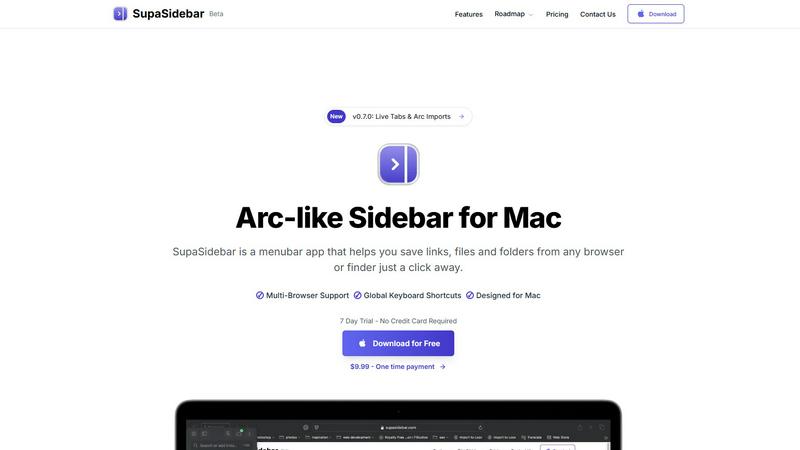
SupaSidebar is your AI-powered command center for effortlessly accessing links, files, and apps on Mac in an instant.
Last updated: February 28, 2026
Visual Comparison
FilexHost

SupaSidebar
Feature Comparison
FilexHost
Instant Subdomains
Experience the convenience of instant subdomain creation with FileXHost. Upon uploading, users receive a unique link (your-file.filex.host) with zero setup required. This feature streamlines the process of sharing files, allowing for immediate access and simplifying the collaboration experience.
Free SSL Encryption
Security is paramount with FileXHost, as every link generated comes with free SSL encryption. This ensures that all shared files are protected, providing peace of mind for users who prioritize their data's safety while sharing sensitive information with clients or colleagues.
Smart View Modes
FileXHost enhances user experience with smart view modes that allow for either direct rendering of files or a dedicated download page. Whether users want to present documents interactively or simply provide a downloadable link, this feature caters to all needs, making file sharing more versatile and user-friendly.
Optional Password Protection
For those who need an extra layer of security, FileXHost offers optional password protection along with customizable expiry settings. Users can set links to expire anywhere from 24 hours to indefinitely, ensuring that access to sensitive files remains tightly controlled and secure.
SupaSidebar
Instant Access to Everything
SupaSidebar provides immediate access to your essential apps, websites, and files through powerful keyboard shortcuts. No more wasting time searching for what you need; simply press a few keys and find everything instantly.
Unified Command Hub
With SupaSidebar, all your links, files, and folders from major browsers like Safari, Chrome, and Firefox, as well as Finder, are aggregated into one streamlined sidebar. This unification eliminates the chaos of navigating multiple platforms.
Recents & Favorites
SupaSidebar features a Recents tab that tracks every website you have visited in the last 48 hours, making it easy to return to your latest work. Additionally, you can pin your favorite items at the top of the sidebar for quick access.
Global Keyboard Shortcuts
Designed for speed and efficiency, SupaSidebar offers global keyboard shortcuts that allow you to save URLs and copy links with ease. Simply press CMD CTRL S to save or CMD CTRL C to copy, optimizing your workflow.
Use Cases
FilexHost
Client Report Sharing
Professionals can effortlessly share detailed client reports by uploading files to FileXHost and generating secure links. This eliminates the need for cumbersome email attachments and allows clients to view reports in a clean, rendered format, enhancing the overall presentation.
Developer Mock API Hosting
Developers can utilize FileXHost to host landing pages or mock APIs, simplifying the testing and demonstration process. By uploading HTML files or project archives, they can quickly generate links to showcase their work without the hassle of server management.
Digital Product Distribution
Creators and entrepreneurs can distribute digital products—such as eBooks, software, or multimedia content—using FileXHost. The platform's quick sharing capabilities facilitate a smooth transaction process, allowing customers to access their purchases immediately without unnecessary delays.
Frictionless File Delivery
FileXHost serves anyone needing seamless file delivery without tedious "request access" emails or attachment limits. From educators sharing resources to teams collaborating on projects, the platform's ease of use ensures that files are always just a drag and drop away.
SupaSidebar
Research Efficiency
For researchers who often juggle multiple tabs and sources, SupaSidebar simplifies the process by consolidating all references in one location. This enables quick access to essential materials without losing focus.
Creative Workflows
Creators can benefit from SupaSidebar by keeping their favorite tools and resources at hand. This allows for a fluid creative process, where inspiration can be captured instantly without the hassle of searching through clutter.
Student Productivity
Students can leverage SupaSidebar to manage their study materials, links to research, and class notes. The ability to quickly access recent documents and favorite resources enhances learning efficiency.
Project Management
Professionals managing projects can use SupaSidebar to keep track of important files, links, and communications. By having everything organized in one sidebar, teams can collaborate more effectively and stay aligned on tasks.
Overview
About FilexHost
FileXHost is an innovative and revolutionary file hosting and sharing platform designed to simplify the way individuals and businesses manage their digital assets. With lightning-fast global content delivery, FileXHost allows users to upload any file type—from documents and images to entire websites—without the cumbersome processes typically associated with file sharing. Its "Drop & Share" workflow empowers users to effortlessly drag and drop files, instantly generating secure URLs for sharing without any server configurations or complicated logins. This makes it an ideal solution for professionals, developers, and creators who demand frictionless file delivery systems that prioritize the viewer experience. By ensuring that recipients can access files as intended, beautifully rendered without downloads or plugins, FileXHost stands out as the go-to choice for seamless file hosting needs.
About SupaSidebar
SupaSidebar is a revolutionary productivity engine specifically designed for macOS that transforms your digital workspace into an efficient command hub. Gone are the days of juggling multiple browser tabs, bookmarks, and files scattered across your system. SupaSidebar integrates everything you need—links, files, folders, and open tabs—into a beautifully crafted native sidebar, allowing you to seamlessly navigate your workflow. Targeted at modern knowledge workers, researchers, and creators, this innovative tool eliminates the inefficiencies associated with context-switching and digital clutter. With its instantaneous, keyboard-driven access, SupaSidebar ensures that you can maintain a state of deep focus and flow. Whether you are a professional striving for efficiency or a student managing multiple projects, SupaSidebar serves as an extension of your cognitive process, placing everything you require right at your fingertips.
Frequently Asked Questions
FilexHost FAQ
What is FileXHost?
FileXHost is a cutting-edge file hosting and sharing platform that allows users to upload any type of file and generate secure, shareable links instantly. It simplifies the file sharing process with features like smart rendering and no login requirements for recipients.
Is it really free?
Yes, FileXHost offers a free plan that allows users to host up to 1,000 files with a maximum size of 25MB per file. The free plan includes a limited 7-day expiry for files and is ad-supported, making it accessible for casual users.
What file types are supported?
FileXHost supports a wide range of file types, including PDFs, images, audio, video, Excel sheets, ZIP archives, and HTML projects. This versatility makes it suitable for various applications, from document sharing to web hosting.
How do I update my site?
To update your hosted files on FileXHost, simply upload the new version of the file. The platform will automatically generate a fresh link, and if you are using the same filename, the old link will redirect to the updated file, ensuring seamless access for recipients.
SupaSidebar FAQ
Is SupaSidebar a browser extension?
No, SupaSidebar is a standalone menubar app designed specifically for macOS, allowing you to save links and files from any browser or Finder.
Which browsers does SupaSidebar work with?
SupaSidebar supports all major browsers, including Safari, Chrome, Firefox, Brave, and Arc, ensuring a seamless experience across your digital workspace.
What macOS version do I need?
SupaSidebar requires macOS 13 or higher to function properly, ensuring compatibility with the latest features and updates from Apple.
Where is my data stored?
All data handled by SupaSidebar is securely stored locally on your Mac. Nothing leaves your device, ensuring your privacy and data integrity.
Alternatives
FilexHost Alternatives
FilexHost is a cutting-edge file hosting and sharing platform that simplifies the way users manage their documents, media, and other digital assets. With its intuitive drag-and-drop interface, it allows users to generate shareable URLs in seconds, making it a go-to solution for professionals and creators alike. As part of the productivity and management category, FilexHost caters to a diverse audience looking for frictionless file delivery. Users often seek alternatives to FilexHost for a variety of reasons, including pricing structures, feature sets, and compatibility with specific platforms or workflows. When exploring alternatives, it is crucial to consider factors such as storage limits, security features, user experience, and the level of customer support available. A well-rounded alternative should enhance productivity while addressing specific user needs.
SupaSidebar Alternatives
SupaSidebar is an AI-native command center designed to revolutionize productivity for macOS users. It seamlessly aggregates links, files, and apps, transforming the traditional browser sidebar into a universal hub that enhances workflow efficiency. As a tool tailored for knowledge workers, researchers, and creators, SupaSidebar aims to eliminate digital clutter and the friction associated with context-switching, allowing users to maintain deep focus. Users often seek alternatives to SupaSidebar for various reasons, including pricing considerations, specific feature requirements, or compatibility with different platforms. When choosing an alternative, it's essential to prioritize user experience, functionality, and integration capabilities to ensure that the selected tool effectively meets your productivity needs and aligns with your workflow preferences.