
Never Drop vs SupaSidebar
Side-by-side comparison to help you choose the right AI tool.

Never Drop
NeverDrop instantly captures event leads and drafts AI-powered follow-ups to close deals faster.
Last updated: February 28, 2026

SupaSidebar
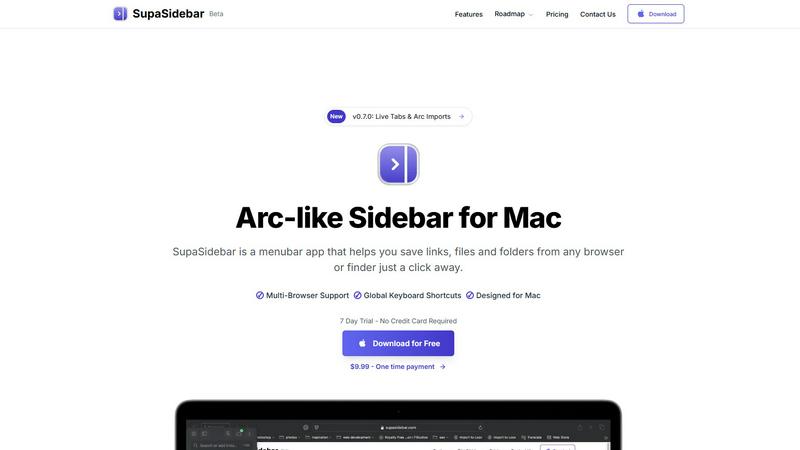
SupaSidebar is your AI-powered command center for effortlessly accessing links, files, and apps on Mac in an instant.
Last updated: February 28, 2026
Visual Comparison
Never Drop

SupaSidebar
Feature Comparison
Never Drop
Quantum-Speed Business Card OCR
Harness the power of advanced, AI-driven Optical Character Recognition to deconstruct any business card in seconds. Simply snap a photo with your smartphone, and our neural networks instantly and accurately extract every critical data point—name, company, title, phone number, and email—transforming a physical artifact into a pristine digital contact. This eliminates manual typing, data errors, and the inevitable pile of lost cards, capturing intelligence at the speed of conversation.
Intelligent Contact Enrichment Engine
Business cards often tell an incomplete story. Never Drop's proprietary enrichment engine automatically finds and verifies professional work emails using only the name and company, going beyond generic front-desk addresses. It builds a comprehensive, verified contact profile that is immediately actionable, saving you from tedious manual LinkedIn searches or guesswork and ensuring your pipeline data is robust and reliable from the moment of capture.
Context-Aware AI Follow-Up Drafter
This is the core of the revolution. Based on the unique context of your conversation—captured through your voice notes or text annotations—our AI crafts a genuinely personalized follow-up email draft. It moves far beyond mail-merge, generating relevant content that references your specific discussion, ensuring the communication feels human and timely. You can review, tweak, and send this drafted email directly from your phone in under two minutes, capitalizing on the peak warmth of the interaction.
Unified Team Workspace & CRM Sync
Never Drop operates as a cohesive command hub for your entire sales squadron. Organize leads by event, reassign contacts between team members, and track collective activity from a centralized dashboard. Furthermore, it seamlessly integrates with ecosystem pillars like HubSpot and Gmail, automatically pushing enriched contact profiles into your CRM and allowing follow-ups to be sent from your own email address, ensuring perfect alignment between field operations and your central sales pipeline.
SupaSidebar
Instant Access to Everything
SupaSidebar provides immediate access to your essential apps, websites, and files through powerful keyboard shortcuts. No more wasting time searching for what you need; simply press a few keys and find everything instantly.
Unified Command Hub
With SupaSidebar, all your links, files, and folders from major browsers like Safari, Chrome, and Firefox, as well as Finder, are aggregated into one streamlined sidebar. This unification eliminates the chaos of navigating multiple platforms.
Recents & Favorites
SupaSidebar features a Recents tab that tracks every website you have visited in the last 48 hours, making it easy to return to your latest work. Additionally, you can pin your favorite items at the top of the sidebar for quick access.
Global Keyboard Shortcuts
Designed for speed and efficiency, SupaSidebar offers global keyboard shortcuts that allow you to save URLs and copy links with ease. Simply press CMD CTRL S to save or CMD CTRL C to copy, optimizing your workflow.
Use Cases
Never Drop
Dominating High-Traffic Trade Shows
Navigate the bustling floor of a major industry expo with confidence. As you collect dozens of cards, instantly scan each one between conversations. Dictate a quick voice note highlighting key pain points or next steps discussed. Before you even leave the prospect's booth, a personalized follow-up is drafted and ready to send, ensuring you are the first and most memorable vendor to engage, dramatically increasing conversion rates from event leads.
Streamlining Conference Networking
During a multi-day conference, meetings blend together. Use Never Drop to scan cards after each session, lunch, or cocktail hour. Add text context tagging the specific talk you attended together or a shared interest. The app organizes all contacts under the conference event, and your AI-drafted emails will reference those specific shared experiences, creating a powerful, personalized touchpoint that stands out in a flooded inbox.
Accelerating Post-Event Sales Sprints
Eliminate the dreaded post-event data-entry and follow-up backlog. Instead of wasting days manually inputting cards and crafting emails, your team can trigger a batch of personalized follow-ups within hours of the event closing. All leads are already enriched and sitting in your CRM, allowing your sales team to transition immediately to meaningful engagement and qualification calls, compressing the sales cycle.
Empowering Field Sales and Executive Meetings
For executives and field sales reps in one-on-one meetings or business dinners, Never Drop provides a discreet, professional tool. Quickly capture the contact's details after the meeting and record nuanced voice context about strategic discussions or personal details shared. The resulting follow-up email will reflect the high-level, tailored nature of the conversation, strengthening crucial executive relationships from the very first touchpoint.
SupaSidebar
Research Efficiency
For researchers who often juggle multiple tabs and sources, SupaSidebar simplifies the process by consolidating all references in one location. This enables quick access to essential materials without losing focus.
Creative Workflows
Creators can benefit from SupaSidebar by keeping their favorite tools and resources at hand. This allows for a fluid creative process, where inspiration can be captured instantly without the hassle of searching through clutter.
Student Productivity
Students can leverage SupaSidebar to manage their study materials, links to research, and class notes. The ability to quickly access recent documents and favorite resources enhances learning efficiency.
Project Management
Professionals managing projects can use SupaSidebar to keep track of important files, links, and communications. By having everything organized in one sidebar, teams can collaborate more effectively and stay aligned on tasks.
Overview
About Never Drop
Never Drop is the revolutionary AI-native command center for the modern sales warrior, engineered to transform ephemeral handshakes into concrete revenue. In the high-velocity arena of trade shows, conferences, and networking events, leads are the most perishable commodity. This cutting-edge platform is designed specifically for sales teams who operate at this frontier, eliminating the archaic friction of manual data entry and forgotten follow-ups. Its core value proposition is a seamless, intelligent workflow that captures, enriches, and activates a lead in under two minutes. By simply scanning a business card, sales reps can instantly extract contact details with military-grade AI OCR, then layer on critical conversational context via voice or text notes. The platform's neural engine then synthesizes this data to draft a hyper-personalized follow-up email that resonates with the specific interaction, not a generic template. With seamless bi-directional sync to CRMs like HubSpot, Never Drop ensures every captured contact is a fully enriched, actionable profile in your pipeline, closing the loop between field intelligence and sales execution. It's not just a tool; it's a paradigm shift in lead velocity, ensuring you are always the first responder and never let a potential deal evaporate into the chaos of post-event overwhelm.
About SupaSidebar
SupaSidebar is a revolutionary productivity engine specifically designed for macOS that transforms your digital workspace into an efficient command hub. Gone are the days of juggling multiple browser tabs, bookmarks, and files scattered across your system. SupaSidebar integrates everything you need—links, files, folders, and open tabs—into a beautifully crafted native sidebar, allowing you to seamlessly navigate your workflow. Targeted at modern knowledge workers, researchers, and creators, this innovative tool eliminates the inefficiencies associated with context-switching and digital clutter. With its instantaneous, keyboard-driven access, SupaSidebar ensures that you can maintain a state of deep focus and flow. Whether you are a professional striving for efficiency or a student managing multiple projects, SupaSidebar serves as an extension of your cognitive process, placing everything you require right at your fingertips.
Frequently Asked Questions
Never Drop FAQ
How does Never Drop's AI ensure follow-up emails sound personal and not robotic?
Never Drop's AI draft is not a simple template. It is dynamically generated based on the specific conversational context you provide via voice or text notes at the point of capture. The engine analyzes this context, along with the contact's profile, to generate relevant sentences that reference your actual discussion, topics covered, and agreed next steps. You maintain full control to review and edit the draft, ensuring the final output perfectly matches your personal tone and the meeting's nuance.
What happens to the image of the business card after scanning?
Your data security is paramount. Never Drop is built by SCOPEO, a French company, with data hosted in the EU in full compliance with GDPR regulations. The business card image is used solely by our AI-powered OCR system to extract contact information. Once the data is extracted, the image is not used for any other purpose and is not shared with third parties. All data is encrypted both in transit and at rest.
Can I use Never Drop without a mobile phone?
The core magic of Never Drop happens in the field via the mobile app, which is essential for scanning business cards and capturing voice context in real-time. A complementary web dashboard is provided for team management, reviewing all captured leads, configuring settings (like CRM sync and AI tone), and handling billing. The two platforms work in unison for a complete operational workflow.
Which CRM systems does Never Drop currently integrate with?
Never Drop offers seamless, native integration with HubSpot, allowing enriched contact profiles and activity logs to sync directly into your HubSpot sales pipeline. For communication, it integrates with Gmail, enabling you to send your AI-drafted follow-up emails directly from your own email address. This connected ecosystem ensures no data silos. The platform is built to expand, with more CRM and productivity integrations on the development roadmap.
SupaSidebar FAQ
Is SupaSidebar a browser extension?
No, SupaSidebar is a standalone menubar app designed specifically for macOS, allowing you to save links and files from any browser or Finder.
Which browsers does SupaSidebar work with?
SupaSidebar supports all major browsers, including Safari, Chrome, Firefox, Brave, and Arc, ensuring a seamless experience across your digital workspace.
What macOS version do I need?
SupaSidebar requires macOS 13 or higher to function properly, ensuring compatibility with the latest features and updates from Apple.
Where is my data stored?
All data handled by SupaSidebar is securely stored locally on your Mac. Nothing leaves your device, ensuring your privacy and data integrity.
Alternatives
Never Drop Alternatives
Never Drop is a revolutionary AI-native lead capture and follow-up automation platform, squarely in the productivity and management category. It transforms ephemeral handshakes into actionable sales pipelines by instantly digitizing contact data and generating hyper-personalized outreach. Users often explore alternatives for several key reasons. These can include budget constraints, the need for different feature sets like advanced CRM integrations or team collaboration tools, or specific platform requirements such as a dedicated web app versus a mobile-first experience. The quest for a solution that aligns perfectly with a team's unique workflow is common. When evaluating other platforms, prioritize core functionalities. Essential criteria should include the accuracy and speed of contact capture, the sophistication of AI-driven personalization for follow-ups, seamless bi-directional sync with your existing CRM ecosystem, and robust data security protocols to protect sensitive lead information.
SupaSidebar Alternatives
SupaSidebar is an AI-native command center designed to revolutionize productivity for macOS users. It seamlessly aggregates links, files, and apps, transforming the traditional browser sidebar into a universal hub that enhances workflow efficiency. As a tool tailored for knowledge workers, researchers, and creators, SupaSidebar aims to eliminate digital clutter and the friction associated with context-switching, allowing users to maintain deep focus. Users often seek alternatives to SupaSidebar for various reasons, including pricing considerations, specific feature requirements, or compatibility with different platforms. When choosing an alternative, it's essential to prioritize user experience, functionality, and integration capabilities to ensure that the selected tool effectively meets your productivity needs and aligns with your workflow preferences.